81
Technical tips
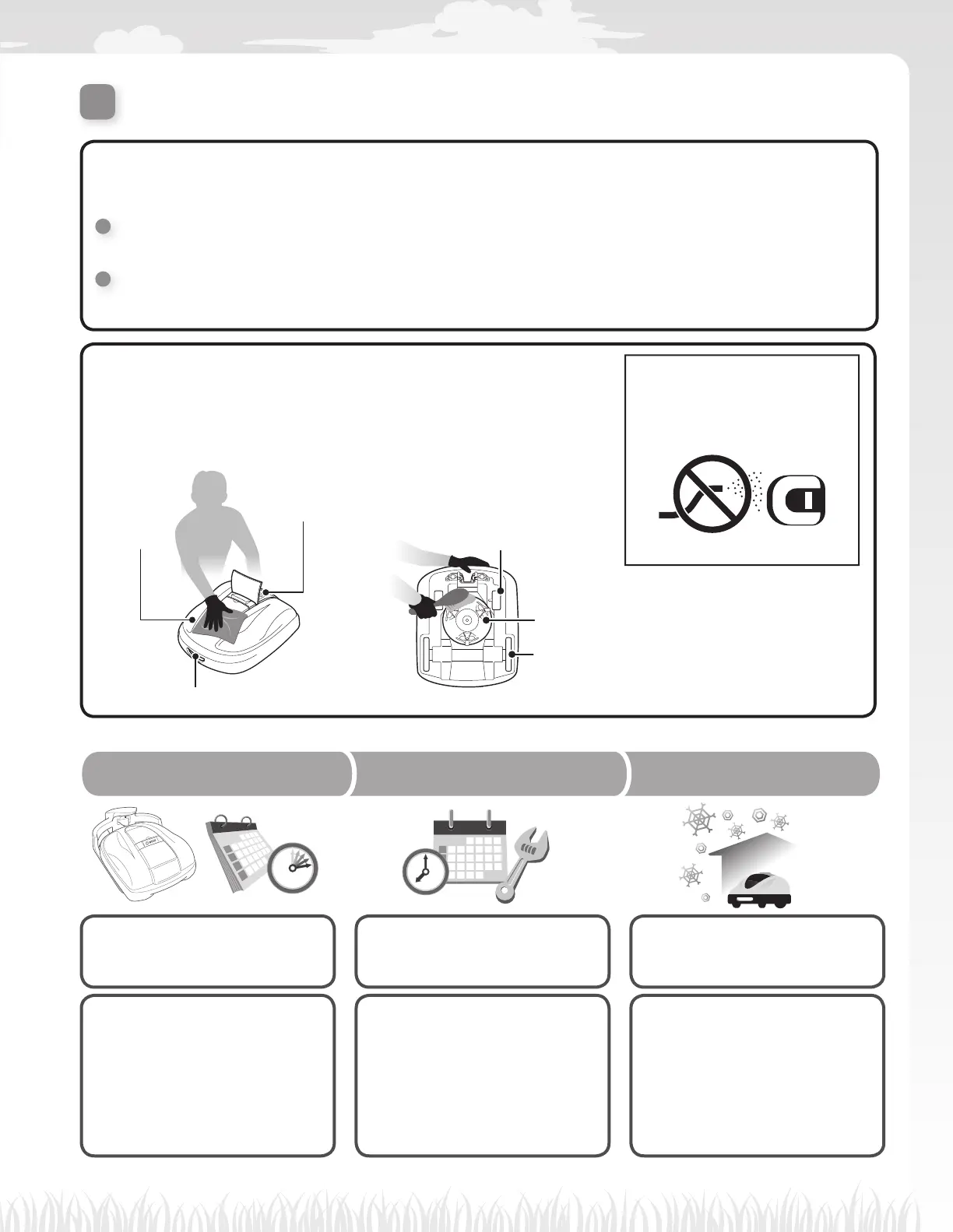
Control panel
Top and
sides
Charging socket
Blades and blades disc
Rear (drive) wheels
Front (caster) wheels
Remove dirt and grass from the following areas:
Mowing mode
You can select from 2 modes of operation (available in “Menu Settings”).
Auto mode (M page 31)
The lawn mower automatically mows according to inputted time and lawn settings.
Manual mode (M page 38)
Start mowing anytime without timer settings.
Cleaning the lawn mower (M page 64)
Clean dirt and grass off of the lawn mower using a dry brush
and cloth.
NOTE:
- Do not clean the lawn mower
with solvent, a pressure
washer, garden hose, etc.
Put on “Paused” (Push the power button
and close the panel cover) state for work so
you can start operation at your desired time.
Regularly check the lawn mower
for assurance.
Store properly for next use.
• Adjusting the height of the
blades (M page 57)
• Checking the “Paused” state
(M page 54)
• Checking the docking station
connections (M page 53)
• Checking the standby status
(M page 54)
• Checking the docking station
connections (M page 66)
• Blade conditions (M page 68)
• Checking the parts
(M page 63, 65)
• Cleaning and replacing the
blades (M page 70)
• Cleaning the lawn mower
(M page 64)
• Cleaning the docking station
(M page 66)
• Disconnecting the transformer
and power cable (M page 53)
345
Paused Weekly check Storage



 To Next Page