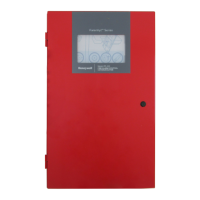
Fire Alarm Control Panel PL-1000
26 M-169.1-SERIE-PL-EN / 09.2022
BUZZER MUTE
SOUNDERS STOP Yellow (fixed) Sounder outputs has been silenced
EVACUATE Yellow (fixed) Evacuation is activated
PUSH BUTTON
AND FUNCTIONAL KEY
DESCRIPTION FUNCTION
RESET PANEL Pressing the ‘Reset Panel’ button will reset the panel to return it to normal condition after an event
BUZZER MUTE Pressing the ‘Buzzer Mute’ button or tapping on the touch screen, will silence the active panel buzzer
SILENCE SOUNDERS Pressing the ‘Silence Sounders’ button will silence all Alarm sounders
EVACUATE
Pressing the ‘Evacuate’ button and later confirm the evacuation in the pop-up window, will start all the panel
sounders output activation for the output configured for evacuation in the Cause and Effect I/O Matrix
LEVEL 2 KEY
In “O” position
(default), Level 2 access is not granted. Inserting the key and turning it into “I” position,
enables panels Level 2 Functions



 To Next Page
 Loading...