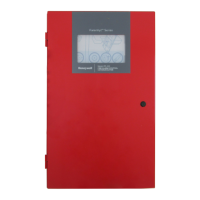
Fire Alarm Control Panel PL-1000
M-169.1-SERIE-PL-EN / 09.2022 25
9 DISPLAY AND CONTROLS
The Touchscreen display and LED indications, allow the user to review the system status and, with appropriate user PIN, have access and perform tasks in
accordance with the requirements of the local fire regulations. There are 13 status icons provided on the front panel and 4 push buttons for event conditions.
FIRE
A fire condition has been detected (buzzer active)
The user has acknowledged the event by buzzer silence
DISABLEMENT Yellow (blinking) A device or zone is disabled
TEST Yellow (blinking) A zone is in test mode
POWER Green (fixed) The system is switched on and the power is supplied via the mains
FAULT
General fault, buzzer is active
The user has acknowledged the event by buzzer silence
EARTH FAULT
Earth fault condition is present
The user has acknowledged the event by buzzer silence
SOUNDER FAULT /
DISABLEMENT
Sounder fault condition is present
Sounders circuits are disabled
POWER SUPPLY FAULT
Yellow (slow blinking 1sec On, 1sec Off)
Battery charger fault or Battery resistance fault condition is present
AUXILIARY POWER SUPPLY
OUT FAULT
24 Vcc user fault condition is present
The user has acknowledged the event by buzzer silence
SYSTEM FAULT Yellow (fixed) System fault



 To Next Page
 Loading...