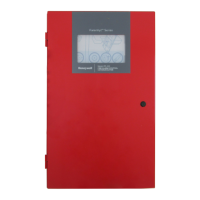
Fire Alarm Control Panel PL-1000
4 M-169.1-SERIE-PL-EN / 09.2022
13.2 Configuration - date and time setting ..................................................................................................................................................................................................................................................................................................... 33
13.3 Configuration – panel configuration ........................................................................................................................................................................................................................................................................................................ 35
13.4 Configuration – Peripherals option ........................................................................................................................................................................................................................................................................................................... 39
13.5 Configuration – autolearn ................................................................................................................................................................................................................................................................................................................................ 40
13.6 Configuration – description ............................................................................................................................................................................................................................................................................................................................ 41
13.7 Configuration – matrix / Cause and Effect I/O Matrix ................................................................................................................................................................................................................................................................ 43
13.8 Configuration – activation delay .................................................................................................................................................................................................................................................................................................................. 45
14 Operation - Enable / Disable Zone and Point ................................................................................................................................................................................................................................................................................................... 47
15 Operation - Enable / Disable Sounders ................................................................................................................................................................................................................................................................................................................ 48
15.1 System status – wireless devices (this functionality will be available on next Firmware release) ................................................................................................................................................................ 49
15.2 System status – panel diagnostic values .............................................................................................................................................................................................................................................................................................. 50
15.3 System status – points diagnostic values ............................................................................................................................................................................................................................................................................................. 51
15.4 System status – history log .............................................................................................................................................................................................................................................................................................................................. 52
15.5 System test - panel user interface and relay ....................................................................................................................................................................................................................................................................................... 53
15.6 System test – zones ............................................................................................................................................................................................................................................................................................................................................... 54
15.7 System test – outputs .......................................................................................................................................................................................................................................................................................................................................... 55
15.8 System test – sounders ...................................................................................................................................................................................................................................................................................................................................... 56
16 Maintenance ............................................................................................................................................................................................................................................................................................................................................................................. 57
17 Front Label Languages Available .............................................................................................................................................................................................................................................................................................................................. 58
18 Product list .................................................................................................................................................................................................................................................................................................................................................................................. 59
18.1 Compatible Devices .............................................................................................................................................................................................................................................................................................................................................. 59



 To Next Page
 Loading...