10
Terminal
The terminal is plugged on the pre-assembled
bracket in the tractor and connected to the
computer by means of a cable.
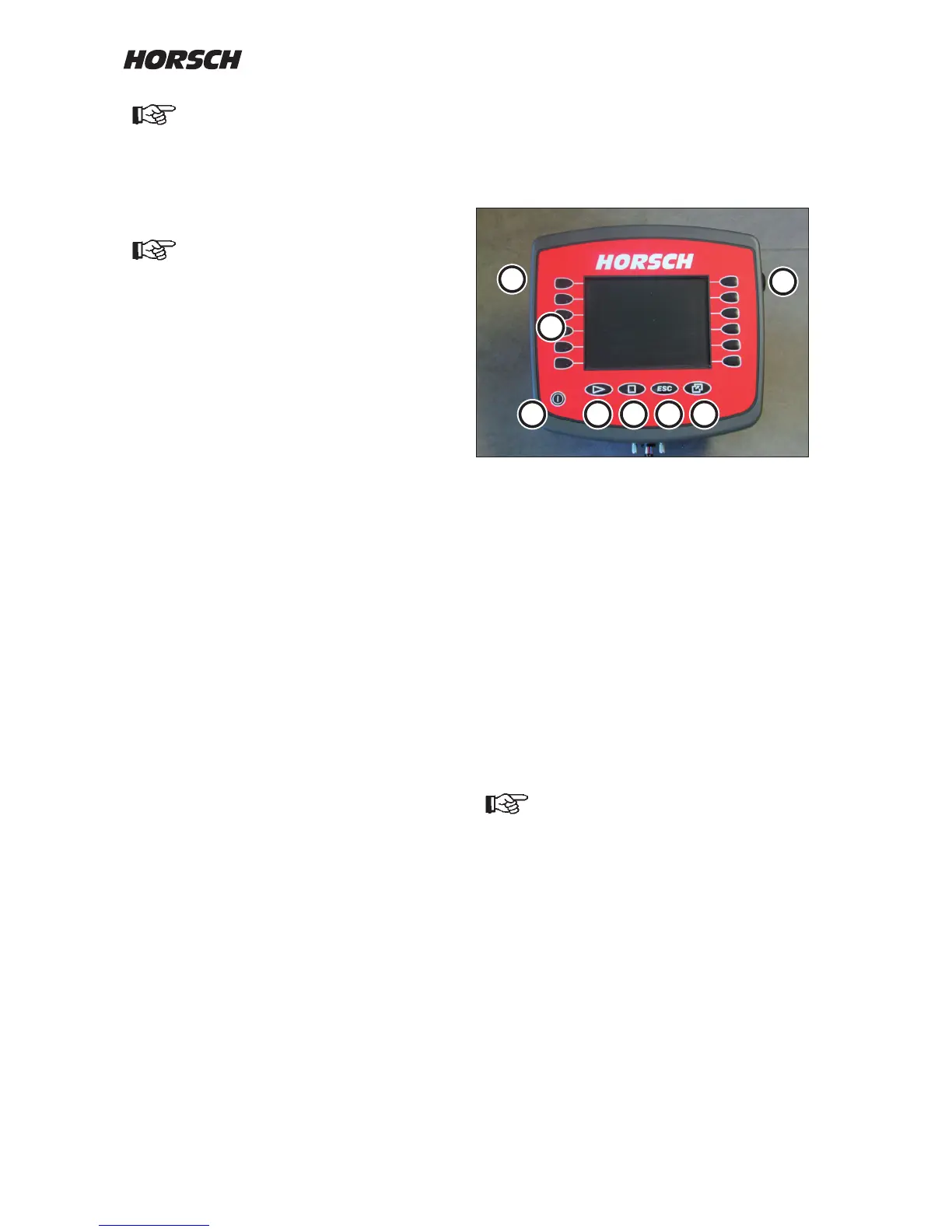
Terminal with colour display and keyboard
1. On/O button
2. Function keys
3. not assigned
4. not assigned
5. ESC-button
- Cancel input
- Exit mask
- Hide warning messages and alarms
6. Invoking / exiting selection menu
7. Rotary button
- Selection, input and conrmation
8. Connection of USB plug
The keys (2) on the display have no fixed
functions assigned to them. They will always
switch the function currently displayed.
The displayed screen contents may
vary from the illustration depending on
the respective program version.
4
3
1
2
7
6
8
5
The cables must under no circum-
stances be connected to any other
plugs in the cab.
The plugs are unable to transfer the
required current (A). Voltage losses
and drilling faults will occur.
The terminal should not obstruct the
eld of vision to the road.



 To Next Page