17
Bout marker and hydraulic
control
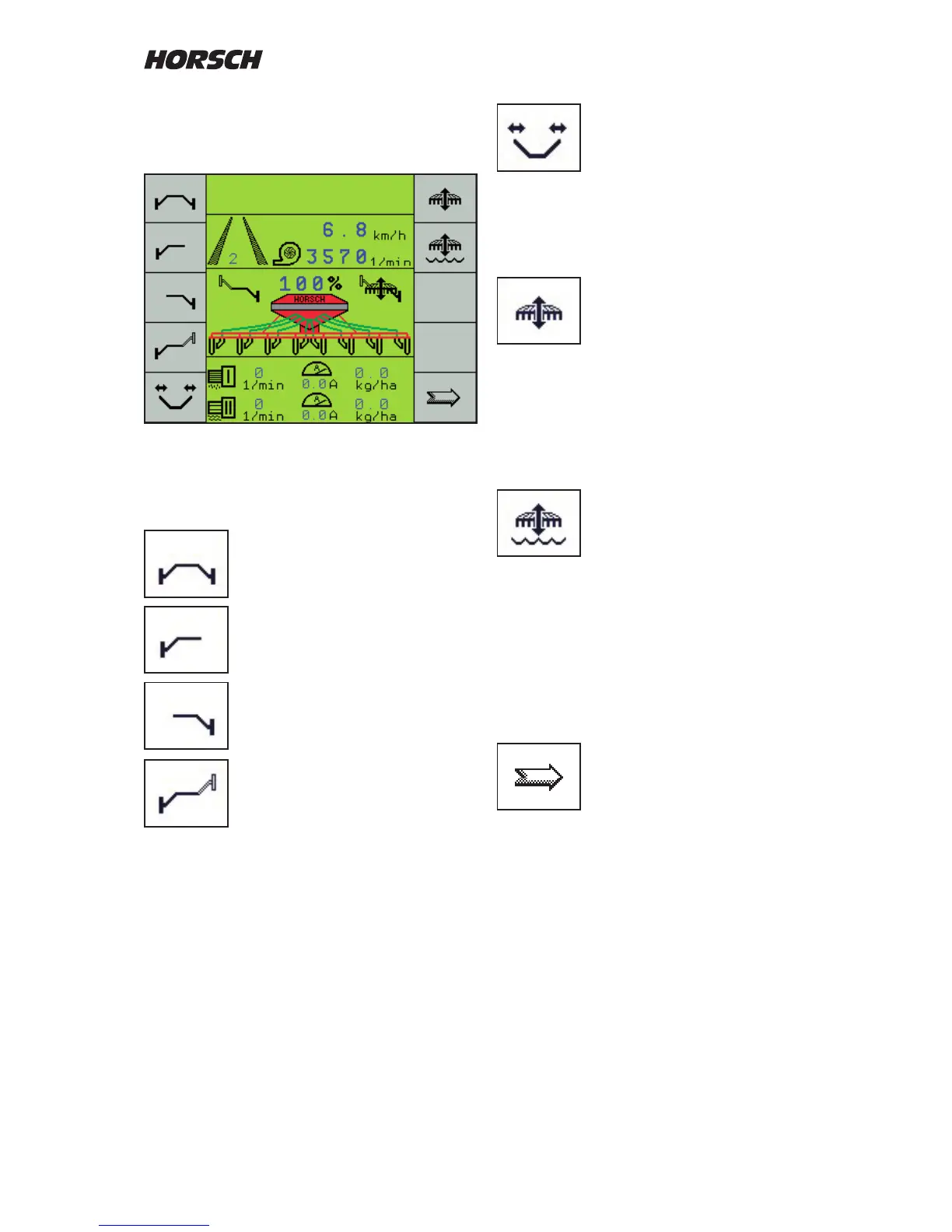
Menu image second work page - hydraulic functions
The enabled functions appear in the display
next to the drill.
Both bout markers are lifted out or
lowered together with the machine.
Only the left hand bout marker will
be operated.
Only the right hand bout marker will
be operated.
Alternating mode: Left and right
hand bout markers lift and lower
alternately.
This is the normal drill work mode.
When switching on this bout marker control also
always activates the hydraulic "Lifting" function.
Folding / unfolding the machine
With all foldable machines this key is used to
switch the hydraulic valve block over to "Folding".
The functions "Lifting / Lowering" and the drill
function are switched o.
Lifting and lowering the machine
The function "Lifting / Lowering" is automatically
activated when activating the bout marker
function. If the bout marker is switched on, the
rst actuation of the key will switch o the bout
marker and the second actuation will disable the
"Lifting / Lowering" function.
"Wet hole" function
In certain situations, e.g. if the machine sinks in
at very wet patches in the eld, this function can
be used to raise the machine. The work signal
is thereby not interrupted and the tram line will
not switch further.
Return to the normal drill function by pressing
the key again and by pressing the key for the
desired bout marker function.
Continue to next page



 To Next Page