12
Terminal settings
The settings for the terminal:
¾ brightness /display)
¾ volume (alarm)
¾ date / time
¾ language selection
¾ measuring units
¾ keyboard illumination
are set in the "Service" menu option.
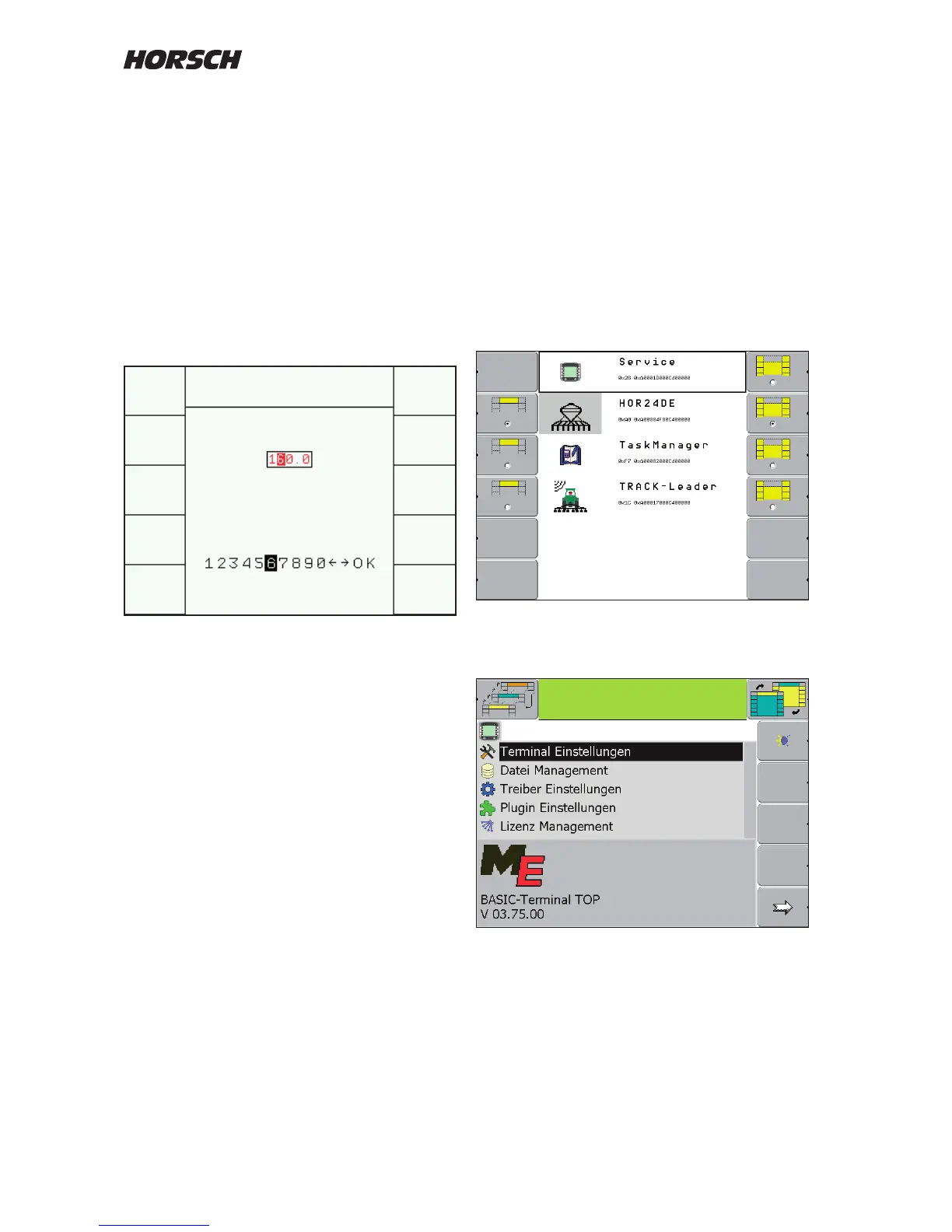
Press button (6) to open the selection menu.
Turn the rotary wheel to mark and confirm
"Service".
Turn the rotary wheel to mark and confirm
"Terminal setting".
Setting and changing inputs
Before initial start-up some settings must be
entered in to the system.
The selection, input and conrmation of text or
numericals is accomplished via the rotary button.
Use the rotary button to place the marking over
the numerical or the term and press the rotary
button to conrm.
For the terms / words all selectable possibilities
appear, for the numericals the table with the
numbers 1 - 10 with two arrows and OK.
Changing numerical values
If the number is not to be changed, press the
rotary button to conrm the number.
To change the number with the rotary button
select the desired number and press the rotary
button to conrm.
The system will automatically change to the
next number.
With the arrow keys the desired cipher can be
directly selected.
For the terms mark the new term / word with the
rotary button and press to conrm.



 To Next Page