39
Tram line rhythm
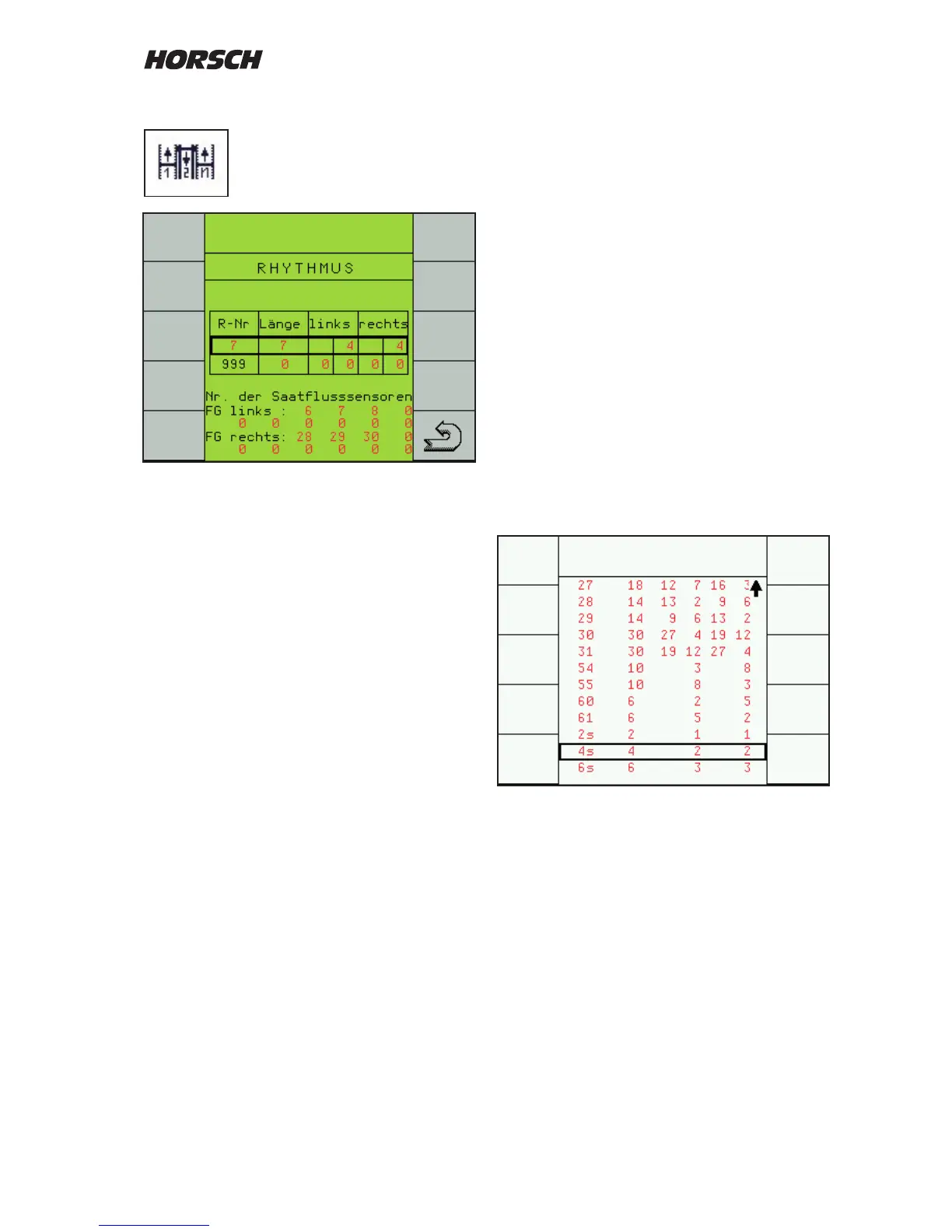
Overview and selection of tram line
rhythm.
The "R-No" only represents the number from
the table and has no relevance for the rhythm.
The "Length" shows the number of bouts until
the rhythm repeats itself.
The elds "left" or "right" show the bout numbers
in which the seed hoses are closed.
The rhythm is determined by the width of the
drill and the working width of the care taking
machine (sprayer).
The rhythm for the corresponding combination
can be taken from the diagrams.
After selecting the rhythm number from the table
the rhythm is displayed in the rst line.
The second line with R-No. 999 can be used t
enter a freely programmable rhythm.
Selection of rhythm
Column A: Working width of drill
Column B: Working width of sprayer
Column C: Overview over the individual
drilling and spraying tracks
Column D: Rhythm input into computer
Column E: Installation position of valves in
the machine
Choose drill working width (A) and spraying
width (B) from the diagrams. Column (C) shows
the individual drill and spraying bouts with the
bout numbers for the tram line.
Column (D) shows the rhythm number and (E)
the installation position of the valves.
The rhythm numbers are stored in the computer
table for selection.
For this purpose highlight the rst line with the
+ and - keys and press "Return".
The rhythm table is displayed.
Use the + / - keys to select the rhythm number
and press "Return" to conrm.
The number is accepted and displayed in the
rst line.



 To Next Page