5-10
Hop the
Output
Signal
Things
to
Remember
Mode
Operation
You
have now completed the procedures for setting up Hop Mode
operation. The following outline lists the key steps for setting up
your HP 8904A to hop Channel
As
frequency, amplitude and phase
Ab
ouf
HOP
settings.
1.
Enter the desired parameters
into each Hop Register
(0
through
15).
2.
Specify which
of
Channel
A’s
settings
you wish to hop.
3.
Select the Hop Registers
by entering each Hop Register
address via the front-panel keys or the rear-panel
DIGITAL
PORT.
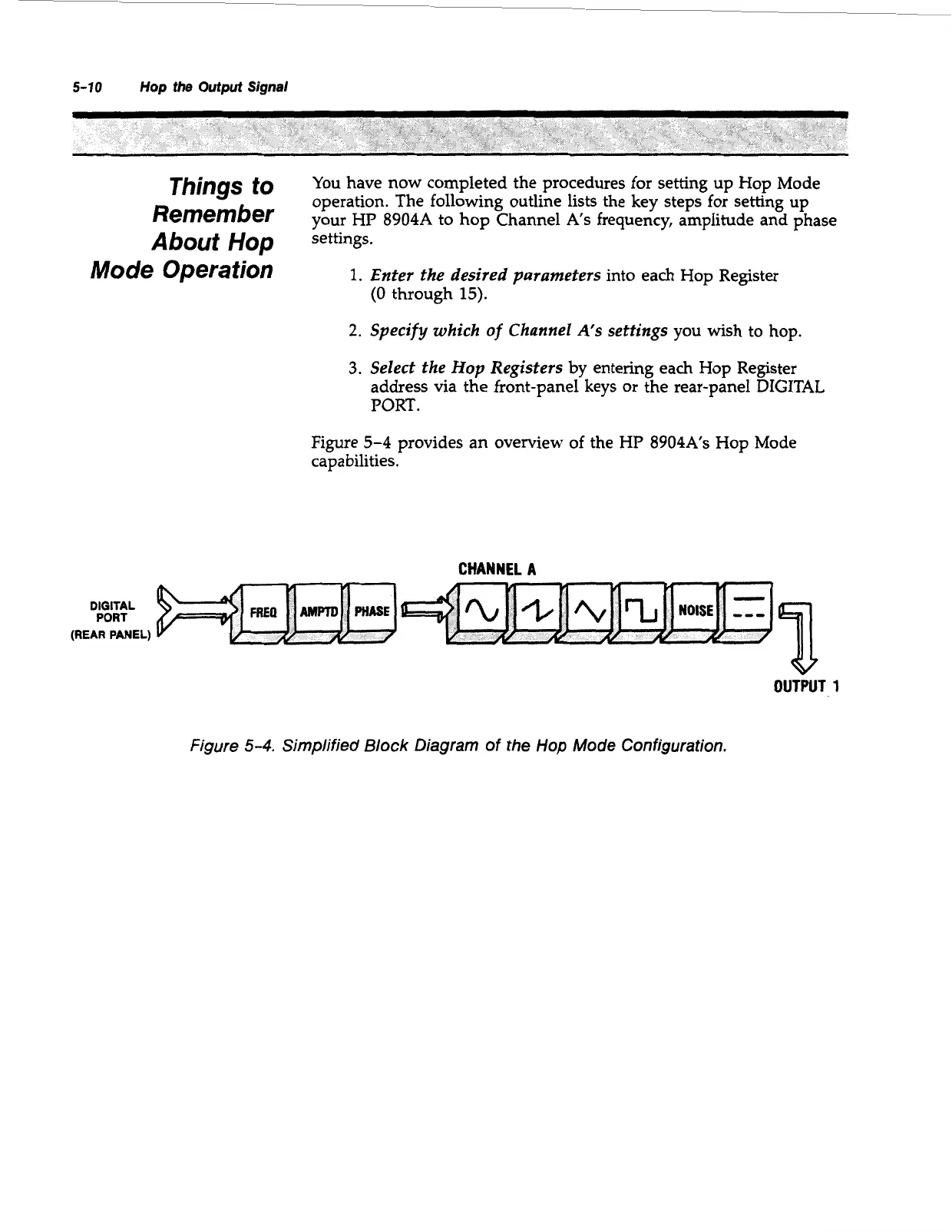
Figure
5-4
provides an overview of the HP 8904A’s Hop Mode
capabilities.
CHANNEL
A
DIGITAL
PORT
(REAR PANEL)
v
OUTPUT
1
Figure
5-4.
Simplified
Block
Diagram
of
the
Hop
Mode
Configuration.
Artisan Technology Group - Quality Instrumentation ... Guaranteed | (888) 88-SOURCE | www.artisantg.com



 To Next Page