Model
8904A
Performance Tests
Procedure
AC Amplitude Accuracy
1.
On the Multifunction Synthesizer, press
SHIFT
PRESET.
After the instrument presets, key in
fl
(Channel
Config.)
NEXT
SHIFT
FLOAT
1
ON
2.
Connect the Multifunction Synthesizer
OUTPUTS
1
HIGH
and
LOW
outputs to the multimeter’s
high-impedance floating inputs through a
600R
feedthrough termination. Use
two
BNC-to-
dual-banana plug adapters and
two
BNC-to-single-banana plug adapters (supplied with the
Multifunction Synthesizer)
as
necessary to maintain
a
floating output.
3.
Set the digital multimeter to read ac volts.
4.
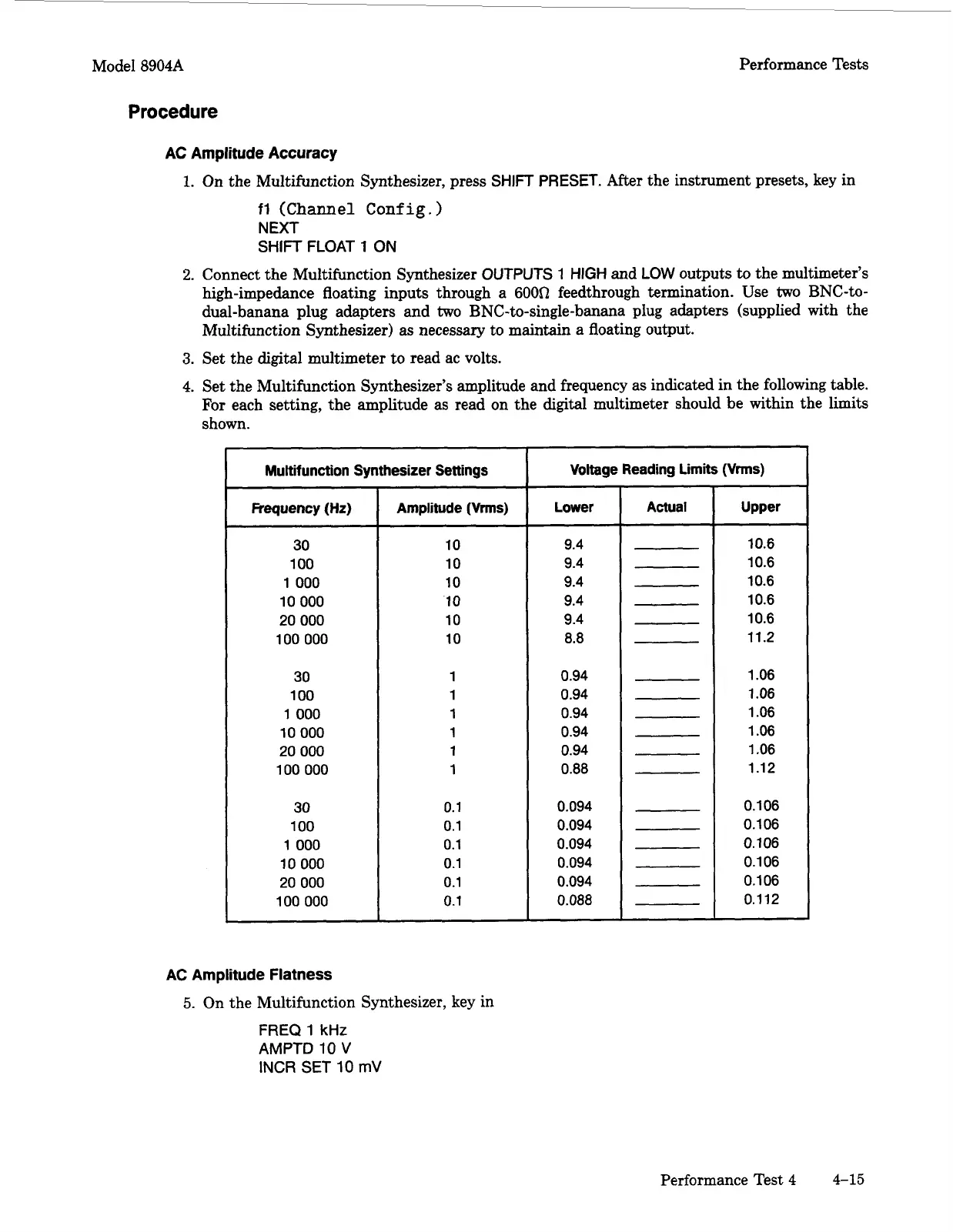
Set the Multifunction Synthesizer’s amplitude and frequency as indicated in the following table.
For
each setting, the amplitude as read on the digital multimeter should be within the limits
shown.
Multifunction Synthesizer Settings
Frequency (Hz)
30
100
1
000
10
000
20
000
100
000
30
100
1
000
10 000
20
000
100
000
30
100
1
000
10
000
20
000
100 000
Amplitude
(Vrms)
10
10
10
10
10
10
1
1
1
1
1
1
0.1
0.1
0.1
0.1
0.1
0.1
AC Amplitude
Flatness
5.
On the Multifunction Synthesizer, key in
FREQ
1
kHz
AMPTD
10
V
INCR
SET
10
mV
Voltage Reading Limits
(Vrms)
Lower
Actual
9.4
9.4
9.4
9.4
9.4
8.8
0.94
0.94
0.94
0.94
0.94
0.88
0.094
0.094
0.094
0.094
0.094
0.088
10.6
10.6
10.6
10.6
10.6
11.2
1.06
1.06
1.06
1.06
1.06
1.12
0.1 06
0.1 06
0.106
0.1 06
0.1 06
0.112
Performance Test
4
4-15
Artisan Technology Group - Quality Instrumentation ... Guaranteed | (888) 88-SOURCE | www.artisantg.com



 To Next Page