Model 8904A Performance Tests
HP
8904fi
MULTIFUNCTION
SYNTHESIZER
000000000
-
OSCILLOSCOPE
AUDIO SOURCE
1
HIGH
OUTPUTS
I
0
0
n
n
0 0
0
0 0
000~00000
onno
00
yo00
oUTPUT
I
X
INPUT
1 1
Y
INPUT
10
MHz
REF OUT
REF INPUT
I
I
I
J
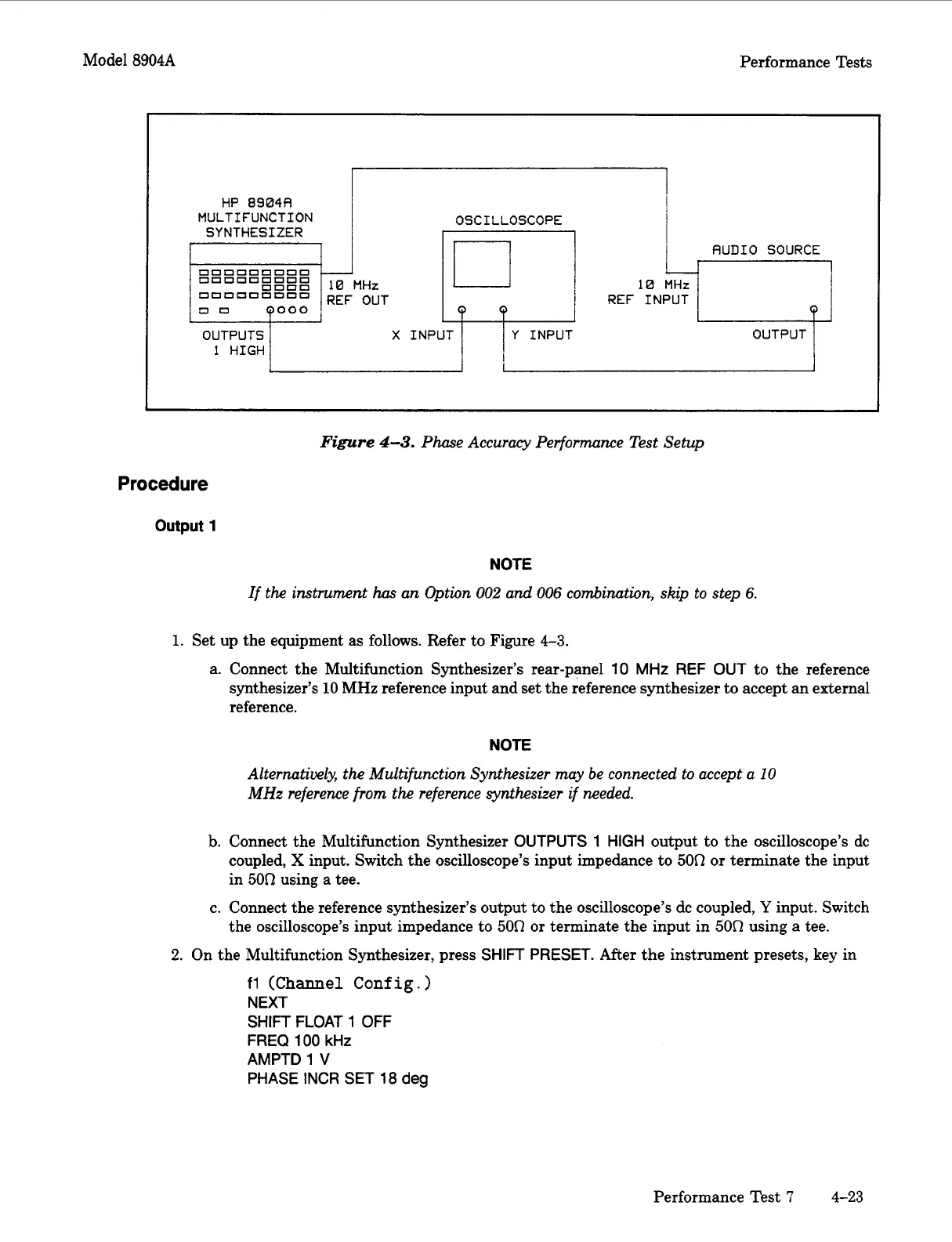
Figure
4-3.
Phase Accuracy Performance Test Setup
Procedure
output
1
NOTE
If
the instrument
has
an Option
002
and
006
combination,
skip
to
step
6.
1.
Set up the equipment
as
follows. Refer to Figure 4-3.
a. Connect the Multifunction Synthesizer’s rear-panel
10
MHz
REF OUT
to the reference
synthesizer’s
10
MHz reference input and set the reference synthesizer to accept an external
reference.
NOTE
Alternatiwly, the Multifunction Synthesizer my be connected
to
accept a
10
MHz
reference
from
the
reference synthesizer if needed.
b.
Connect the Multifunction Synthesizer
OUTPUTS
1
HIGH
output to the oscilloscope’s dc
coupled,
X
input. Switch the oscilloscope’s input impedance to
50R
or
terminate the input
in
500
using a tee.
c. Connect the reference synthesizer’s output to the oscilloscope’s dc coupled,
Y
input. Switch
the oscilloscope’s input impedance to
500
or
terminate the input in
500
using a tee.
2.
On the Multifunction Synthesizer, press
SHIFT
PRESET.
After the instrument presets, key in
fl
(Channel
Conf
ig.
)
NEXT
SHIFT
FLOAT
1
OFF
FREQ
100
kHz
AMPTD
1
V
PHASE INCR SET
18
deg
Performance Test
7
4-23
Artisan Technology Group - Quality Instrumentation ... Guaranteed | (888) 88-SOURCE | www.artisantg.com



 To Next Page