Performance Tests Model
8904A
HP
8904A
RF SPECTRUM
MULTIFUNCTION ANALYZER
SYNTHESIZER
nononoonn
nnoooonnn
nonoonono
OSCILLOSCOPE
OUTPUTS INPUT
1
INPUT
1
HIGH
TEE
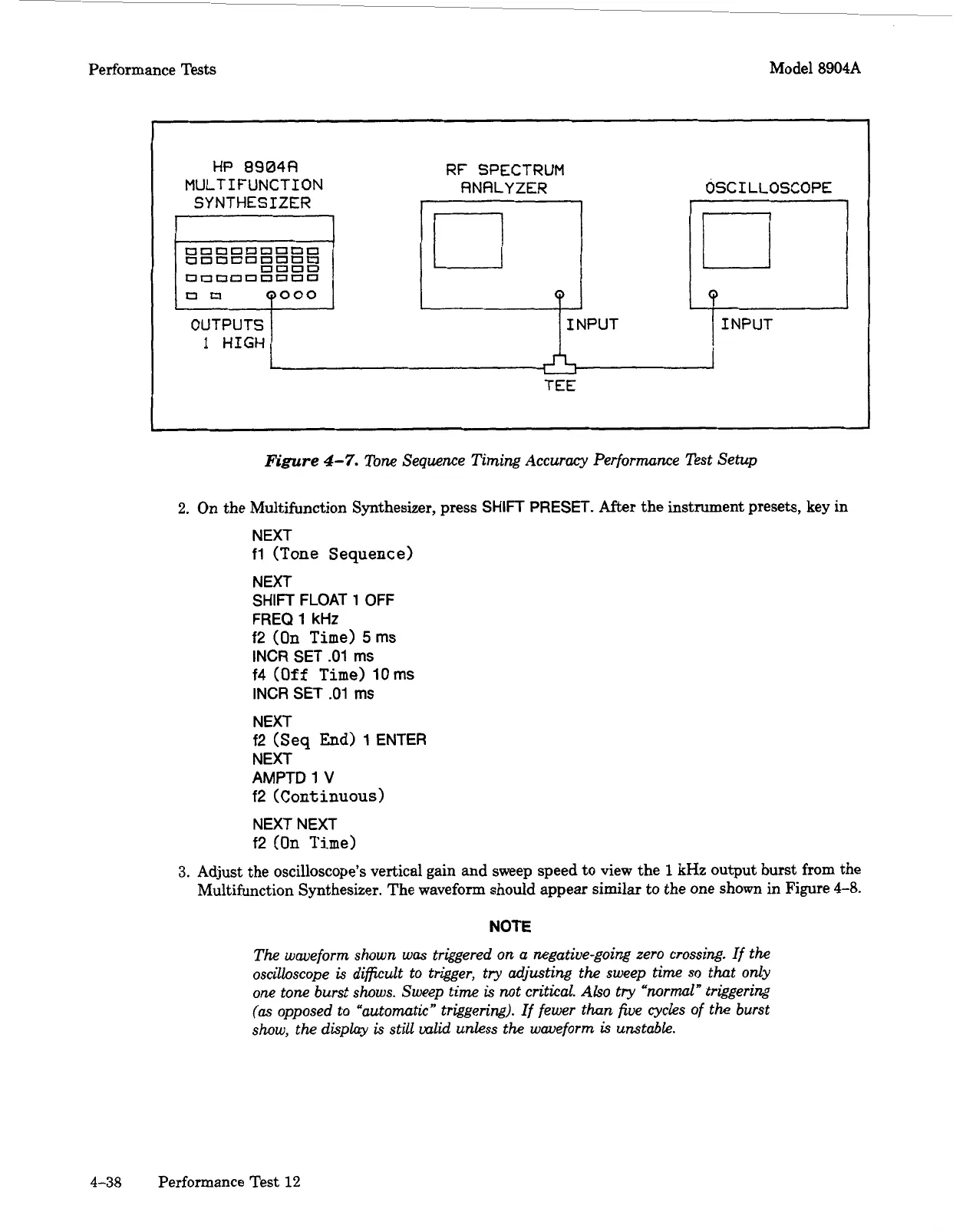
Figure
4-7.
Tone Sequence Timing Accuracy Performance Test Setup
2.
On
the Multifunction Synthesizer, press
SHIFT
PRESET.
After the instrument presets, key in
NEXT
fl
(Tone Sequence)
NEXT
SHIFT
FLOAT
1
OFF
FREQ
1
kHz
f2
(On
Time)
5ms
INCR SET
.01
ms
f4
(Off
Time)
10
ms
INCR
SET
.01
ms
NEXT
f2
(Seq
End)
1
ENTER
NEXT
AMPTD
1
V
f2
(Continuous)
NEXT NEXT
f2
(On
Time)
3.
Adjust the oscilloscope's vertical gain and sweep speed to view the
1
kHz
output burst from the
Multifunction Synthesizer. The waveform should appear similar to the one shown in Figure
4-8.
NOTE
The
waveform shown
was
triggered on a negative-going zero crossing.
If
the
oscilloscope
is
difficult
to trigger, try adjusting
the
sweep
time
so
that only
one
tone burst shows. Sweep
time
is
not
critical.
Also
try "normal" triggering
(as
opposed to "automatic" triggering). If fewer
than
five
cycles
of
the
burst
show,
the
display
is
still valid unless
the
waveform
is
unstable.
4-38
Performance Test
12
Artisan Technology Group - Quality Instrumentation ... Guaranteed | (888) 88-SOURCE | www.artisantg.com



 To Next Page