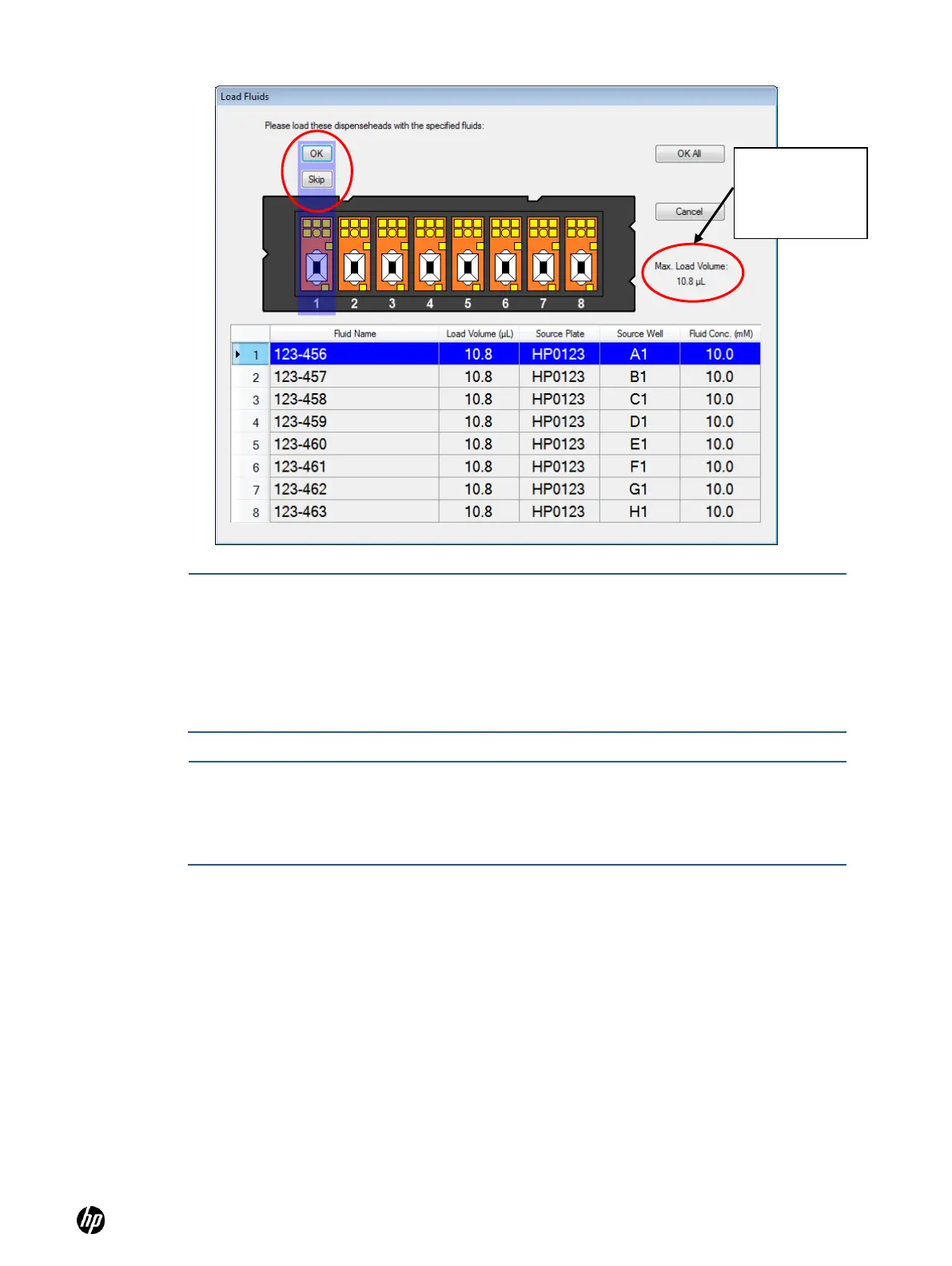
NOTE: The amount displayed in the Load Volume column in the Load Fluid dialog box
(Figure 4-22) will always be greater than the amount of fluid that was requested to be
dispensed. The volume to be dispensed for each fluid is labelled as the ―Total Volume‖ in
the right hand column of Fluids Table on the main operating window. The difference
between the dispense volume and the load volume is to account for fluid which is retained
in the Dispensehead after dispense, also known as the dead volume. The dead volume is
dependent upon the amount of fluid loaded into the Dispensehead, with greater dispense
volumes leading to greater dead volumes.
NOTE: The maximum amount of fluid that can be dispensed from a Dispensehead is 10μL.
If the total dispense volume of a fluid exceeds 10μL, the volume will be split between two or
more Dispenseheads. The split will be identified in the Load Fluid dialog box and in the
report file (as ―1 of 1‖ or ―1 of 2,‖ for instance). See Figure 4-23 for an example of using two
Dispenseheads per fluid.



 To Next Page