HP D300 Digital Dispenser
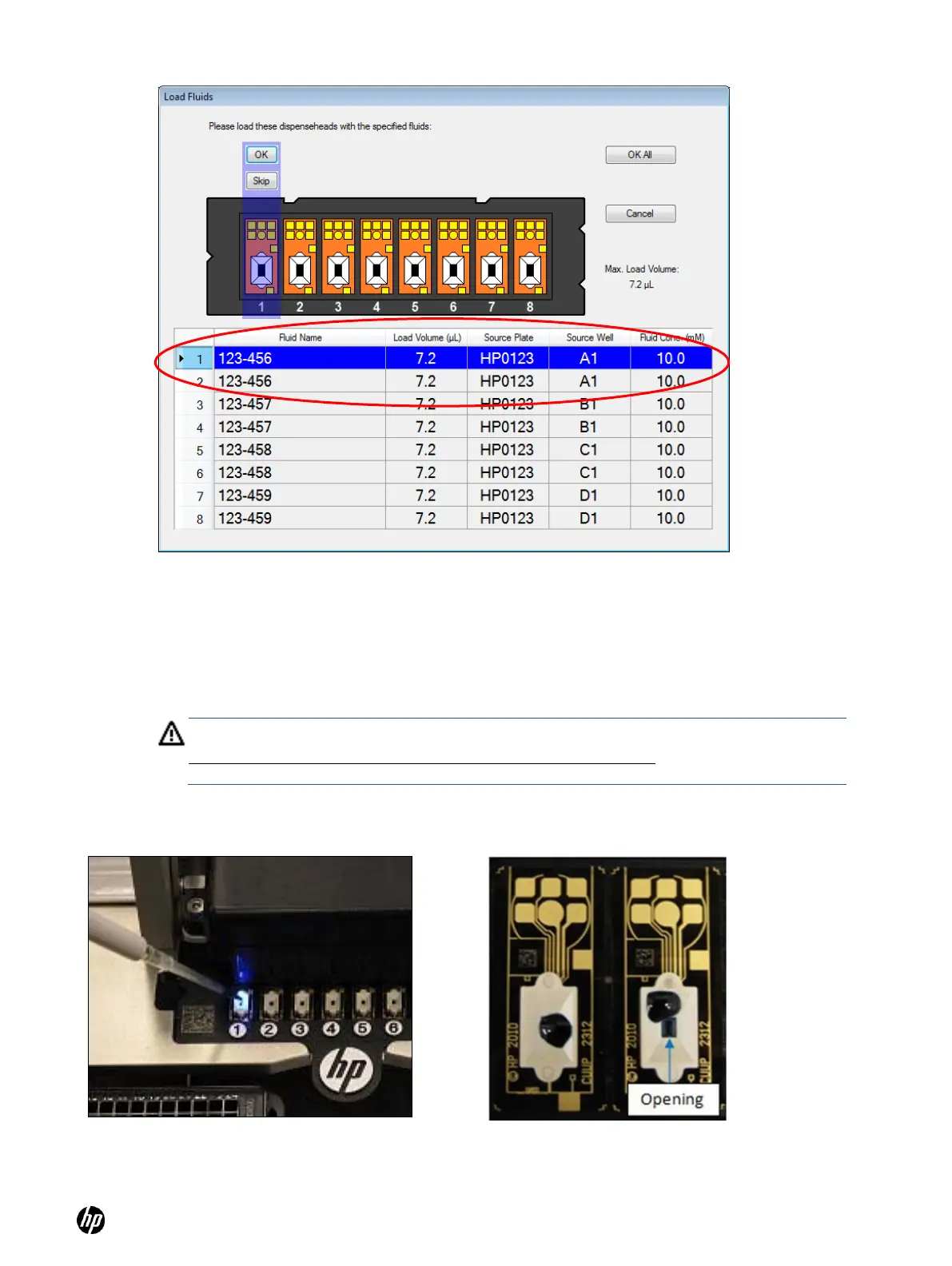
Figure 4-23 Load fluids dialog box with two Dispenseheads per fluid
2. If you determine that the Dispensehead in the load position is not good, or if you mistakenly
load the Dispensehead incorrectly or with the wrong fluid, press Skip instead of OK. This will
cause the blue LED indicator to move to the next good position, and you will be prompted to
load the fluid that was skipped into that next Dispensehead.
3. Load fluid into the Dispensehead position indicated in the Load Fluid dialog box when
prompted. This Dispensehead will be indicated on the dispenser by an illuminated blue LED.
See Figure 4-24.
WARNING: Make sure to load the fluid into the opening on top of the Dispensehead.
Do NOT depress the pipette plunger to the second ―blow out‖ stop as this could introduce
air into the Dispensehead.
Figure 4-24 A blue LED illuminates the
Dispensehead on the Dispensehead Cassette
Figure 4-25 Examples of a good load and a bad load



 To Next Page