HP D300 Digital Dispenser
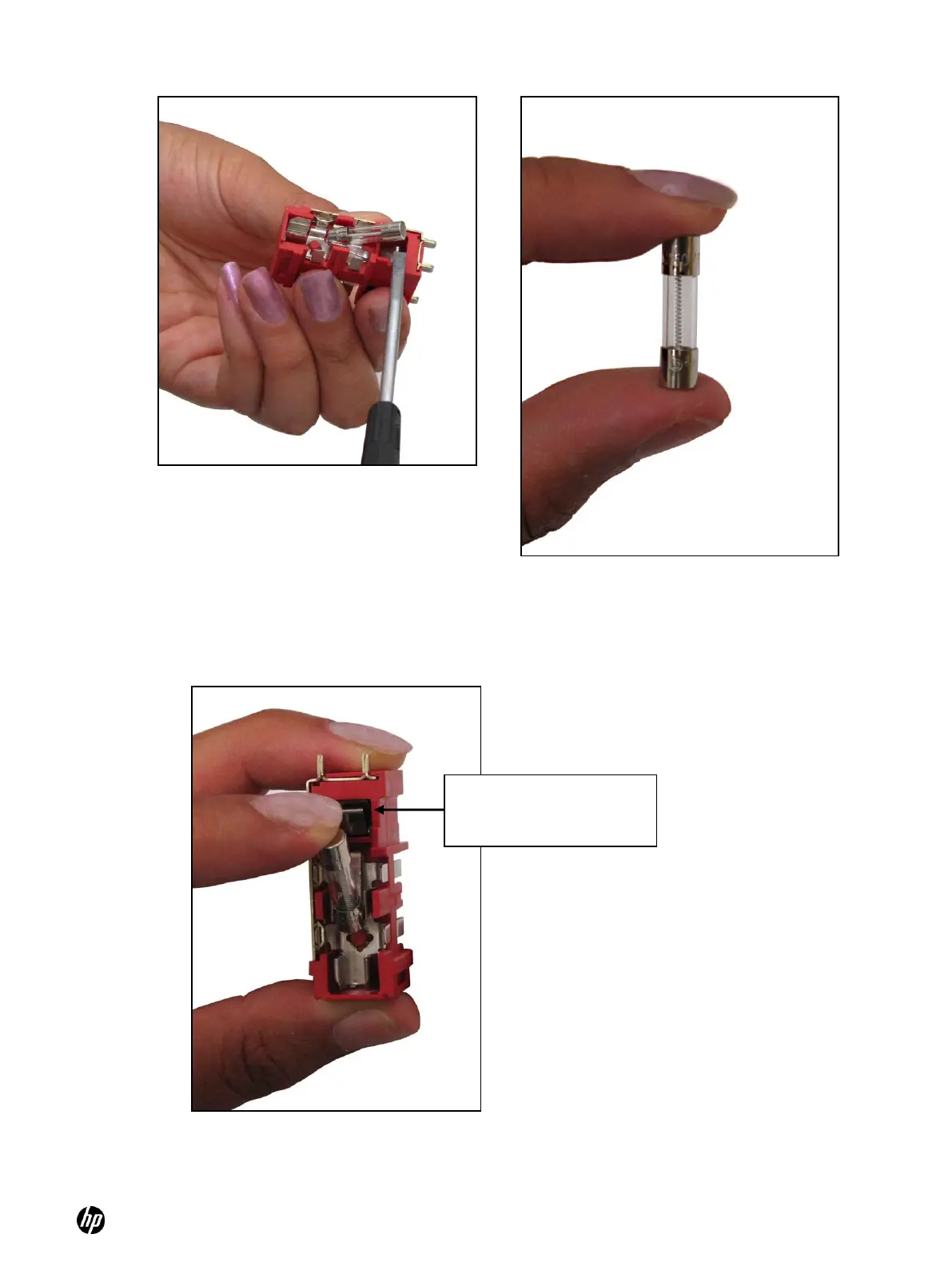
Figure 6-8 Pry the fuse out carefully
Figure 6-9 An example of a good fuse
4. If the fuse is not damaged, insert it back into the fuse holder, making sure that one end of the
fuse presses against the metal connector on the pronged end of the fuse holder. In Figure 6-
10, the pronged end is up.
Figure 6-10 Insert the fuse so that one end presses against the metal connector
on the pronged end of the fuse holder
5. If the fuse is damaged, replace both fuses with a new one. If either fuse is damaged, both
fuses should be replaced.
Make sure the fuse presses
against the metal connector
on this end of the fuse box



 To Next Page