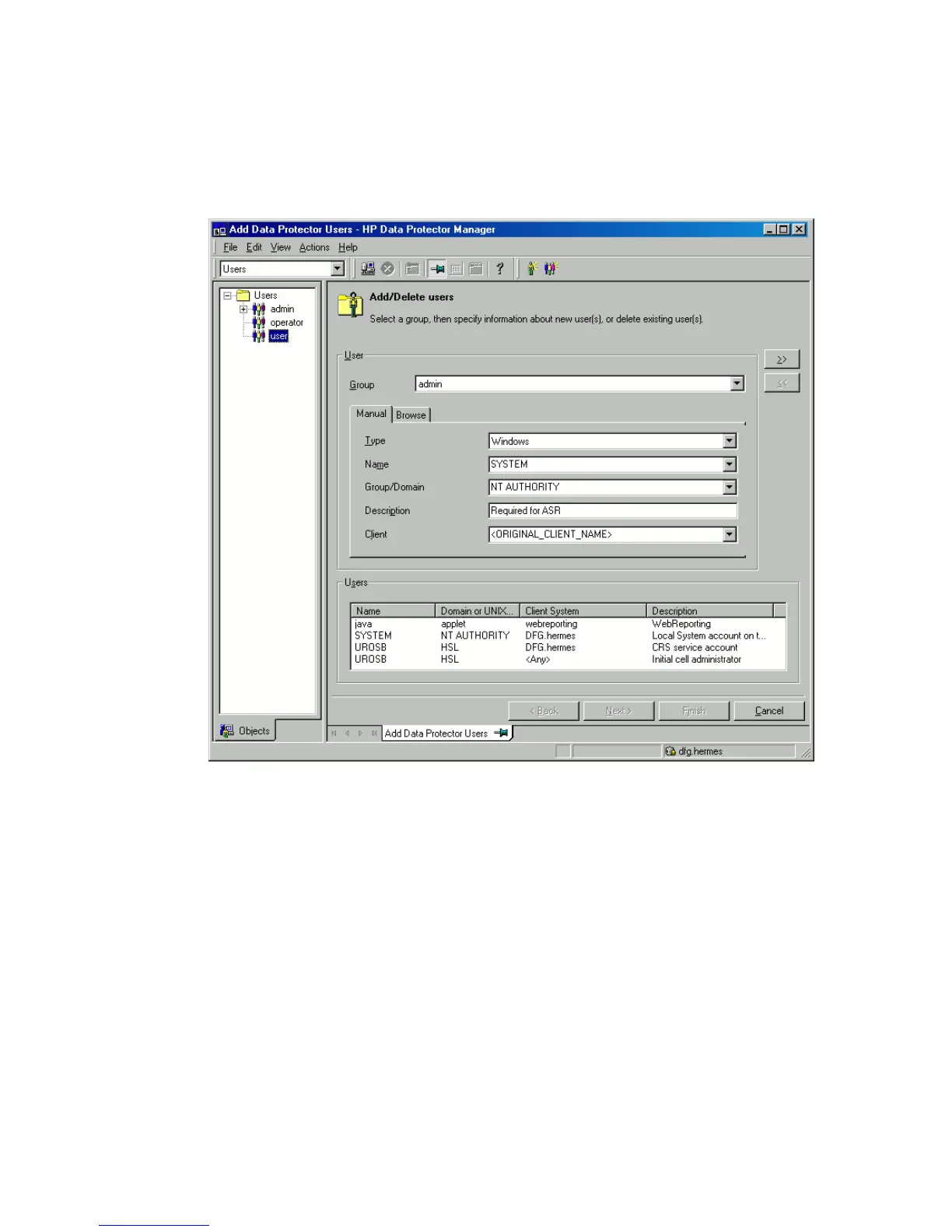
5. Unless you are performing an offline disaster recovery, add the client’s local
system account to the Data Protector Admin user group on the Cell Manager.
See the online Help index: “users, Data Protector”.
Enter the same information as in Figure 8 on page 95.
Figure 8 User Name for ASR
6. Change diskette(s) when prompted.
7. Restart the system when prompted and remove the Windows installation medium
and ASR diskette.
Disaster recovery guide 95







 To Next Page