EasyManua.ls Logo

HP HP-18C - Page 101

HP HP-18C
226 pages
Print Icon
To Next Page IconTo Next Page
To Previous Page IconTo Previous Page
Loading...
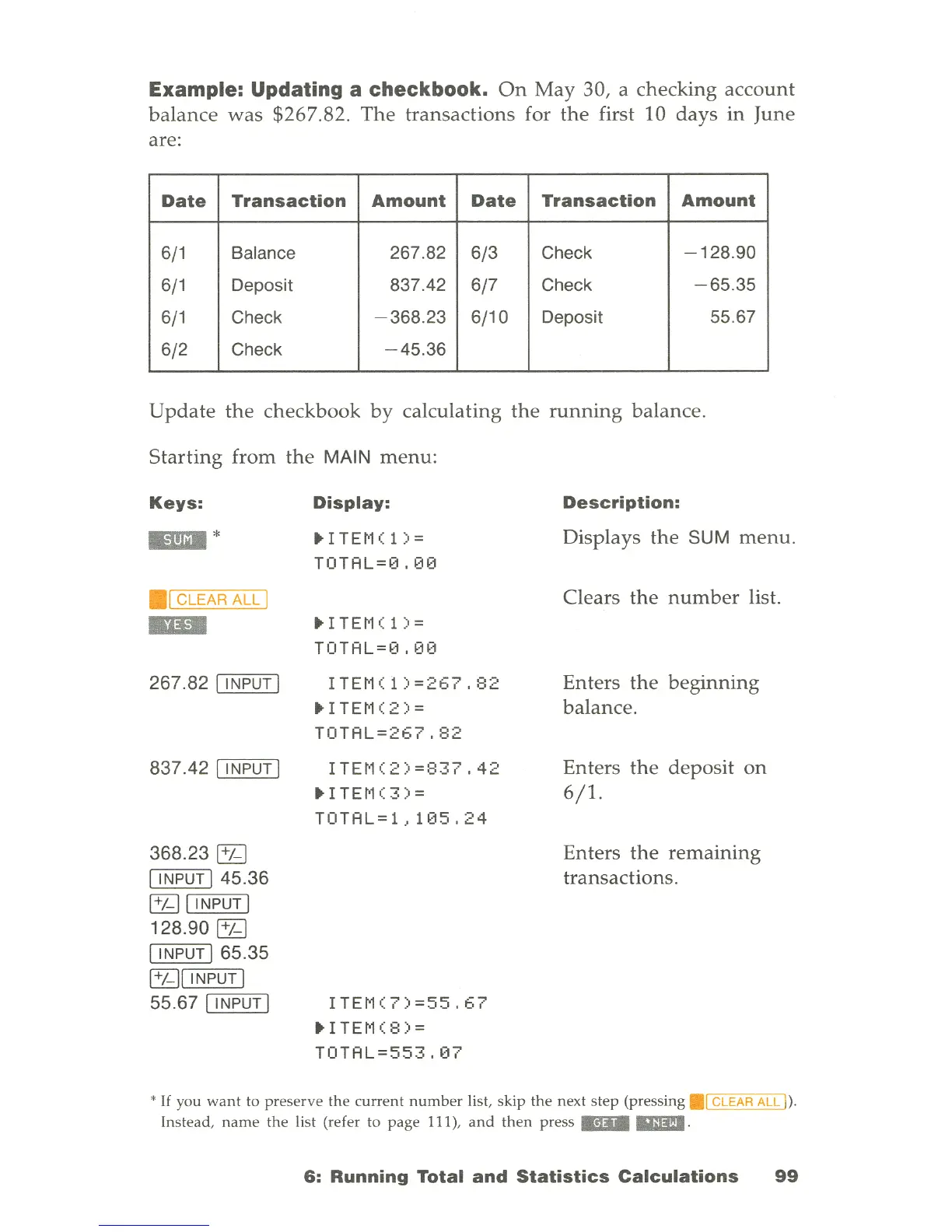
Example: Updating a checkbook.
On
May
30, a checking
account
balance
was
$267.82.
The
transactions for
the
first 10
days
in
June
are:
Date
Transaction
Amount
Date
Transaction
Amount
6/1
Balance 267.82
6/3
Check
-128
.90
6/1
Deposit 837.42
6/7
Check
-65
.35
6/1
Check
-368.23
6/10
Deposit 55.67
6/2
Check
-45.36
Update
the
checkbook
by
calculating
the
running
balance.
Starting
from
the
MAIN
menu:
Keys:
1ImDI
*
.[
CLEAR
ALL
I
..
267
.
82
[ INPUT I
837.42
[ I NPUT I
368.23
[1J
[ INPUT
145.36
[1J [ INPUT I
128.90
[1J
[ INPUT
165.35
[1J[ INPUT I
55.67
[ INPUT I
Display:
ITEt-l(
1 ) =
TOTAL=0.00
.ITEM(l)=
TOTAL=0,00
ITEM(
1
)=267,82
ITE~1(2)=
TOTAL=267,82
ITEt1(2)=837,42
.ITEM(3)=
TOTAL=
1.,105,24
ITE~1(
7)
=55,67
ITEt-l(
8)
=
TOTAL=553
, t17
Description:
Displays
the
SUM
menu.
Clears
the
number
list.
Enters
the
beginning
balance
.
Enters
the
deposit
on
6/1.
Enters
the
remaining
transactions
.
*
If
you
want
to
preserve
the
current
number
list, skip
the
next
step
(pressing
.1
CLEAR
ALL
I
).
Instead,
name
the
list (refer to
page
111),
and
then
press
"1Il&
.
6:
Running
Total
and
Statistics
Calculations
99

Table of Contents

Related product manuals