EasyManua.ls Logo

HP HP-18C - Naming a Formula; Shared User-Variables

HP HP-18C
226 pages
Print Icon
To Next Page IconTo Next Page
To Previous Page IconTo Previous Page
Loading...
Naming a Formula
Naming
formulas
helps
you
identify
them
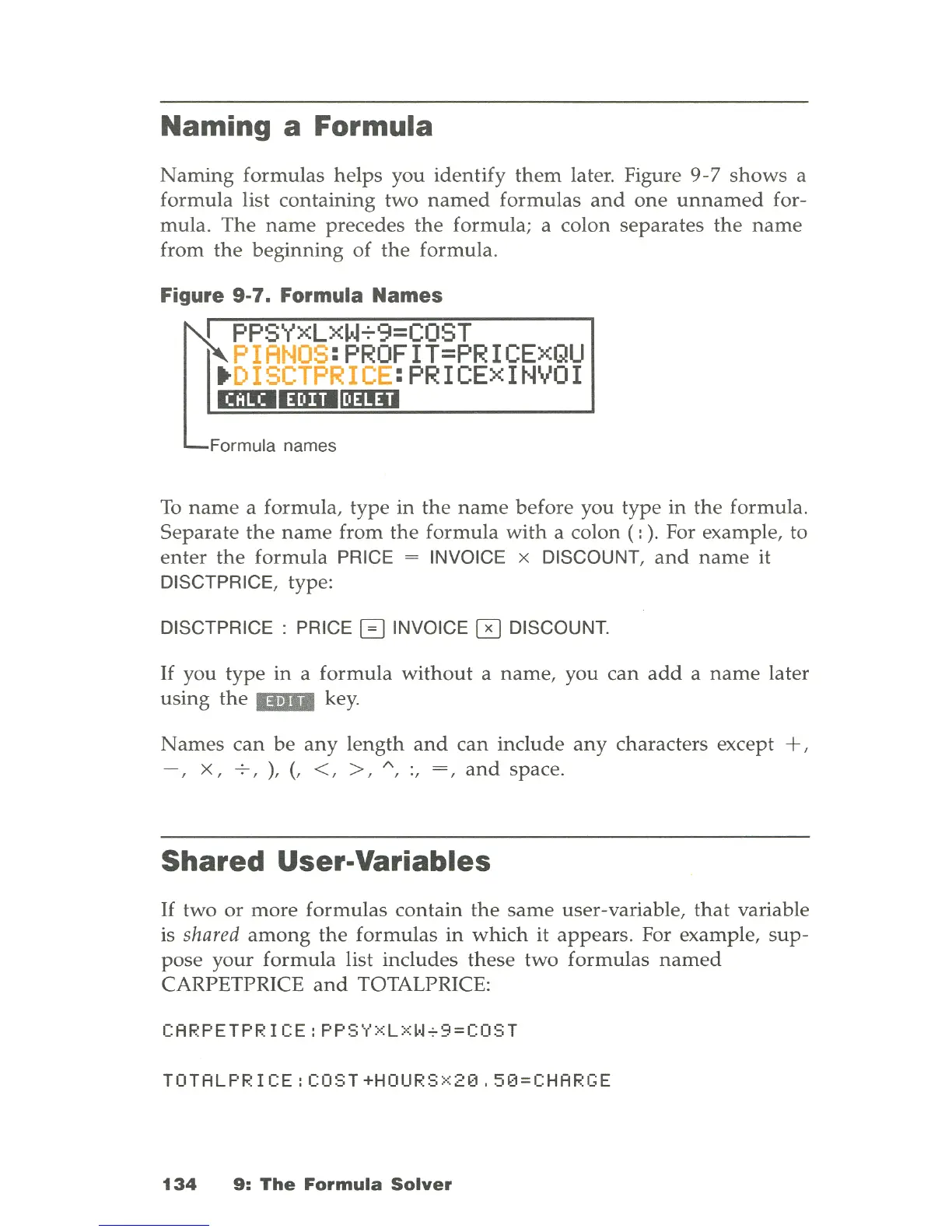
later. Figure
9-7
shows
a
formula
list
containing
two
named
formulas
and
one
unnamed
for-
mula
.
The
name
precedes
the
formula; a colon
separates
the
name
from
the
beginning
of
the
formula
.
Figure 9-7. Formula Names
~
PPSYXLXW~9=COST
PIANOS
:PROFIT=PRICExQU
.
DISCTPRICE
:PRICExINVOI
mDllDIllmD
Formula names
To
name
a formula,
type
in
the
name
before you
type
in
the
formula.
Separate
the
name
from
the
formula
with
a colon ( :
).
For example, to
enter
the
formula
PRICE = INVOICE x DISCOUNT,
and
name
it
DISCTPRICE, type:
DISCTPRICE : PRICE 0 INVOICE 0 DISCOUNT.
If
you
type
in
a
formula
without
a
name,
you
can
add
a
name
later
using
the
...
key
.
Names
can
be
any
length
and
can
include
any
characters except
+,
-,
x,
-;-,
),
(,
<, >,
"',
:,
=,
and
space.
Shared User-Variables
If
two
or
more
formulas
contain
the
same
user
-variable,
that
variable
is
shared
among
the
formulas
in
which
it
appears.
For example,
sup
-
pose
your
formula
list includes
these
two
formulas
named
CARPETPRICE
and
TOTALPRICE:
CARPETPRICE:PPSyxLxW+9=COST
TOTALPRICE:COST+HOURSX20.50=CHARGE
134
9:
The
Formula
Solver

Table of Contents

Related product manuals