EasyManua.ls Logo

HP MSA 2040 - User Manual

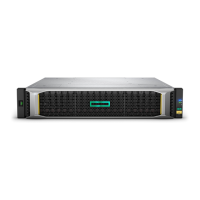
HP MSA 2040
100 pages
Print Icon
To Next Page IconTo Next Page
Loading...
HP MSA 2040
User Guide
For firmware release GL200 or later
HP Part Number: 723983-003
Published: September 2014
Edition: 1
Abstract
This document describes initial hardware setup for HP MSA 2040 controller enclosures, and is intended for use by storage system
administrators familiar with servers and computer networks, network administration, storage system installation and configuration,
storage area network management, and relevant protocols.

Table of Contents

Other manuals for HP MSA 2040

Questions and Answers

  • J
    james09Sep 9, 2025
    What to do if both disk drive module LEDs are off on HP Network Hardware (Online/Activity and Fault/UID)?
    • D
      Douglas AllenSep 10, 2025
      This usually means there is no power to the disk, the disk is offline, or the disk is not configured. Check that the disk drive is fully inserted and latched in place, and that the enclosure is powered on.
  • E
    ericperezSep 12, 2025
    What does it mean if the disk drive module Fault/UID LED is blinking amber on HP Network Hardware?
    • A
      Andrew GilbertSep 12, 2025
      The disk drive is active, but a predictive failure alert may have been received for this device. Check the event log for specific information regarding the fault, isolate the fault, and contact an authorized service provider for assistance.
  • S
    Steven RaySep 14, 2025
    How to correct enclosure IDs on HP Network Hardware?
    • C
      Cheyenne LandrySep 14, 2025
      Ensure that both controllers are up, and then perform a rescan using the SMU or the CLI.
  • R
    Roger RobinsonSep 16, 2025
    How to isolate a host-side connection fault in HP Network Hardware?
    • B
      Brandon WilsonSep 16, 2025
      Halt all I/O to the storage system as described in "Stopping I/O" (page 55). Check the Cache Status LED to verify that the controller cached data is flushed to the disk drives. Remove the SFP and host cable and inspect for damage. Reseat the SFP and host cable. Move the SFP and host cable to a port with a known good link status. Swap the SFP with the known good one. Re-insert the original SFP and swap the cable with a known good one. Verify that the switch, if any, is operating properly. If possible, test with another port. Verify that the HBA is fully seated, and that the PCI slot is powered on and operational. Replace the HBA with a known good HBA, or move the host side cable and SFP to a known good HBA. Move the cable and SFP back to its original port.

Summary

Overview

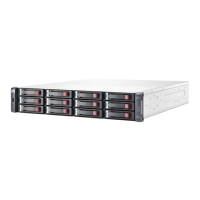
MSA 2040 Storage models

Details the different form factors and controller types for MSA 2040 storage models.

Components

Front and Rear Panel Components

Describes LEDs and components on the front and rear panels of enclosures and controller modules.

Controller Module Components

Identifies rear panel components for SAN and SAS controller modules.

Installing the enclosures

Installation Checklist & Procedures

Outlines installation tasks, cabling, and initial configuration procedures.

Connecting hosts

Host System Requirements & Connectivity

Details host system requirements, direct attach, and switch attach configurations.

Protocol Specifics (FC, iSCSI, SAS)

Explains Fibre Channel, iSCSI, and SAS protocols, their ports, and usage.

Replication Setup and Host Ports

Covers connecting systems for replication and managing host ports.

Connecting to the controller CLI port

Troubleshooting

LED descriptions

MSA 2040 SAN Controller LEDs

Explains SAN controller rear panel LEDs for FC, iSCSI, and network ports.

MSA 2040 SAS Controller LEDs

Details SAS controller rear panel LEDs for SAS ports, status, and cache.

HP MSA 2040 Specifications

General IconGeneral
BrandHP
ModelMSA 2040
CategoryStorage
LanguageEnglish

Related product manuals