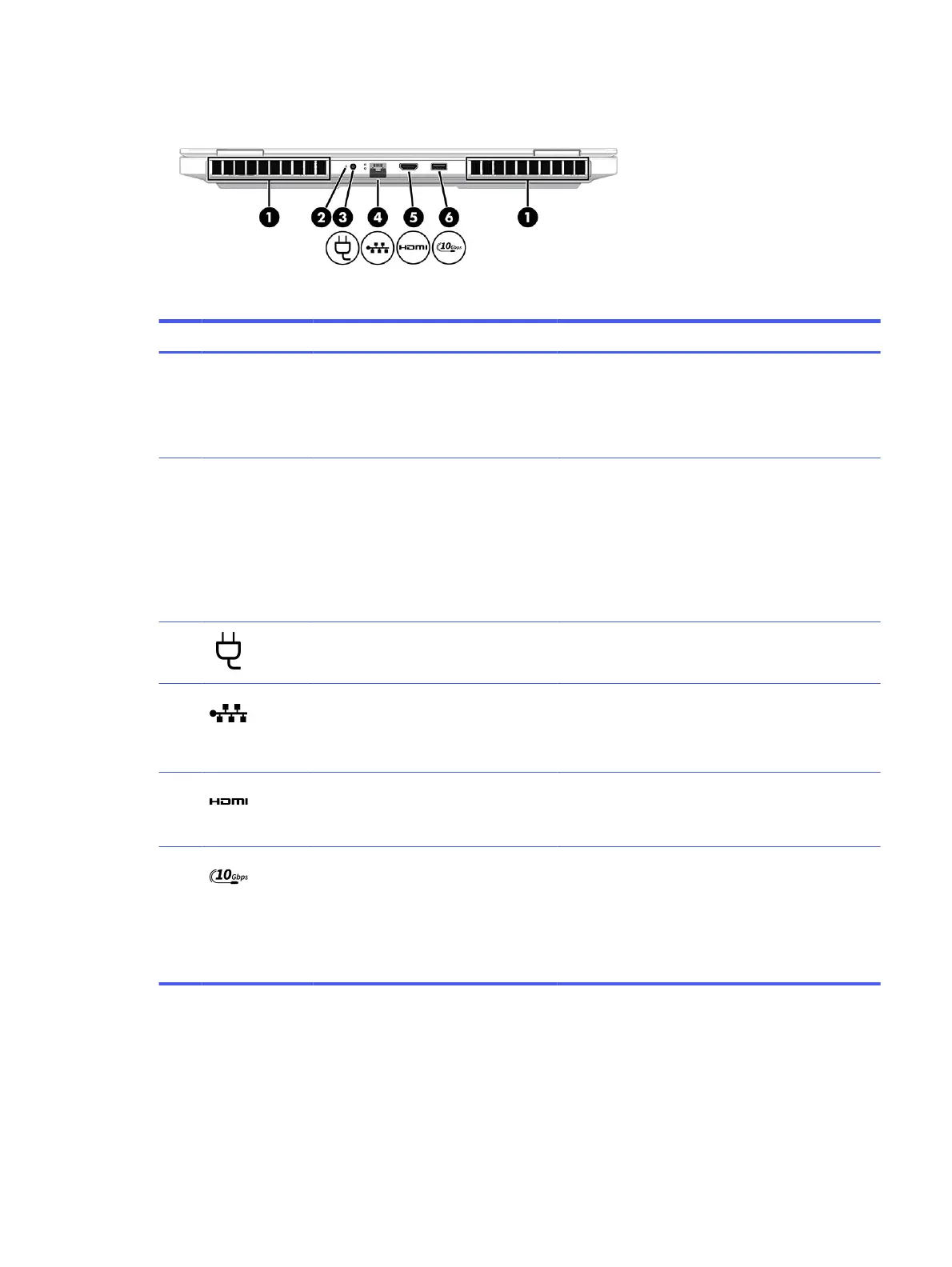
Table 2-3 Rear components and their descriptions
Component Description
(1) Vents (2) Enable airflow to cool internal components.
NOTE: The computer fan starts up automatically to
cool internal components and prevent overheating. It is
normal for the internal fan to cycle on and off during
routine operation.
(2) AC adapter and battery light ● White: The AC adapter is connected and the
battery is fully charged.
● Blinking amber: The AC adapter is disconnected
and the battery has reached a low battery level.
● Amber: The AC adapter is connected and the
battery is charging.
● Off: The battery is not charging.
(3) Power connector Connects an AC adapter.
(4) RJ-45 (network) jack/status lights Connects a network cable.
● White: The network is connected.
● Amber: Activity is occurring on the network.
(5) HDMI port Connects an optional video or audio device, such
as a high-definition television, any compatible digital
or audio component, or a high-speed High-Definition
Multimedia Interface (HDMI) device.
(6) USB 10 Gbps port Connects a USB device, provides high-speed data
transfer, and (for select products) charges small
devices (such as a smartphone) when the computer is
on.
NOTE: Use a standard USB Type-A charging cable or
cable adapter (purchased separately) when charging a
small external device.
Display
The computer display can include essential components such as speakers, antennas, cameras, and
microphones.
Display
9



 To Next Page