2. Remove the bottom cover (see Bottom cover on page 38).
WARNING! To reduce potential safety issues, use only the user-replaceable battery provided with the
computer, a replacement battery provided by HP, or a compatible battery purchased from HP.
IMPORTANT: Removing a battery that is the sole power source for the computer can cause loss of
information. To prevent loss of information, save your work or shut down the computer through
Windows before you remove the battery.
Remove the battery:
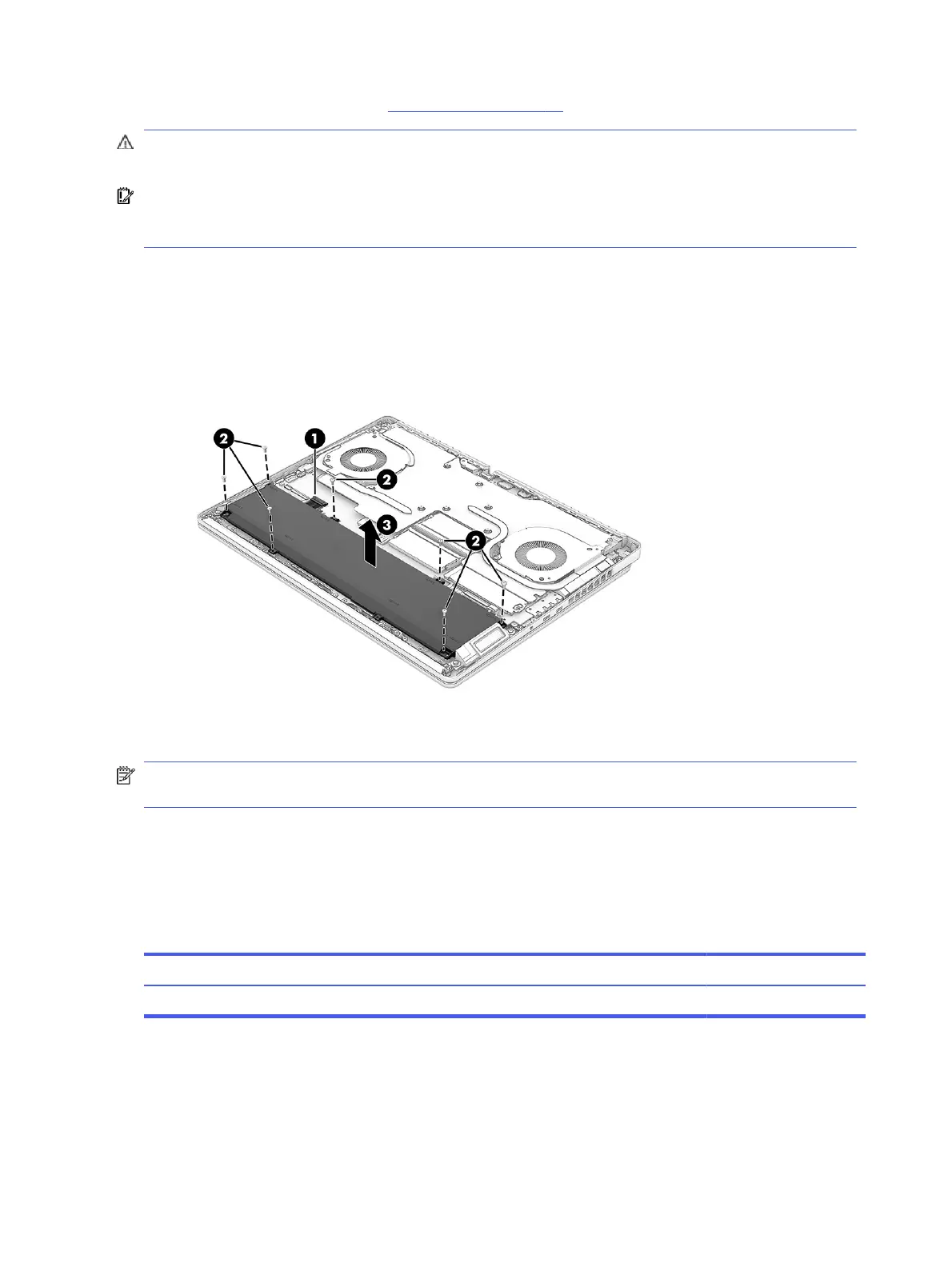
1. Disconnect the battery cable (1) from the system board.
2. Remove the seven Phillips M2.0 × 4.5 screws (2) that secure the battery to the computer.
3. Remove the battery (3).
To install the battery, reverse the removal procedures.
NOTE: When reinstalling the battery, be sure to completely reassemble the computer and plug in the
AC adapter before turning the computer on.
Installing a new battery
To install a battery, use these procedures and illustrations. You must use a revive kit to remove the old
battery and install a new one. The revive kit includes an empty containment tray and a containment tray
with a battery preinstalled.
Table 6-2
Battery description and part number
Description Spare part number
Battery M48025-001
Before starting this replacement procedure:
● Ensure other individuals are sufficiently clear of your workspace.
● Ensure your workspace is clear of any flammable material such as paper or oils.
42
Chapter 6 Removal and replacement procedures for Customer Self-Repair parts



 To Next Page