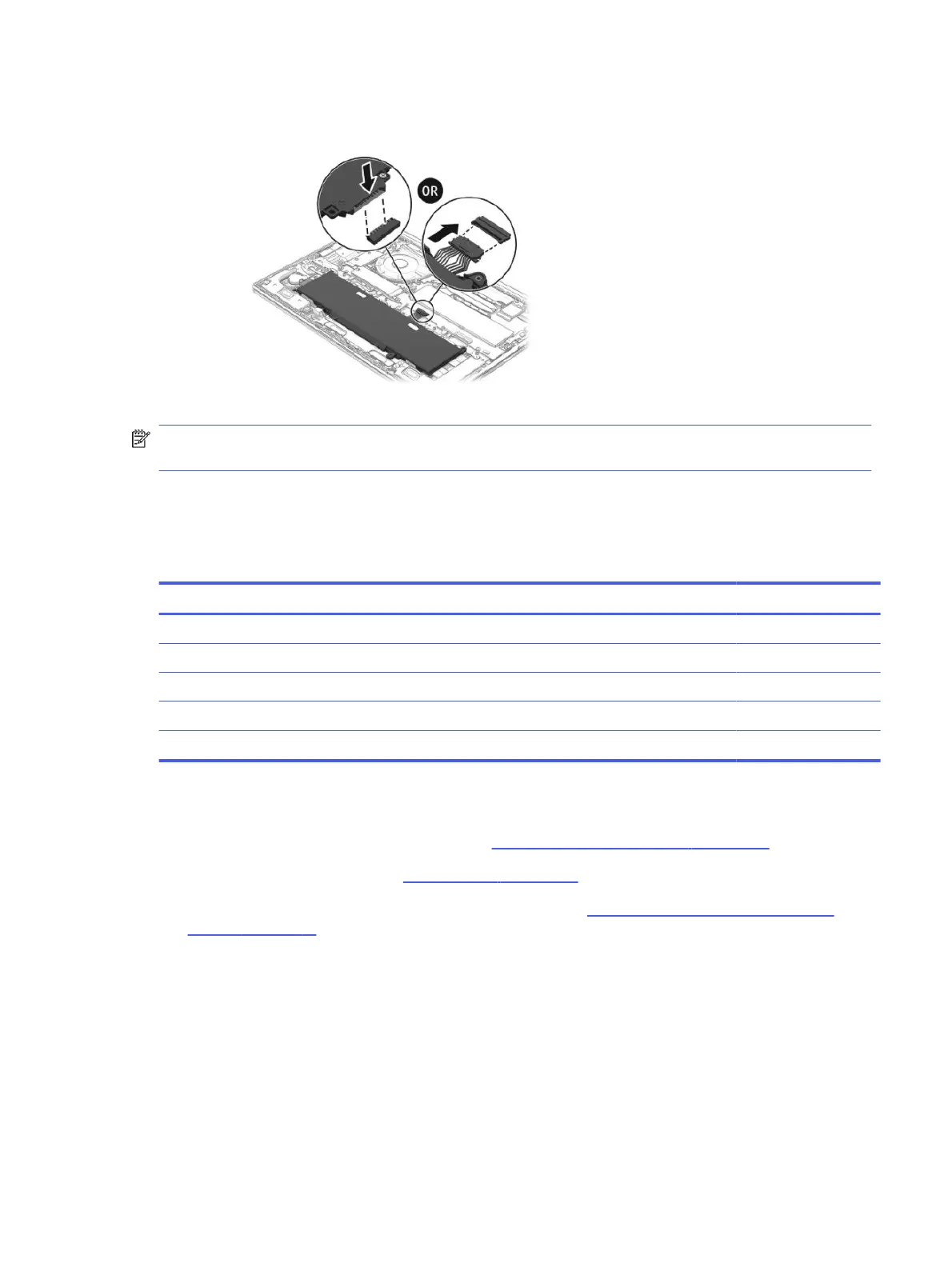
e. Connect the battery cable to the system board. The connector location might vary.
NOTE: When replacing the battery, be sure to completely reassemble the computer and plug in the
AC adapter before turning the computer on.
Solid-state drive
To remove the solid-state drive (SSD), use this procedure and illustration.
Table 6-3
SSD descriptions and part numbers
Description Spare part number
2 TB, TLC, PCIe-4 × 4 N77396-005
1 TB, TLC, PCIe-5 × 4 P32587-005
1 TB, TLC, PCIe-4 × 4 N77395-005
1 TB, PCIe-4 × 4 N77394-005
512 GB, PCIe-4 × 4 N77392-005
Before removing the secondary SSD, follow these steps:
1. Prepare the computer for disassembly (see Preparation for disassembly on page 38).
2. Remove the bottom cover (see Bottom cover on page 38).
3. Disconnect the battery cable from the system board (see Removing and reinstalling the same
battery on page 41).
Remove the secondary SSD:
Solid-state drive
47



 To Next Page