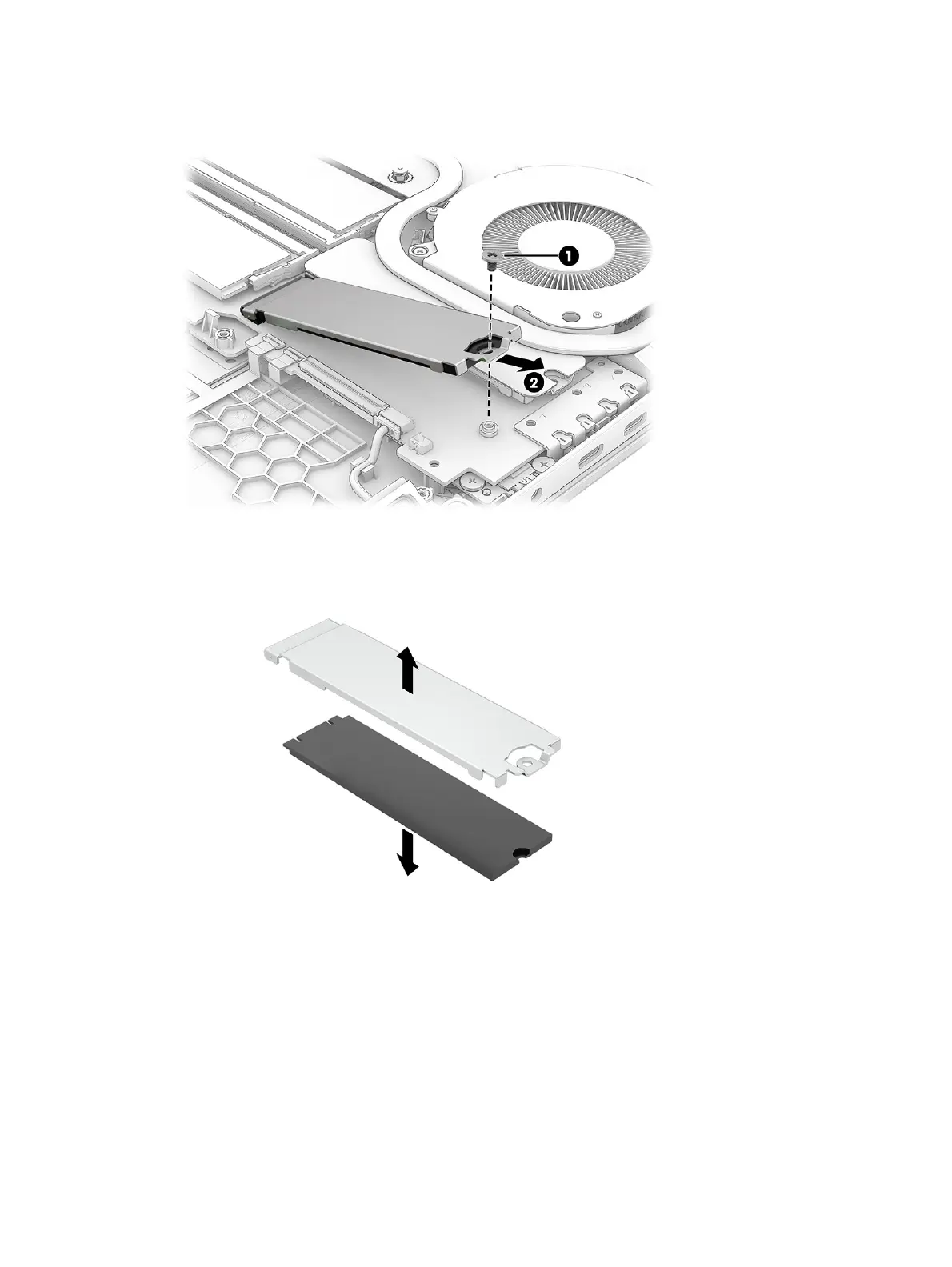
1. Secondary SSD: Remove the Phillips screw (1) from the SSD cover, and then pull the cover (2) with
the SSD attached away from the connector.
2. Separate the SSD from the cover.
When installing a drive, be sure a thermal pad is installed on the bottom side of the bracket.
48
Chapter 6 Removal and replacement procedures for Customer Self-Repair parts



 To Next Page