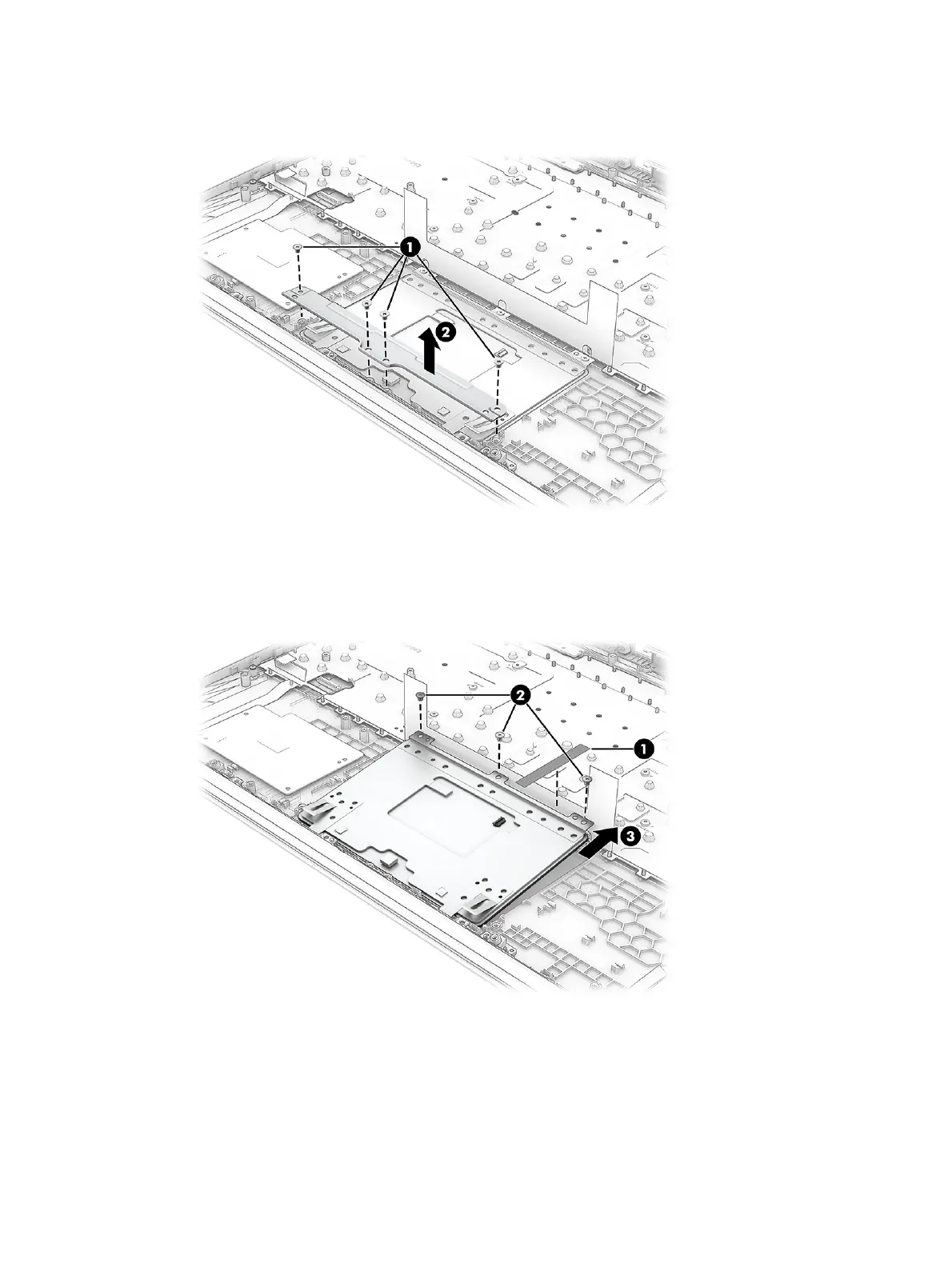
3. Remove the four Phillips M2.0 × 2.5 screws (1) that secure the metal bracket to the computer, and
then remove the bracket (2).
4. Remove the tape (1) from the touchpad.
5. Remove the three Phillips M2.0 × 2.0 screws (2) that secure the touchpad to the computer.
6. Pull the touchpad (3) into the computer to remove it.
To install the touchpad, reverse this procedure.
Display assembly
To remove and disassemble the display assembly, use these procedures and illustrations.
Display spare parts are available only as subcomponents.
Display assembly
67



 To Next Page