2. Remove the bottom cover (see Bottom cover on page 38).
3. Disconnect the battery cable from the system board (see Removing and reinstalling the same
battery on page 41).
4. Remove the heat sink/fan assembly (see Heat sink/fan assembly on page 55).
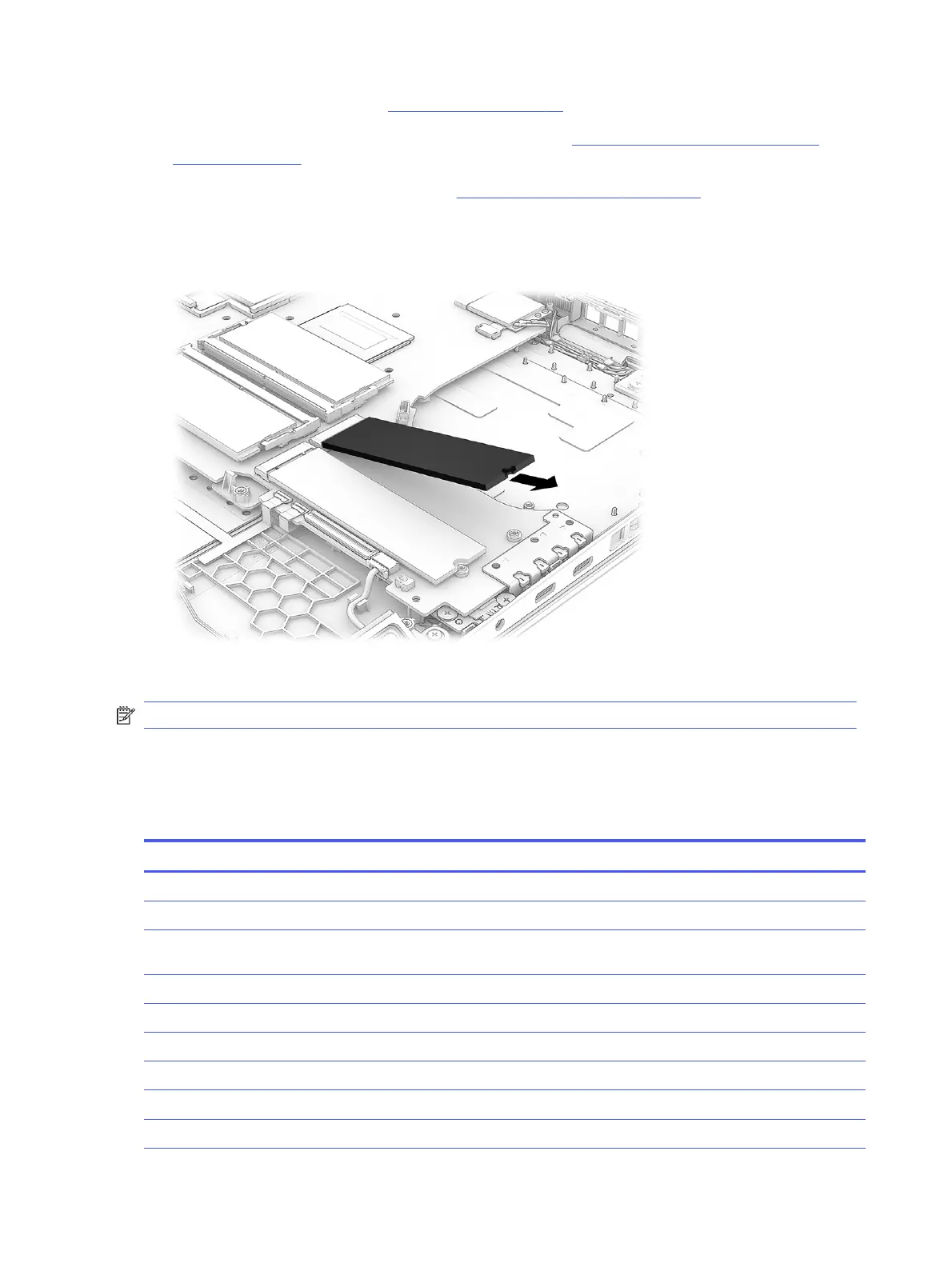
Remove the primary SSD:
■
Pull the drive out of the slot.
To install the SSD, reverse the removal procedures.
NOTE: SSDs are designed with a notch to prevent incorrect insertion.
System board
To remove the system board, use these procedures and illustrations.
Table 7-6
System board descriptions and part numbers
Description Spare part number
System board (includes the Windows operating system)
Intel Core Ultra 9 275HX processor and RTX 5090 graphics P29646-601
Intel Core Ultra 9 275HX processor and RTX 5090 graphics (for use in the People's Republic of China
[PRC[)
P29663-601
Intel Core Ultra 9 275HX processor and RTX 5080 graphics P29654-601
Intel Core Ultra 9 275HX processor and RTX 5080 graphics (for use in PRC) P29662-601
Intel Core Ultra 9 275HX processor and RTX 5070Ti graphics P29652-601
Intel Core Ultra 9 275HX processor and RTX 5070Ti graphics (for use in PRC) P29660-601
Intel Core Ultra 7 255HX processor and RTX 5080 graphics P29653-601
Intel Core Ultra 7 255HX processor and RTX 5080 graphics (for use in PRC) P29661-601
58 Chapter 7 Removal and replacement procedures for authorized service provider parts



 To Next Page