1. Prepare the computer for disassembly (see Preparation for disassembly on page 38).
2. Remove the bottom cover (see Bottom cover on page 38).
3. Disconnect the battery cable from the system board (see Removing and reinstalling the same
battery on page 41).
4. Remove the system board (see System board on page 58).
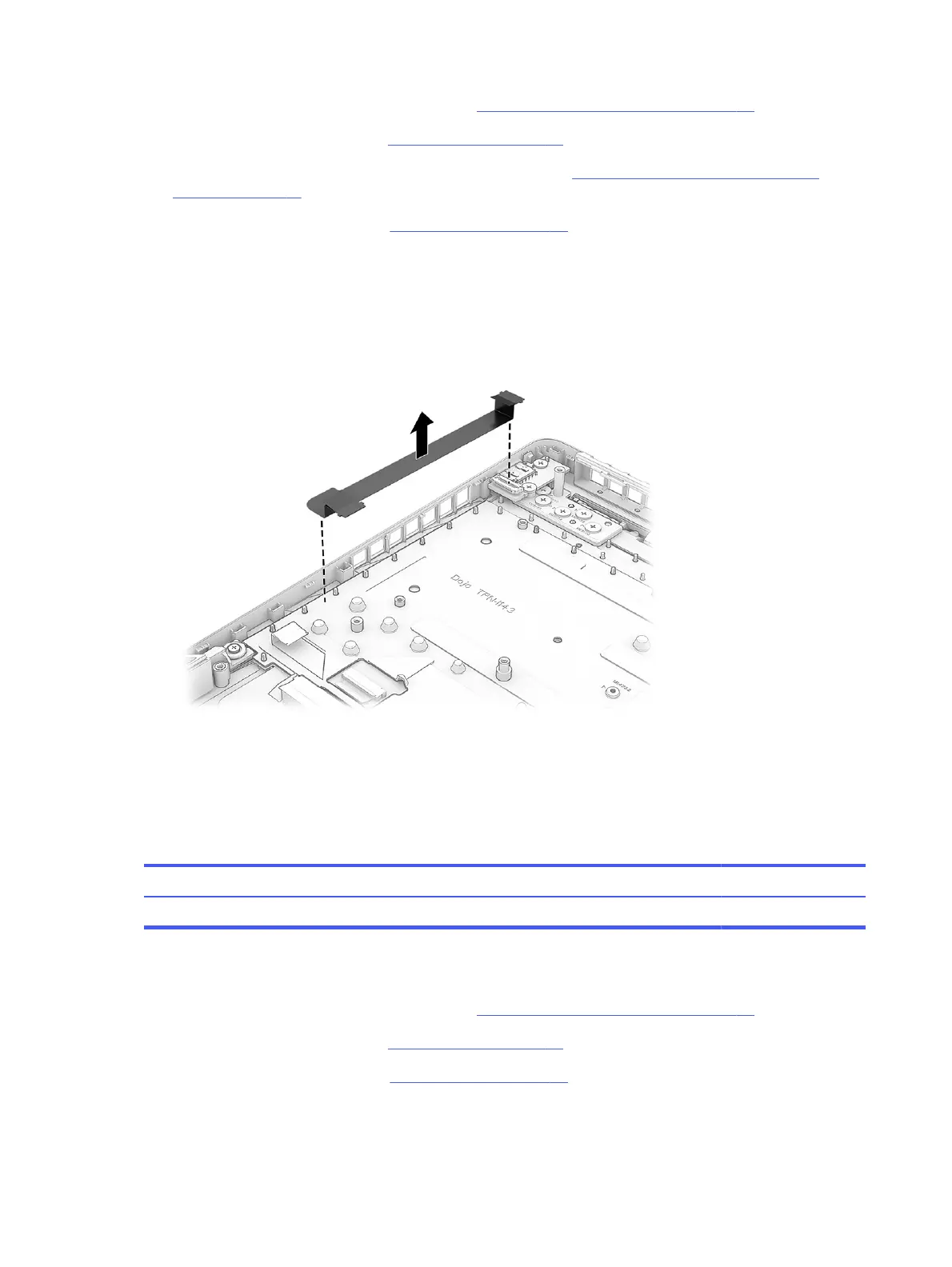
Remove the USB board cable:
1. If connected to the USB board, disconnect the cable from the ZIF connector.
2. Peel the cable off the computer.
To install the USB board cable, reverse this procedure.
IR board
To remove the IR board, use this procedure and illustration.
Table 7-8
IR board description and part number
Description Spare part number
Models with 5090, 5080, or 5070Ti graphics P30859-001
Before removing the IR board, follow these steps:
1. Prepare the computer for disassembly (see Preparation for disassembly on page 38).
2. Remove the bottom cover (see Bottom cover on page 38).
3. Remove the system board (see System board on page 58).
Remove the IR board:
62
Chapter 7 Removal and replacement procedures for authorized service provider parts



 To Next Page