1. Select the Search icon in the taskbar, type touchpad settings in the search box, and then
press enter.
2. Choose a setting.
Turning on the touchpad
Follow these steps to turn on the touchpad.
1. Select the Search icon in the taskbar, type touchpad settings in the search box, and then
press enter.
2. Using an external mouse, click the touchpad button.
If you are not using an external mouse, press the Tab key repeatedly until the pointer rests on the
touchpad button. Then press the spacebar to select the button.
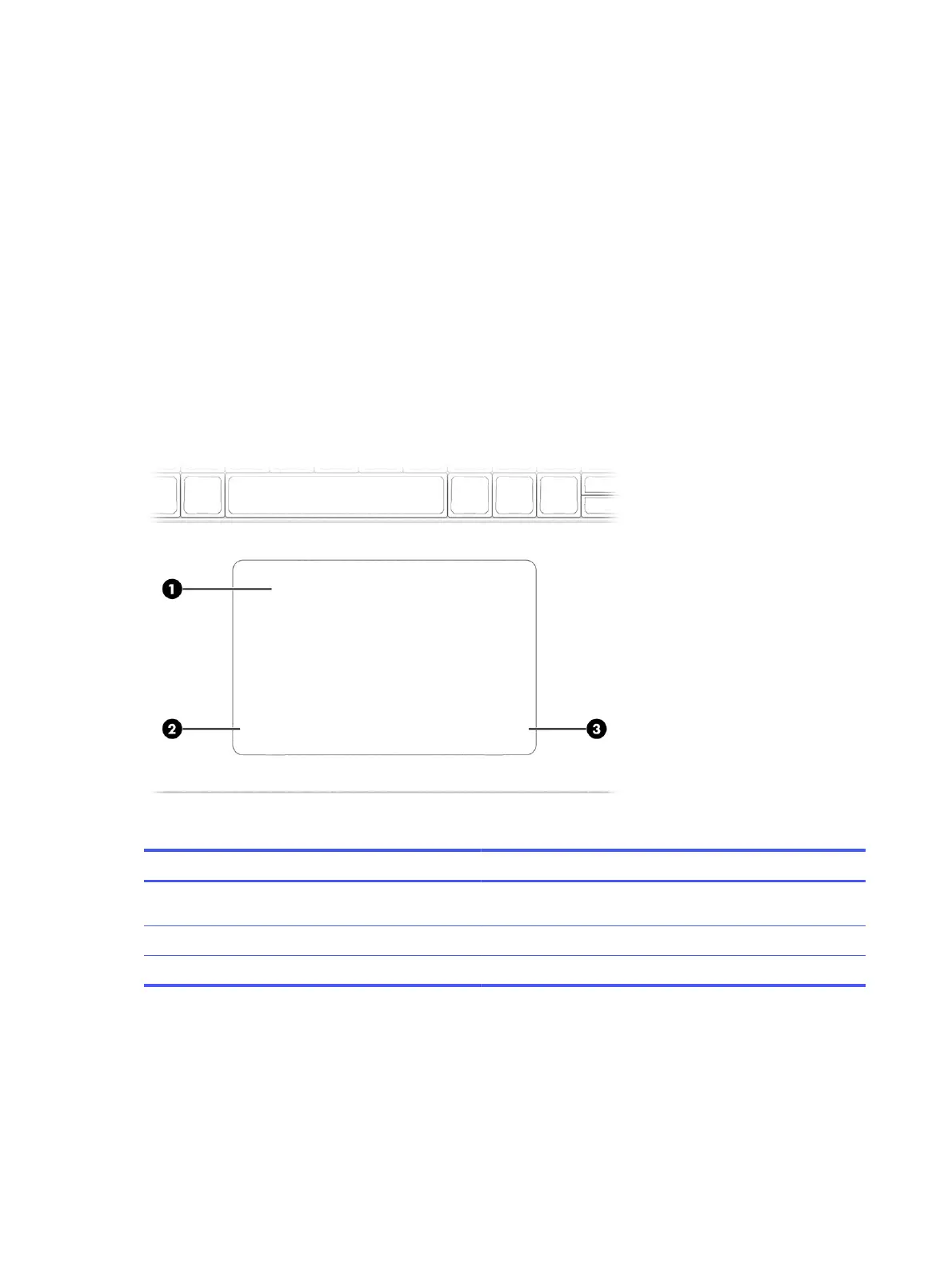
Touchpad components
Identify the touchpad components.
Table 2-5
Touchpad components and their descriptions
Component Description
(1) Touchpad zone Reads your finger gestures to move the pointer or activate items
on the screen.
(2) Left touchpad button Functions like the left button on an external mouse.
(3) Right touchpad button Functions like the right button on an external mouse.
Lights
Identify the lights on the computer.
12
Chapter 2 Getting to know your computer



 To Next Page