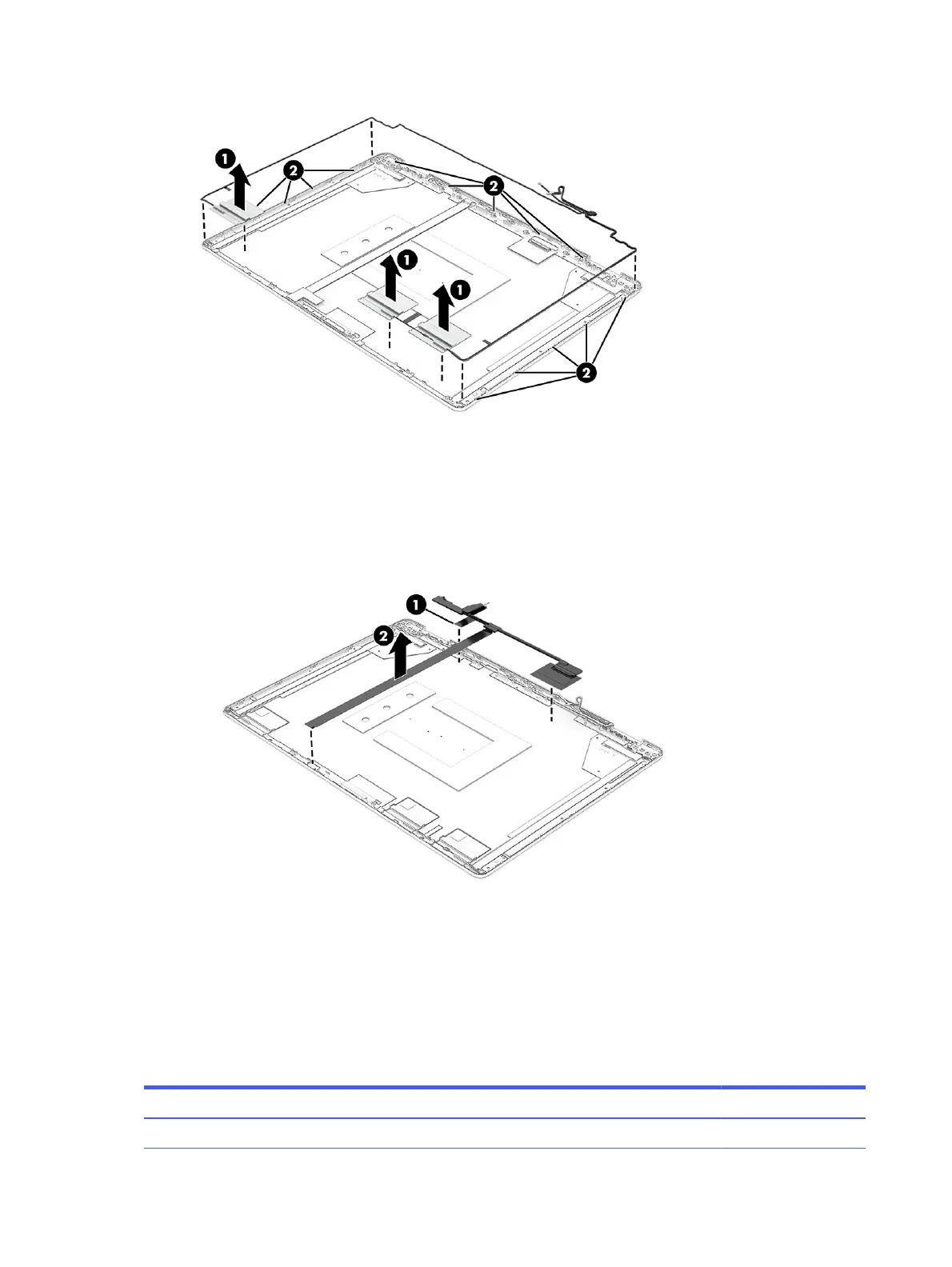
11. To remove the display cable:
■
Remove the cable from the tape (1) at the bottom of the display, and then peel the cable (2) off
the inside of the display back cover.
The display cable is available as spare part number P30879-001.
To reassemble and replace the display assembly, reverse this procedure.
Top cover with keyboard
The top cover with keyboard remains after removing all other spare parts from the computer. In this
section, the first table provides the main spare part number for the top covers with keyboards. The
second table provides the country codes.
Table 7-12
Top cover with keyboard descriptions and part numbers
Description Spare part number
Plastic, per-key lighting, ceramic white P32323-xx1
78 Chapter 7 Removal and replacement procedures for authorized service provider parts



 To Next Page