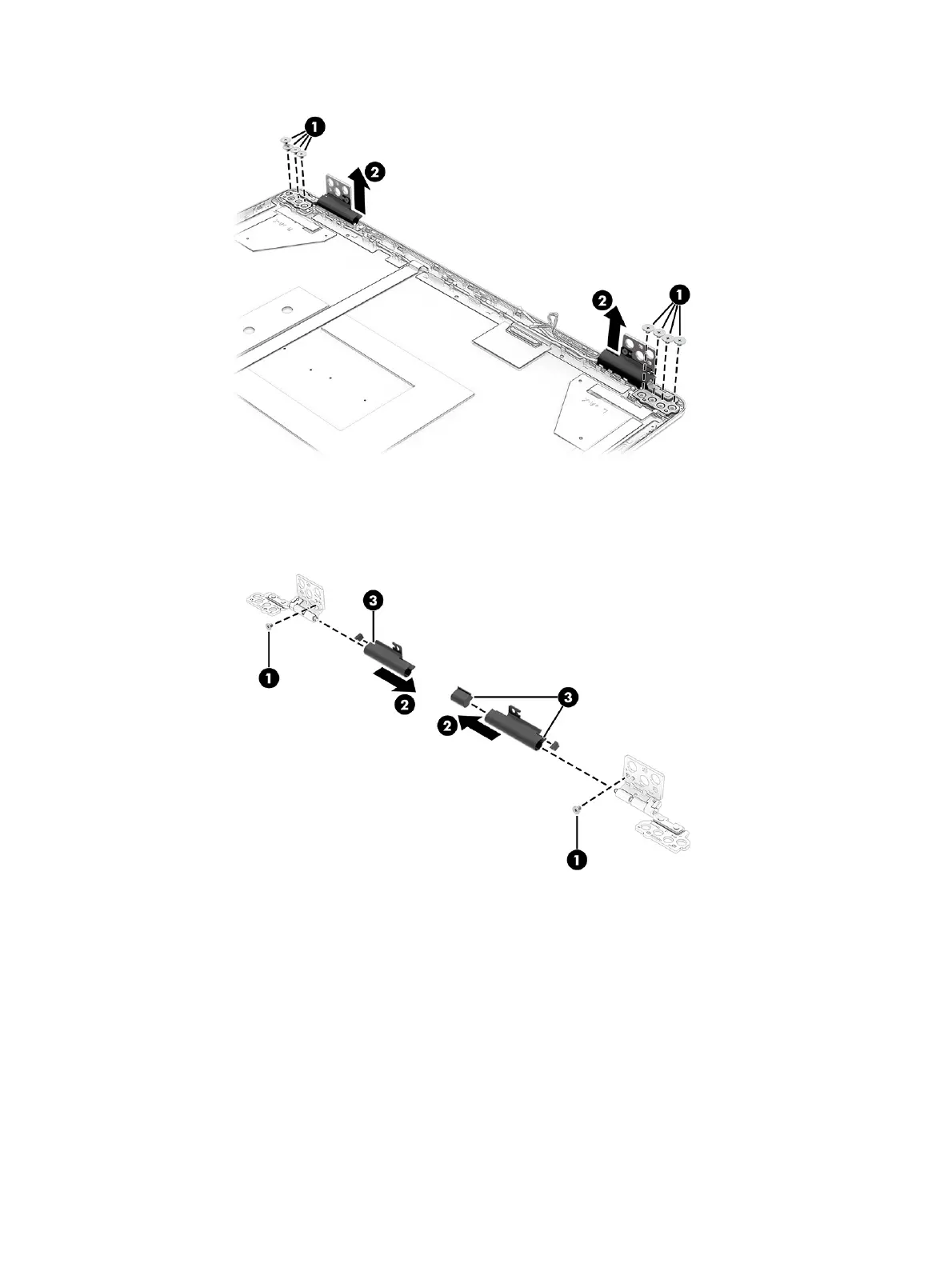
c. Remove the hinge covers by removing the Phillips M2.0 × 3.0 screw (1) from each cover, and
then sliding the covers (2) off the hinges. Note the rubber pieces (3) that are installed inside the
hinge covers. Be sure to install the rubber pieces when reassembling the hinge covers.
10. To remove the wireless antennas:
a. Peel the wireless antennas (1) off the display rear cover. The antennas are attached
with double-sided adhesive. The wireless antennas are available using spare part number
P30880-001.
b. Release the wireless antenna cables from the retention clips (2) along the top and side of the
display back cover.
Display assembly
77



 To Next Page