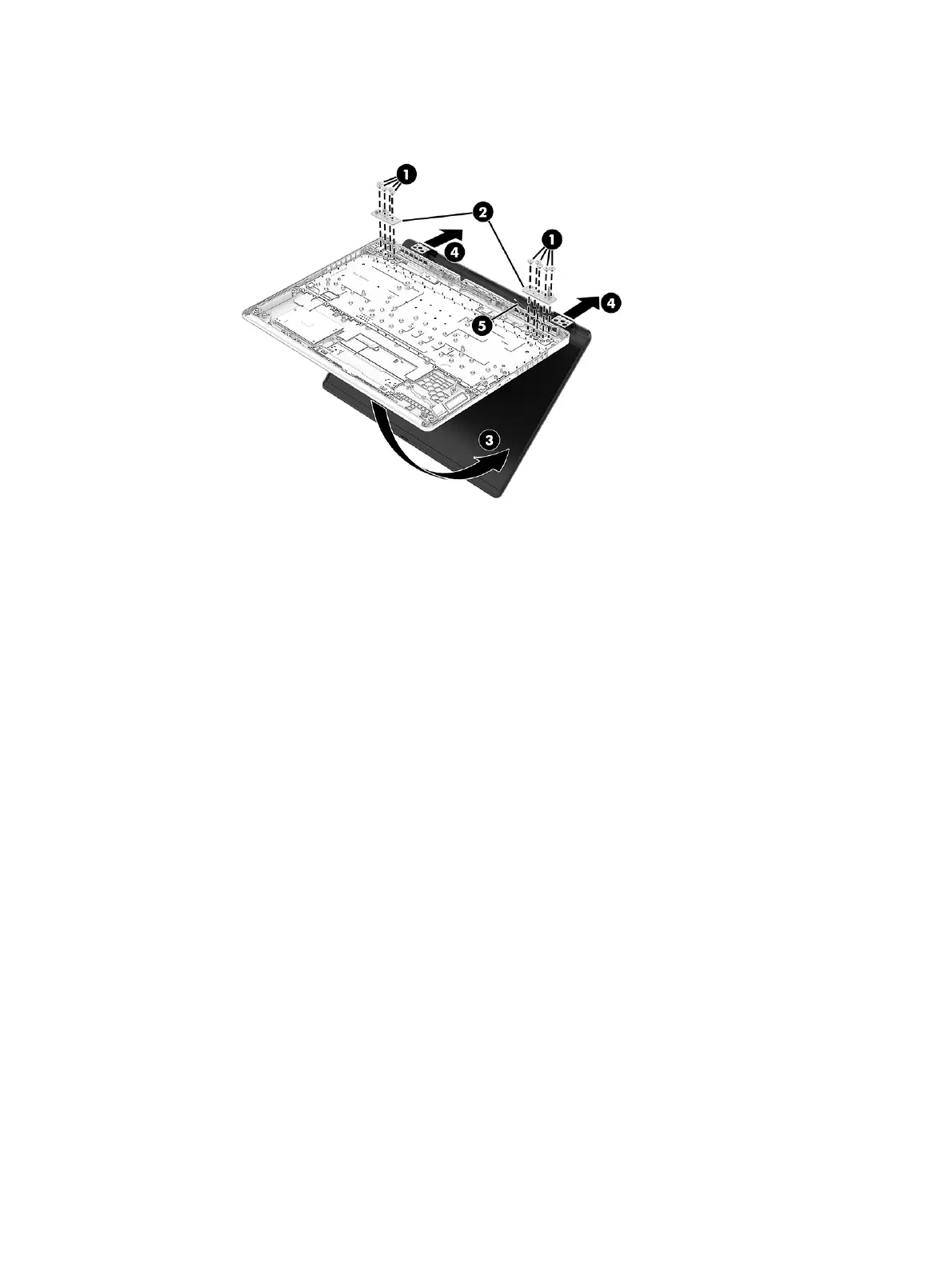
8. Separate the display from the computer while pulling the hinges (4) and cables (5) out of the slots in
the computer.
9. To remove the hinges from the display back cover:
a. Remove the four broadhead Phillips M2.0 × 2.5 screws (1) that secure each hinge to the display
back cover.
b. Remove the hinges (2).
The display hinges are available using the following spare part numbers:
P33991-001: Shadow black, LCD models with 5090, 5080, or 5070Ti graphics
P33992-001: Shadow black, OLED models with 5090, 5080, or 5070Ti graphics
P41124-001: Ceramic white, LCD models with 5090, 5080, or 5070Ti graphics
P41125-001: Ceramic white, OLED models with 5090, 5080, or 5070Ti graphics
76
Chapter 7 Removal and replacement procedures for authorized service provider parts



 To Next Page