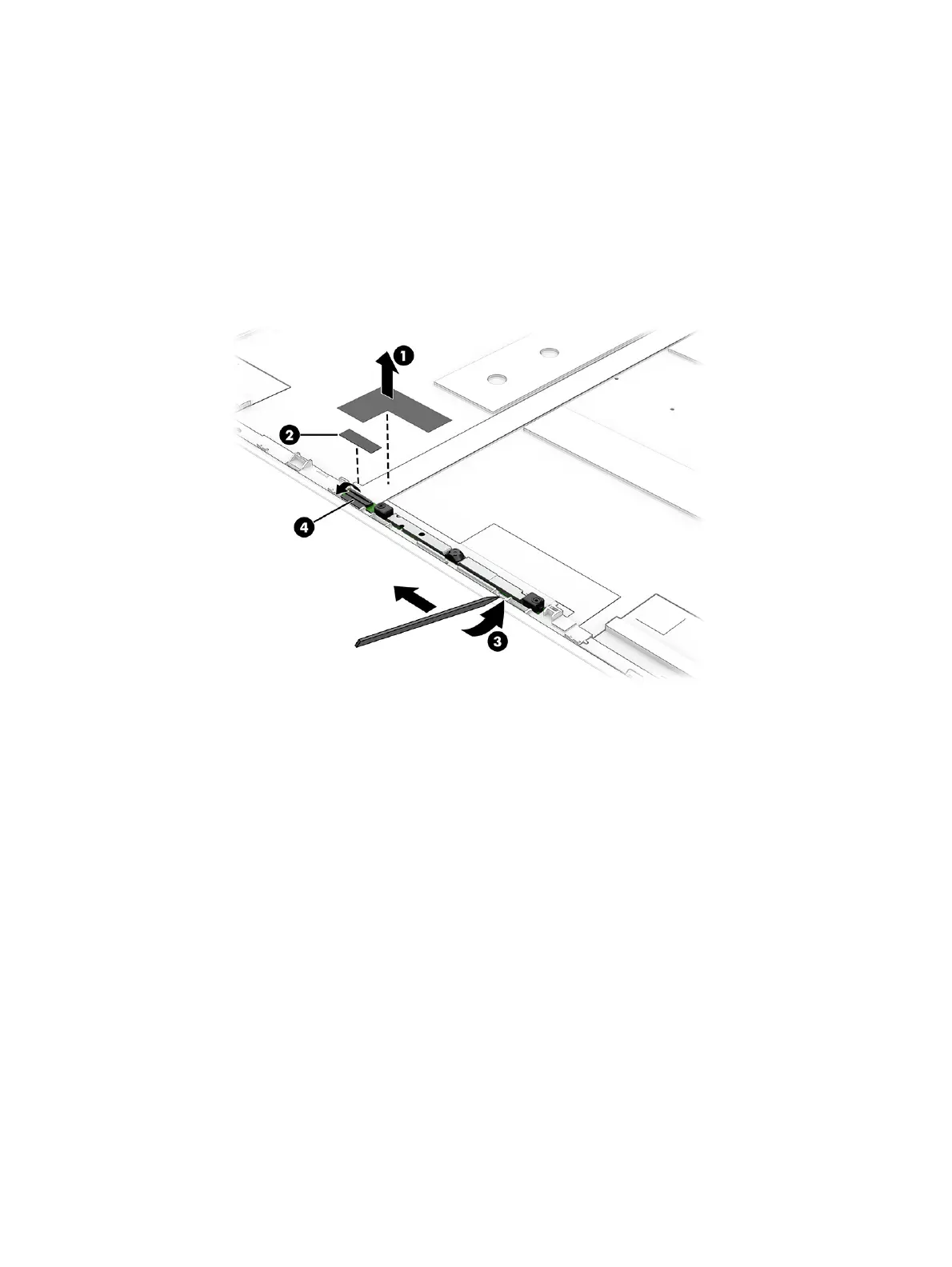
a. Peel the tape (1) off the top of the cable next to the camera.
b. Remove the small piece of tape (2) from the camera connector.
c. Insert a tool (3) under the module and pull it along the length of the module to detach the
module from the display back cover. The module is attached with double-sided adhesive.
d. Disconnect the cable from the ZIF connector (4) on the camera module, and then remove the
module.
The camera module is available as spare part number P30856-001 for LCD models and
P33158-001 OLED models.
5. You must remove the display assembly from the computer to remove the remaining components.
Remove the five Phillips M2.5 × 3.3 screws (1) from each hinge.
6. Remove the metal brackets (2) from each hinge.
7. Open the display (3) to 45° to open the hinges.
Display assembly
75



 To Next Page