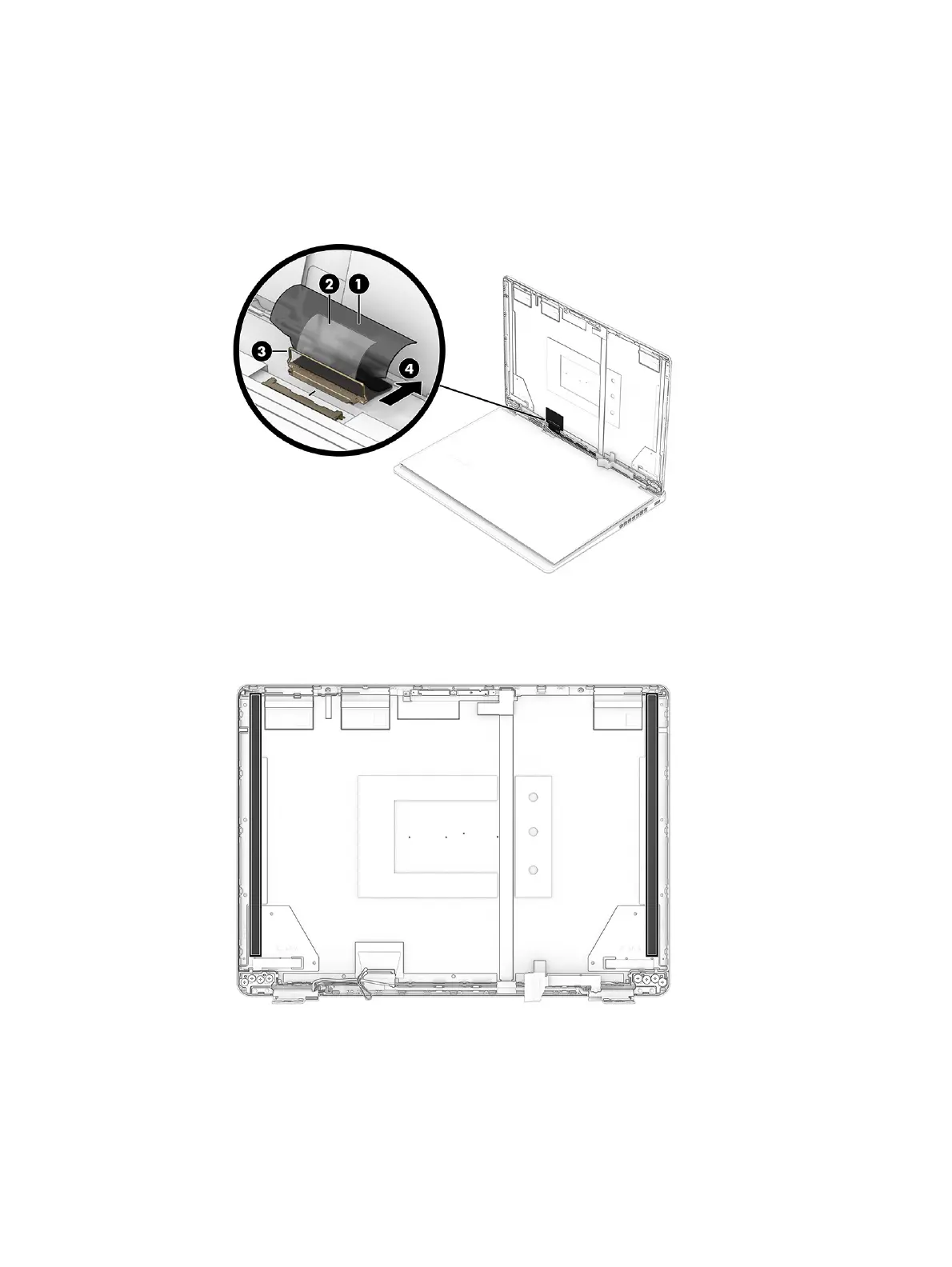
d. Peel the conductive tape (1) off the connector cable.
e. Peel the tape (2) off the connector on the back of the display panel.
f. Lift the locking latch (3) from the connector.
g. Pull the cable (4) out of the connector.
h. When installing a display panel, be sure to install the stretchable tape on the left and right
sides of the display back cover as shown in the following illustration.
Display panels are available as the following spare part numbers:
● P33154-001—2.5K
● P33155-001—WUXGA
4. To replace the camera module:
74
Chapter 7 Removal and replacement procedures for authorized service provider parts



 To Next Page