4. Remove the heat sink (see Heat sink/fan assembly on page 55).
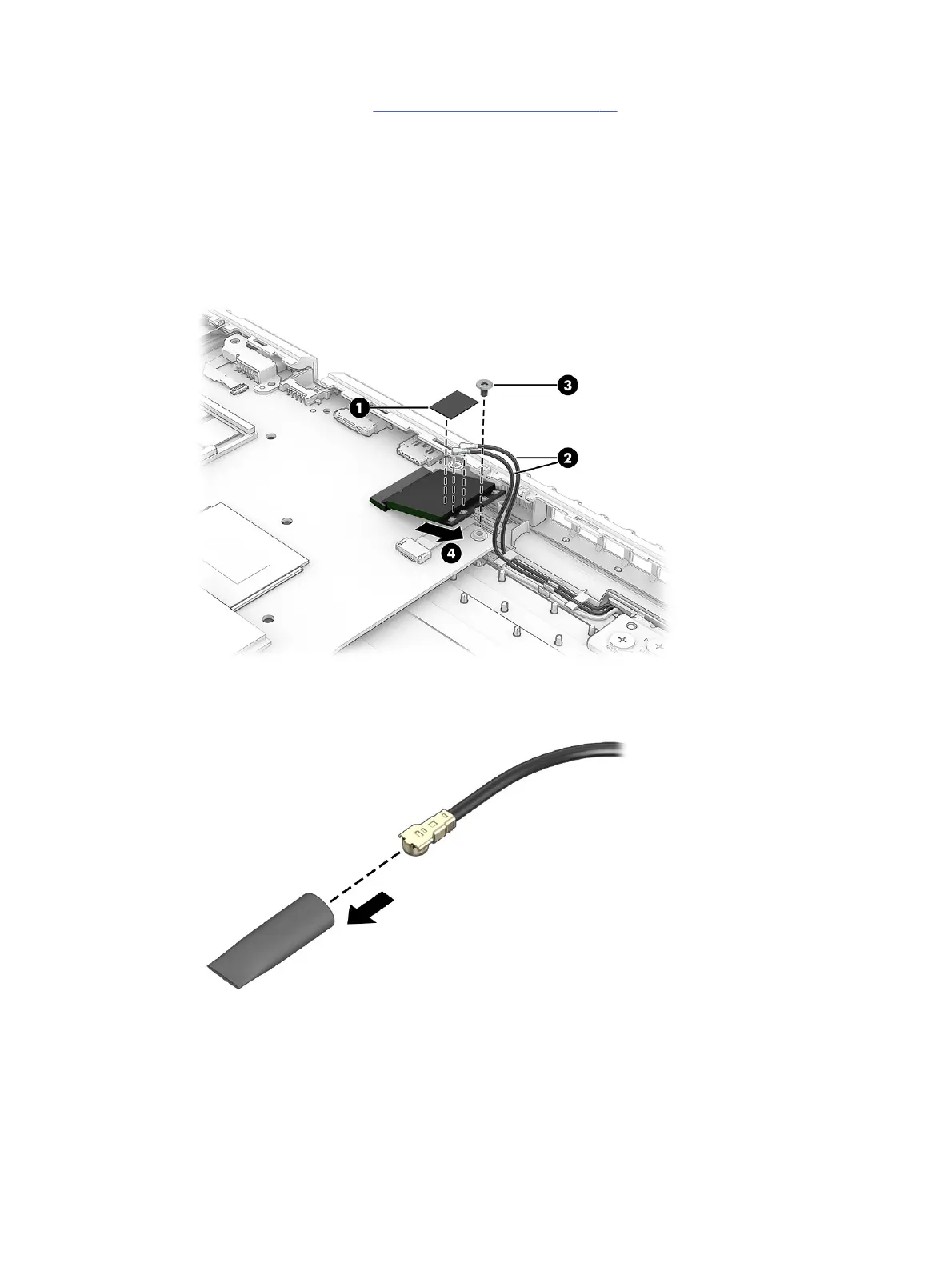
Remove the WLAN module:
1. Remove the cover (1) that protects the antenna connectors on the WLAN module.
2. Carefully disconnect the antenna cables (2) from the module.
3. Remove the Phillips M2.0 × 2.5 screw (3) from the module.
4. Pull the module (4) out of the socket to remove it.
5. If the WLAN antenna is not connected to the terminal on the WLAN module, install a protective
sleeve on the antenna connector, as shown in the following illustration.
To install the WLAN module, reverse this procedure.
Speakers
To remove the speakers, use this procedure and illustration.
Speakers
53



 To Next Page