● Locate the nearest ABC dry chemical fire-extinguisher for use in an emergency.
WARNING! This procedure requires removing the battery or disconnecting the battery cable. Use
care to avoid bending, twisting, or puncturing the battery regardless of its condition. Failure to follow
this replacement guide or to use HP recommended tools might damage the system and/or cause a
safety hazard.
● Do
not
remove the battery from the containment tray.
● Do
not
handle or touch the battery enclosure with sharp objects such as tweezers or pliers, which
might puncture the battery.
● Do
not
touch the connectors with any metallic surface or object, such as metal tools, screws, or
coins, which can cause shorting across the connectors.
Should a part become stuck or difficult to remove when opening a unit where a swollen battery is
suspected, or if the battery becomes stuck in the unit, stop, and contact HP Support for assistance. Do
not try to remove a battery by force.
NOTE: Screw locations, latch locations, and internal components might vary.
Before removing the battery, follow these steps:
1. Prepare the computer for disassembly (see Preparation for disassembly on page 38).
2. Remove the bottom cover (see Bottom cover on page 38).
WARNING! To reduce potential safety issues, use only the user-replaceable battery provided with the
computer, a replacement battery provided by HP, or a compatible battery purchased from HP.
IMPORTANT: Removing a battery that is the sole power source for the computer can cause loss of
information. To prevent loss of information, save your work or shut down the computer through
Windows before you remove the battery.
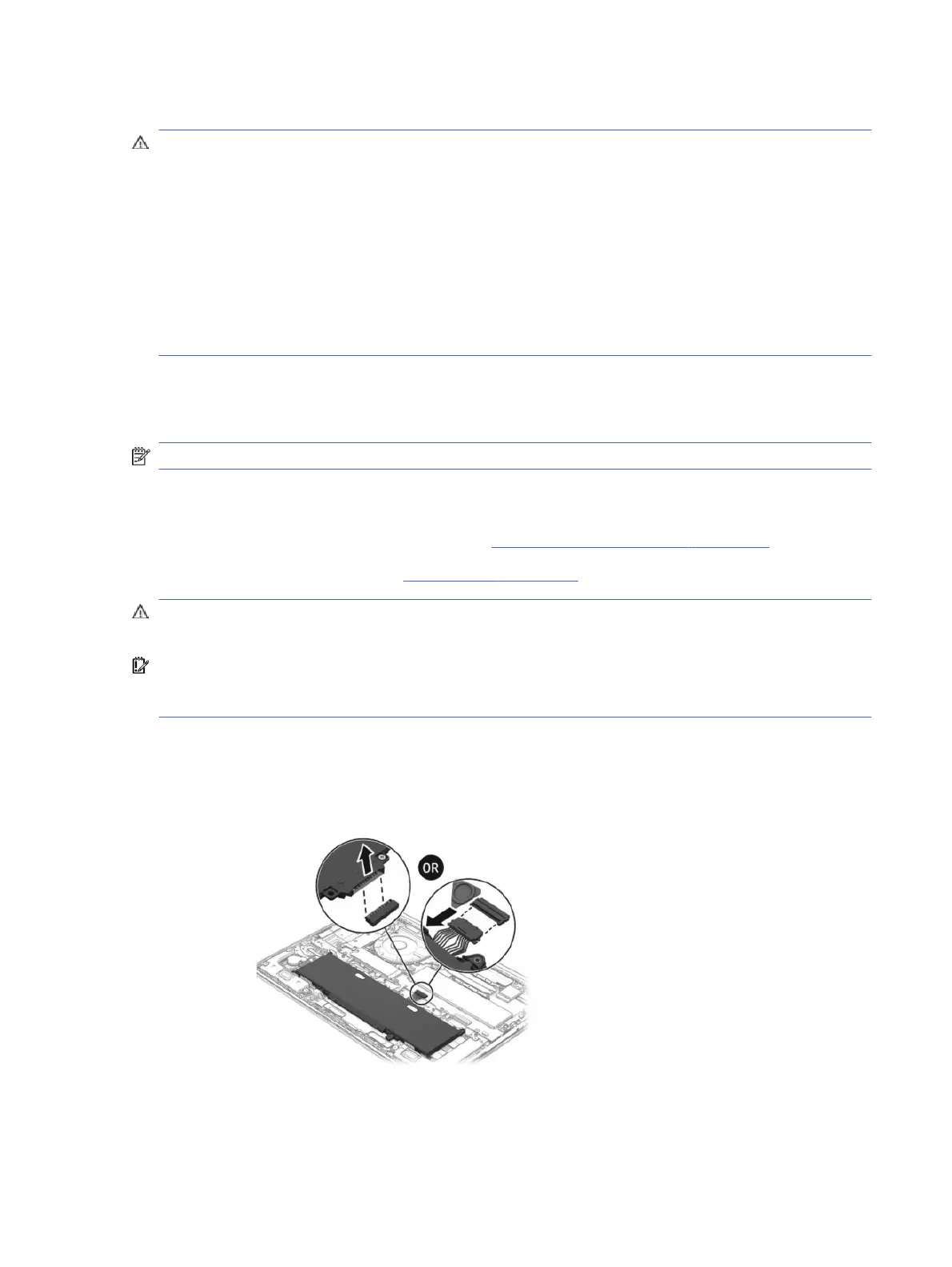
1. Remove the battery using the revive kit:
a. Disconnect the battery cable from the system board. The connector location might vary.
Installing a new battery
43



 To Next Page