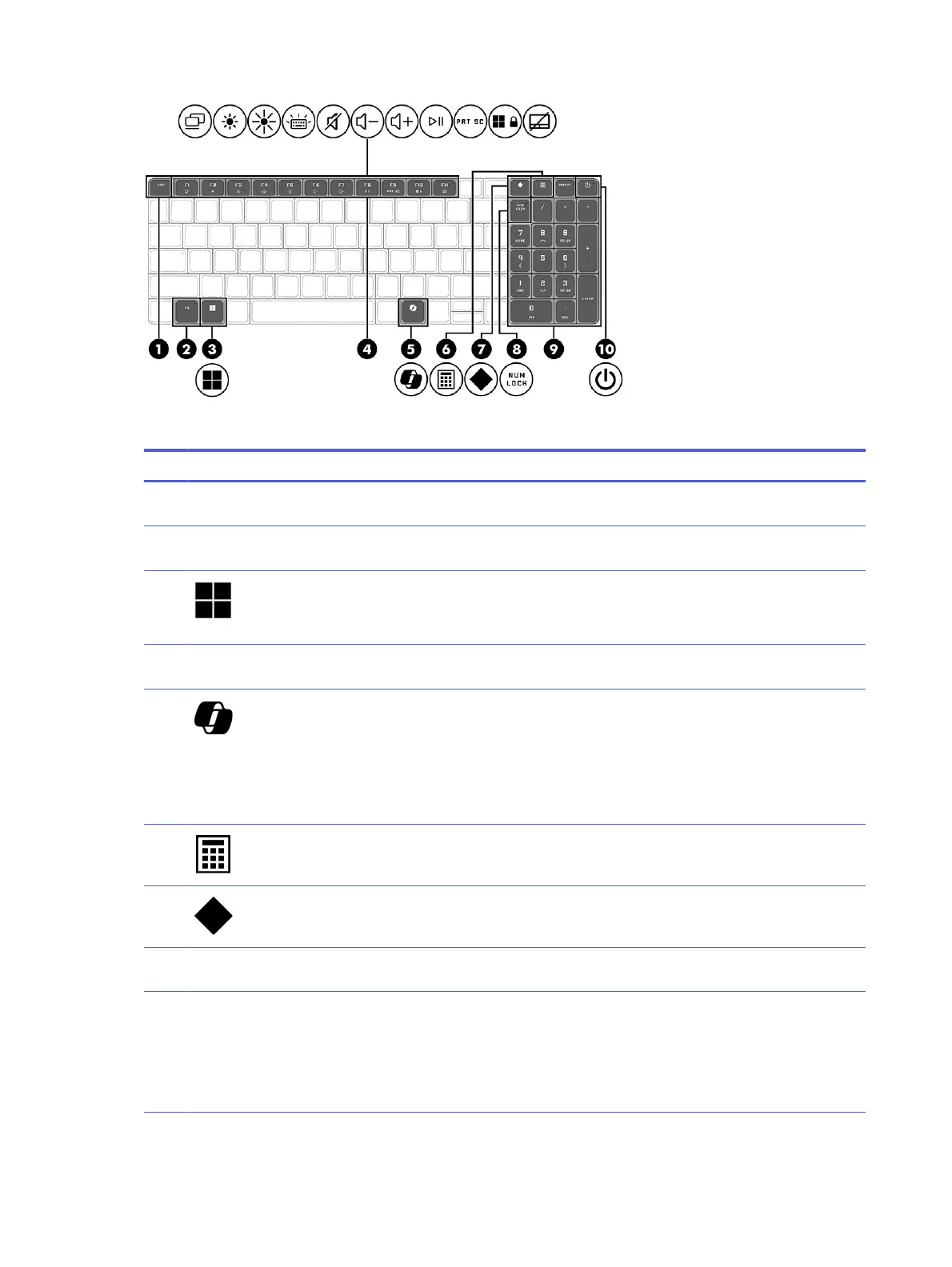
Table 2-7 Special keys and their descriptions
Component Description
(1) esc key Displays system information when pressed in combination
with the fn key.
(2) fn key Executes specific functions when pressed in combination
with another key.
(3) Windows key Opens the Start menu.
NOTE: Pressing the Windows key again will close the Start
menu.
(4) Action keys Execute frequently used system functions as defined by the
icon symbols on f1 through f12 function keys.
(5) Windows Copilot key Opens Windows Copilot (select products only).
NOTE: Copilot in Windows (select products only) requires
Windows 11. Some features require a neural processing unit
(NPU). The timing of feature delivery and availability varies by
market and device. You must have a Microsoft account to use
the Copilot feature. When the Copilot feature is not available,
pressing the Copilot key opens the Bing search engine.
(6) Calculator key Opens the calculator.
(7) OMEN key Opens the OMEN Gaming Hub software.
(8) num lock key Alternates between the navigational and numeric functions
on the integrated numeric keypad.
(9) Integrated numeric keypad A separate keypad to the right of the alphabet keyboard.
When num lock is pressed, the keypad can be used like an
external numeric keypad.
NOTE: If the keypad function is active when the computer is
turned off, that function is reinstated when the computer is
turned back on.
14 Chapter 2 Getting to know your computer



 To Next Page