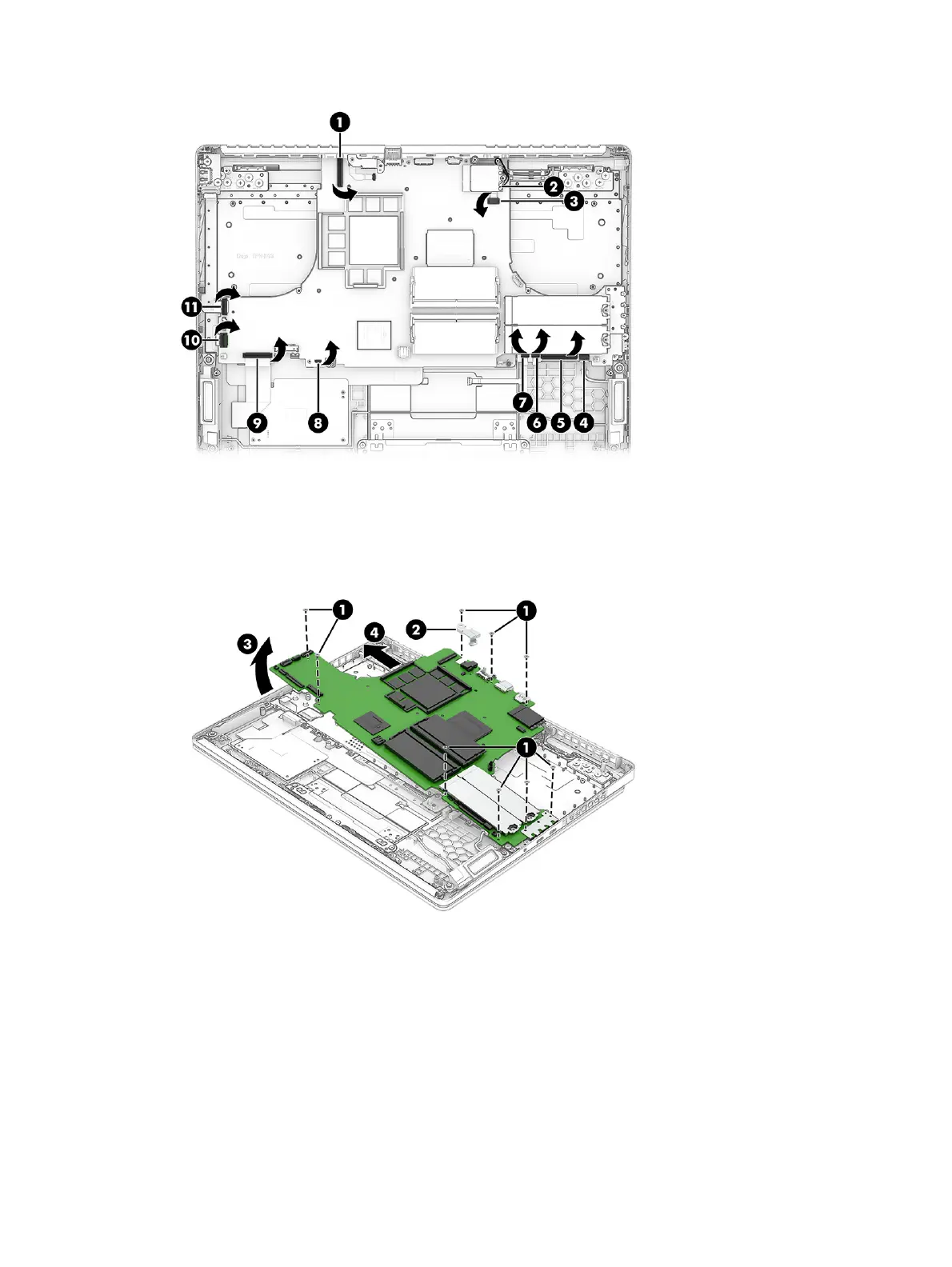
2. Remove the nine Phillips M2.0 × 3.5 screws (1) from the system board.
3. Remove the bracket (2) from the top of the board.
4. Lift up the left side (3) of the system board, and then pull the system board (4) to the left to remove it.
5. If you are replacing the system board, install the USB bracket you removed onto the new board.
60
Chapter 7 Removal and replacement procedures for authorized service provider parts



 To Next Page