Labels
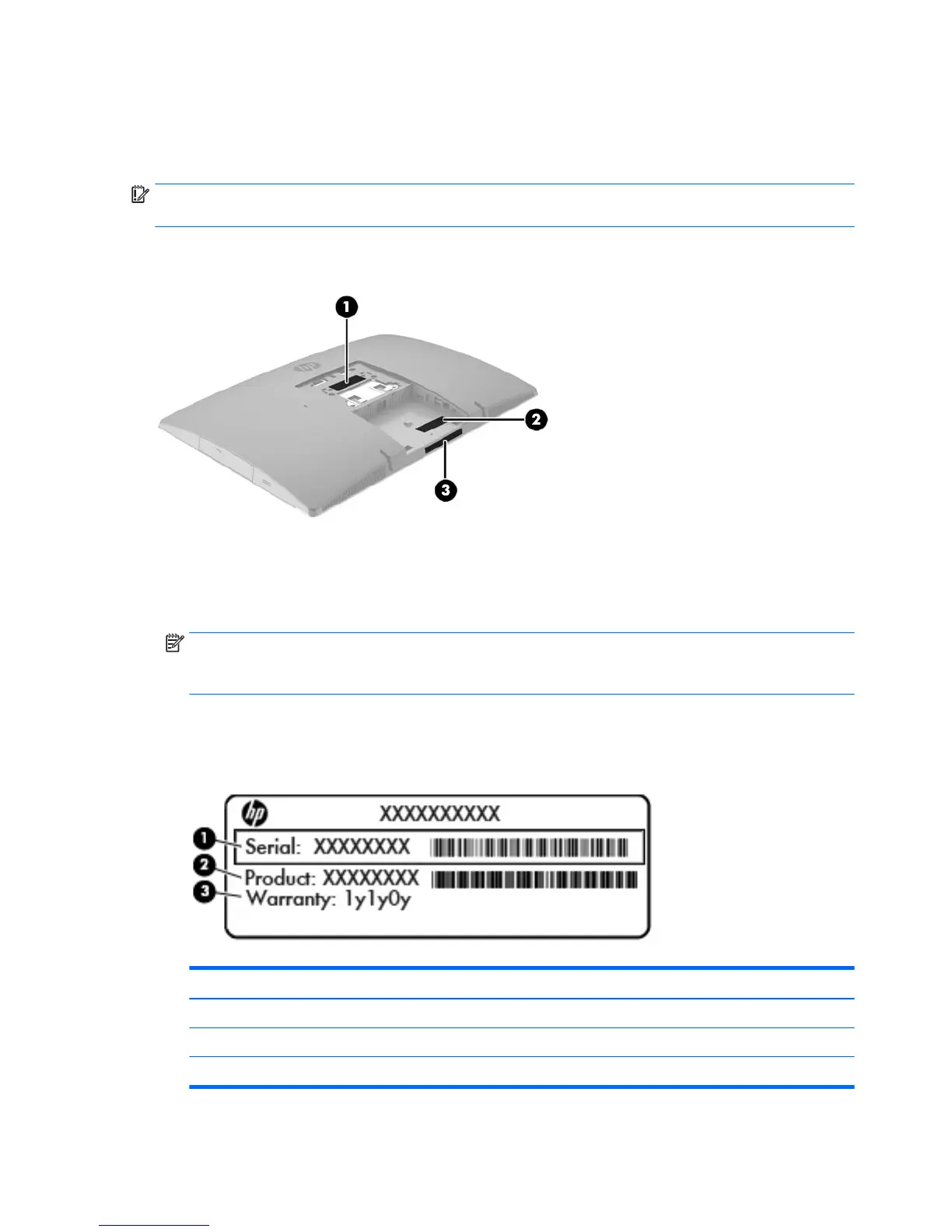
The labels axed to the computer provide information you may need when you troubleshoot system
problems or travel internationally with the computer.
IMPORTANT: All labels described in this section will be located under the stand or axed to the bottom of
the computer.
1. Microsoft® Certicate of Authenticity label (select models only prior to Windows 8)—Contains the
Windows Product Key. You may need the Product Key to update or troubleshoot the operating system.
HP platforms preinstalled with Windows 8 or later do not have the physical label, but have a Digital
Product Key electronically installed.
NOTE: This Digital Product Key is automatically recognized and activated by Microsoft Operating
Systems on a reinstall of the Windows 8 or Windows 8.1 operating system with HP-approved recovery
methods.
2. Service label—Provides important information to identify your computer. When contacting support, you
will probably be asked for the serial number, and possibly for the product number or the model number.
Locate these numbers before you contact support.
Component
(1) Serial number
(2) Product number
(3) Warranty period
3. Serial number label
6 Chapter 1 Product features



 To Next Page
 Loading...


