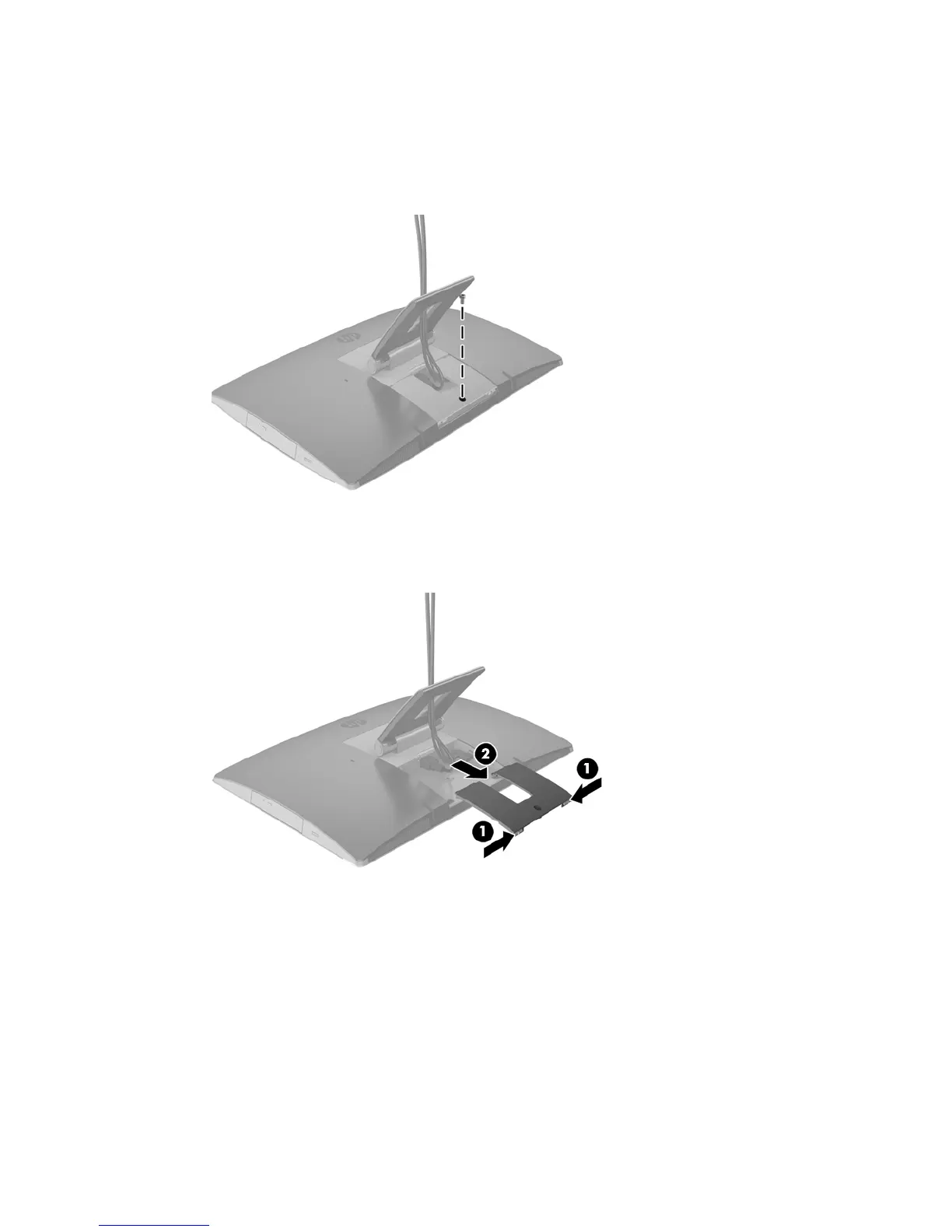
Rear port cover
1. Place the computer face down on a soft at surface. HP recommends that you set down a blanket, towel,
or other soft cloth to protect the bezel and screen surface from scratches or other damage.
2. If the security lock screw is secured, unscrew it with a T15 tamper-resistant Torx security screwdriver.
3. Press the two tabs toward each other to disengage the port cover from the chassis (1).
4. Pull the port cover toward the bottom and o the computer (2).
Rear port cover 23



 To Next Page