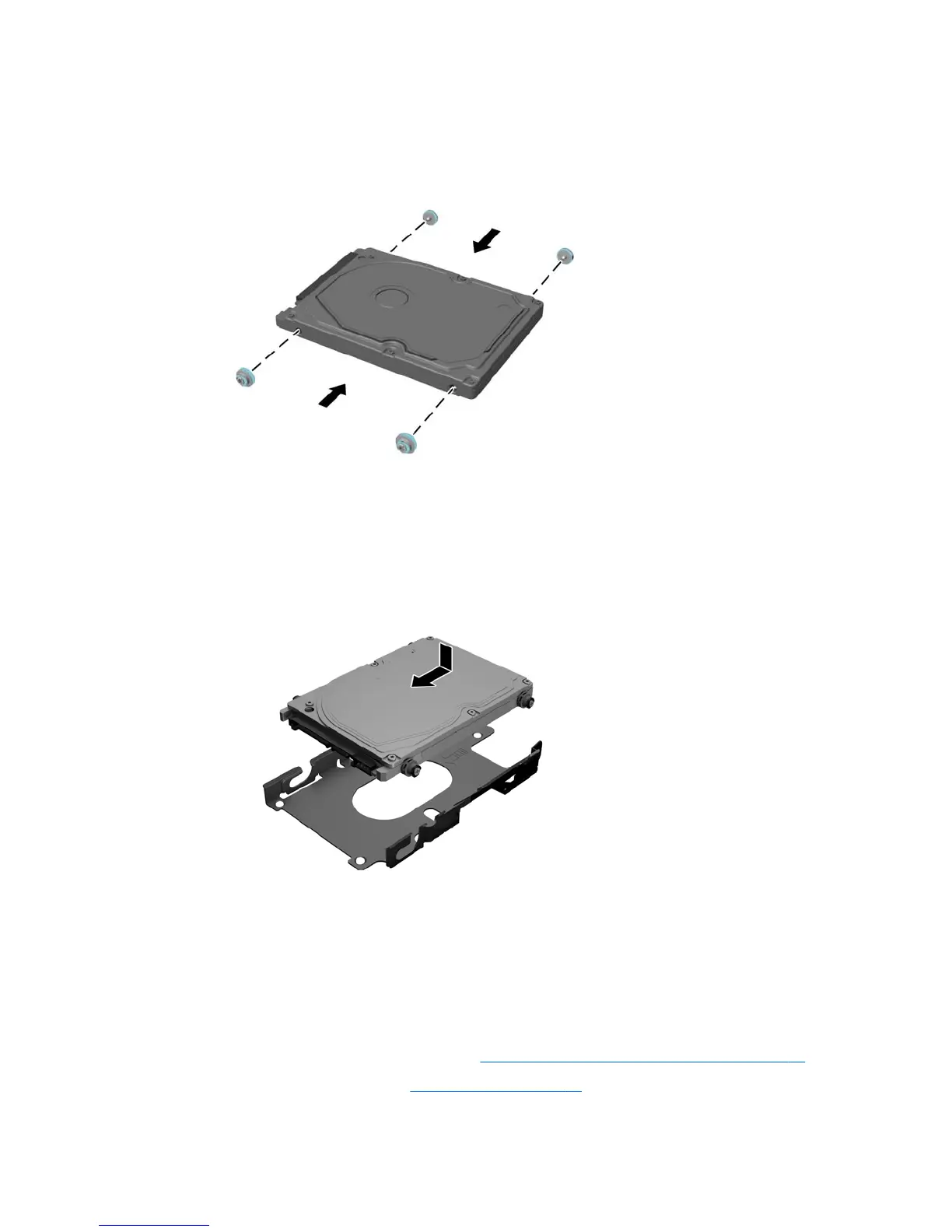
Installing a 2.5-inch hard disc drive
1. Fasten four mounting screws with grommets onto the 2.5 inch hard drive.
2. Position the 2.5 inch drive above the drive cage with the connectors facing the power and data cables
next to the drive cage.
3. Place the 2.5 inch hard drive into the drive cage and slide it toward the cables until the cage snaps into
place.
4. Connect the power and data cables to the hard drive.
Replacing the optical drive
The optical drive is located beneath the lower hard drive on the left side of the computer. The green latch
comes with the drive.
1. Prepare the computer for disassembly (see Preparing to disassemble the computer on page 22).
2. Remove the rear port cover (see Rear port cover on page 23).
Drives 31



 To Next Page