System board (EMI) shield
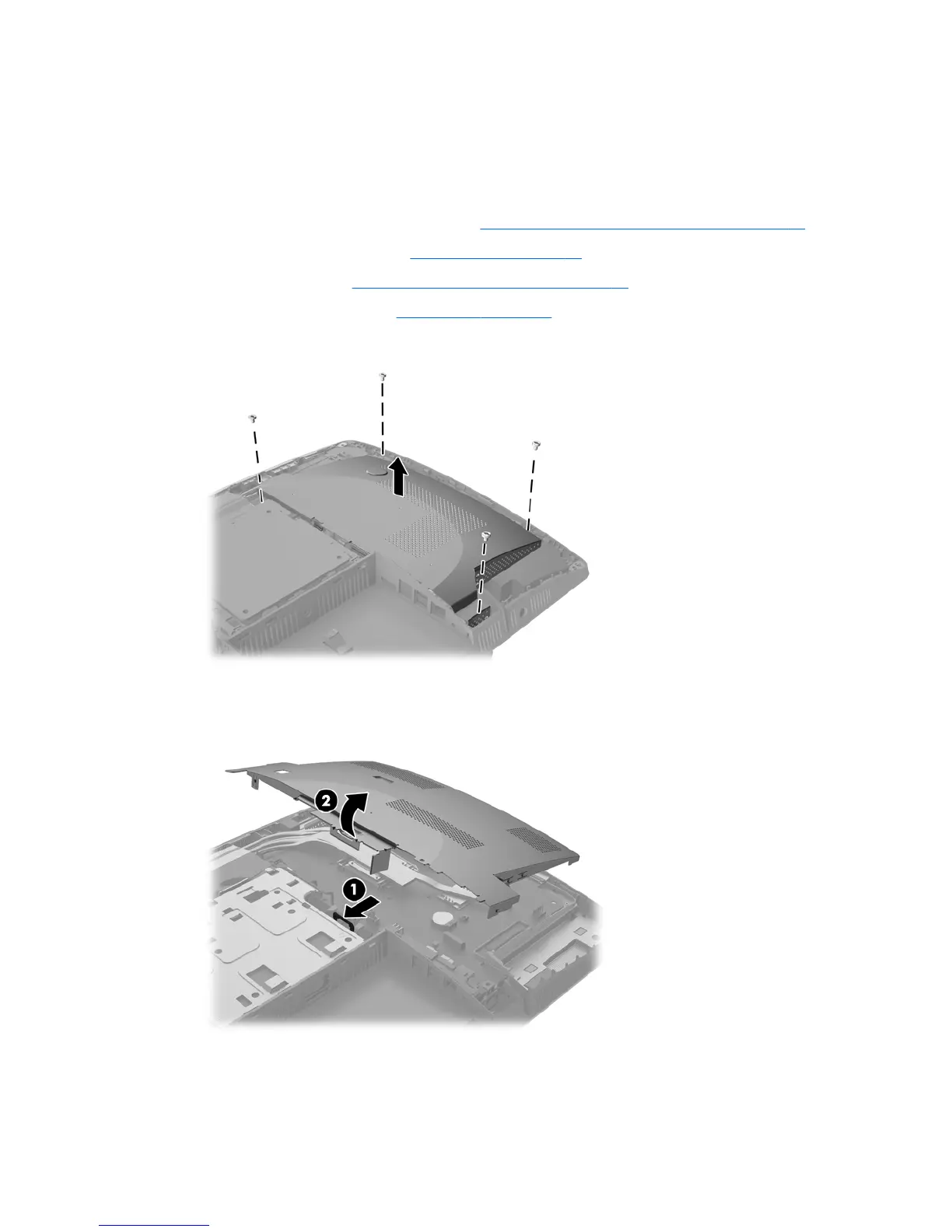
The system board shield covers the system board. A latch holds the shield in place. Four screws secure the
shield.
To remove the system board shield:
1. Prepare the computer for disassembly (see Preparing to disassemble the computer on page 22).
2. Remove the rear port cover (see Rear port cover on page 23).
3. Remove the stand (see Attaching and removing a stand on page 24).
4. Remove the access panel (see Access panel on page 28).
5. Remove the four screws securing the electromagnetic interference (EMI) shield to the chassis.
6. Push the EMI shield latch toward the center of the computer (1) to release the EMI shield, and then lift
the shield o the computer (2).
To install the system board shield, reverse the removal procedures.
System board (EMI) shield 37



 To Next Page
 Loading...


