76
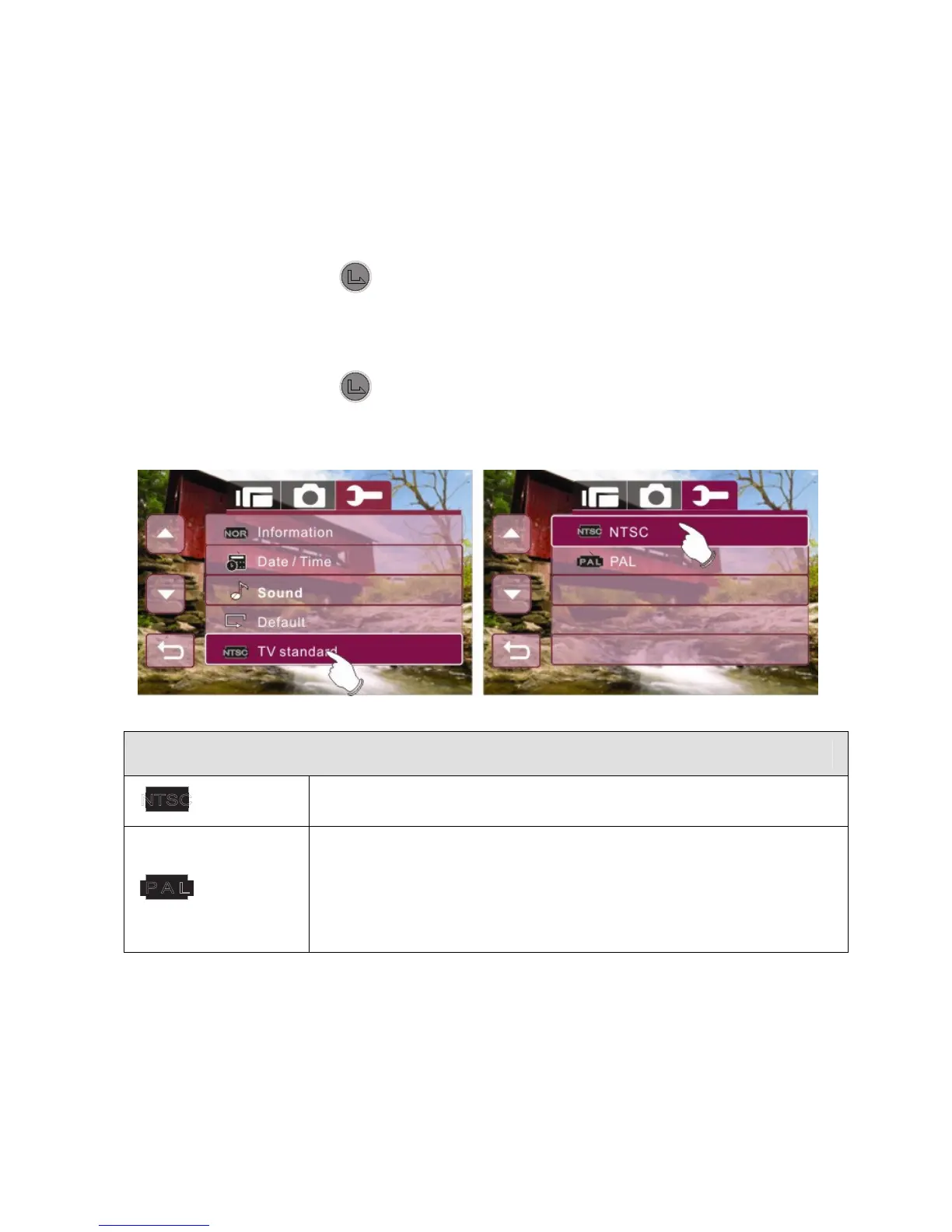
6.5.5 75BTV standard
Use the TV standard to set the TV system for your area.
1. Enter Setup menu, use the 4-Way Direction Button to
highlight TV standard.
2. Press the button or touch the TV standard icon on
screen to display the submenu.
3. Use the 4-Way Direction Button to select NTSC or PAL.
Press the button or touch the selected option icon on
screen to set.
TV out standard setting reference
NTSC
USA, Canada, Japan, Korea, Taiwan, Mexico
PAL
Australia, Austria, Belgium, China, Denmark,
Finland, Germany, UK, Italy, Kuwait, Malaysia,
New Zealand, Singapore, Spain, Sweden,
Switzerland, Thailand, Norway



 To Next Page