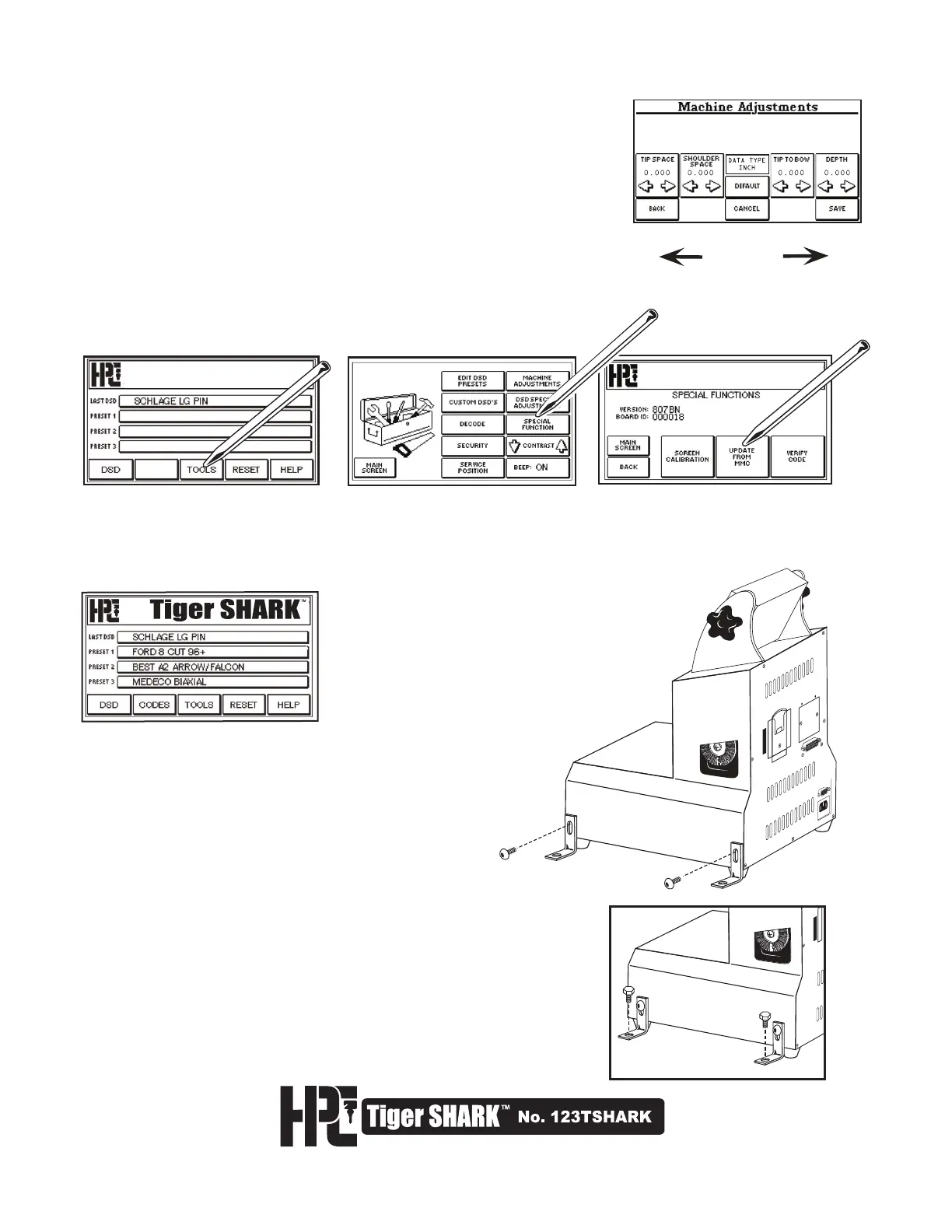
MINUS (-) ARROW
.001" / .01mm.
PLUS (+) ARROW
.001" / .01mm.
If, after the 2nd calibration, the machine is still off by more than .002-inch (or you
need even tighter tolerances), then use the Machine Adjustments function to make
small adjustments in the depths. Click on “TOOLS”, then “Machine Adjustments”.
Refer to section 5.4 for complete instructions.
The Tiger SHARK
™
is supplied with Bolt Down Brackets. If you
prefer to bolt down the machine to your work bench or counter,
simply align the brackets to screw locations located on the side
panels of the machine. Remove side panel screws, place
slotted side of bracket against panel and thread screws in to
place but do not tighten. Make sure bracket is flush with surface
of counter. Tighten brackets down using your own bolts
(suitable for the type and thickness of your workbench). Next,
tighten screws on bracket sides to secure machine to bench.
5. After the Auto Calibration process has been completed, the Operating
Program must be installed using the Update Card that is installed in the
machine.
A. Click “TOOLS”
B. Click “SPECIAL FUNCTION”.
C. Click “UPDATE FROM MMC CARD”, then “CONFIRM”.
The screen will turn white for about 10 minutes, then turn black for about
3 minutes. Do not switch off the machine during this procedure.
When the machine beeps and the main screen is restored, the Tiger
SHARK™ is ready for use.
Auto-Calibrate
Tools
Auto-Calibrate
CALIBRATE
Securing The Tiger SHARK
™
To Your Work Bench



 To Next Page