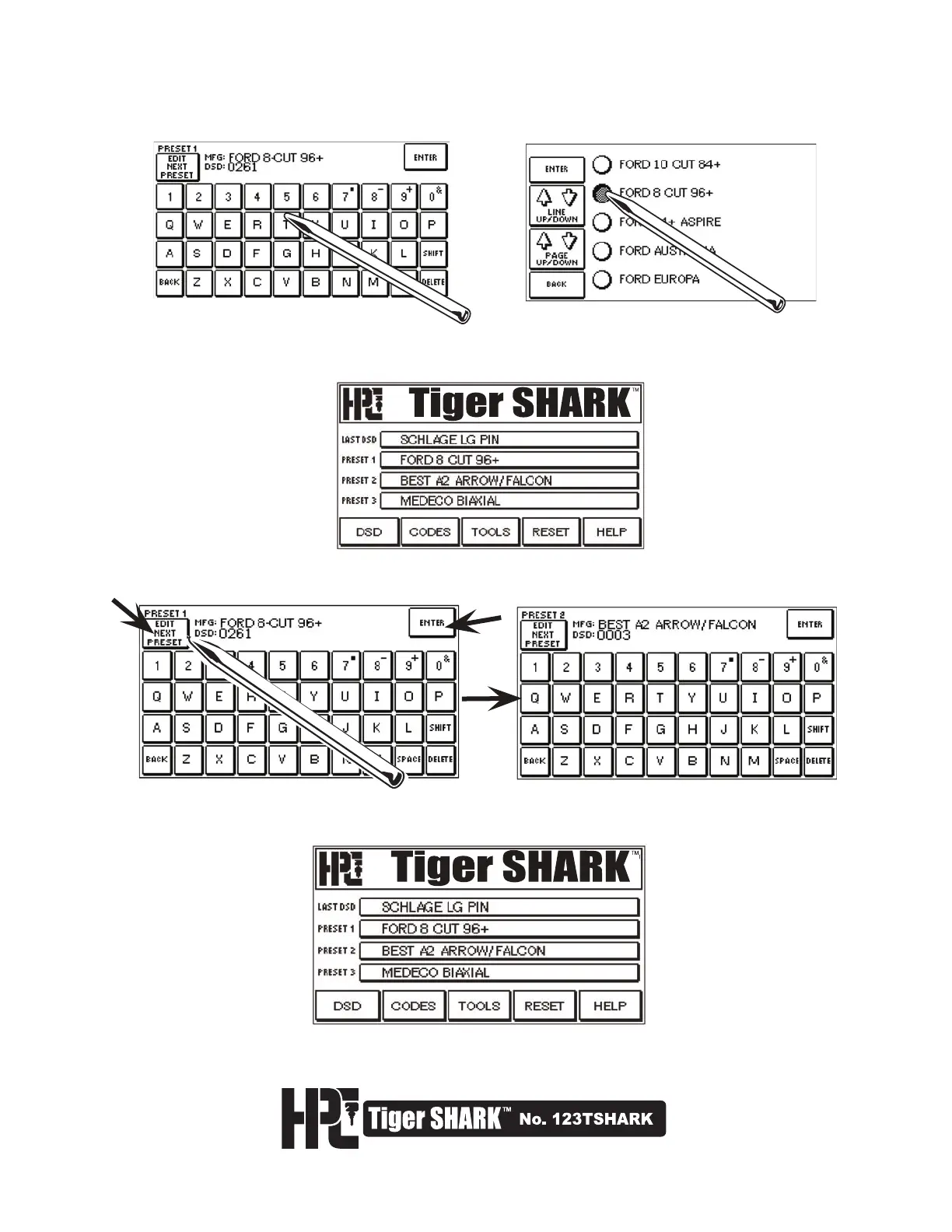
3. If the DSD is not known, you may search by manufacturer by typing in a manufacturer name, selecting
ENTER, and choosing from the Search List.
4. This will bring you back to the Main Menu. Preset 1 is now set to the DSD which you have selected.
This can be changed at any time by going to the TOOLS Menu and selecting EDIT DSD PRESETS.
5. After Preset 1 has been set, you may now set Preset 2 and Preset 3 by entering the EDIT DSD PRESET
Screen and selecting the EDIT NEXT PRESET button.
7. Selecting any one of these four buttons (LAST DSD, PRESET 1, 2, or 3) will take you directly to the bitting
screen (see page 21).
6. After all Presets have been made, the Main Menu will appear with DSD Presets displayed, similar to the
one shown here.



 To Next Page