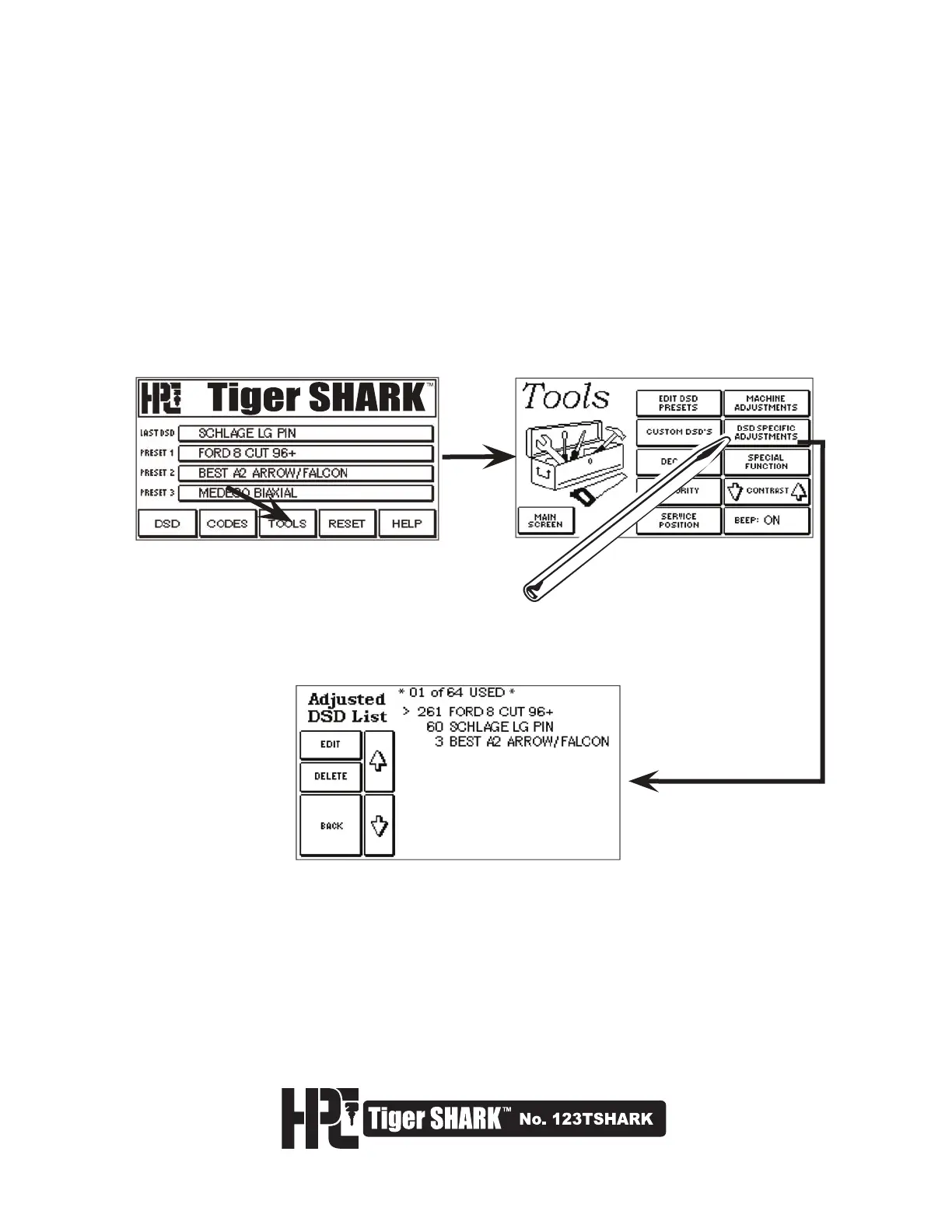
To edit or delete the permanent adjustments made to a DSD:
1. Select TOOLS from the Main Menu, then select DSD SPECIFIC ADJUSTMENTS.
2. The first screen displays a list of all the DSDs that have been "permanently" adjusted. Use the Up and Down
arrows to scroll through the list. EDIT: Allows changes to the adjustments made to a DSD.
DELETE: Deletes the adjustments made to a DSD (reverting it to the factory specifications). BACK: Will return
to the TOOLS menu.



 To Next Page