Watching videos
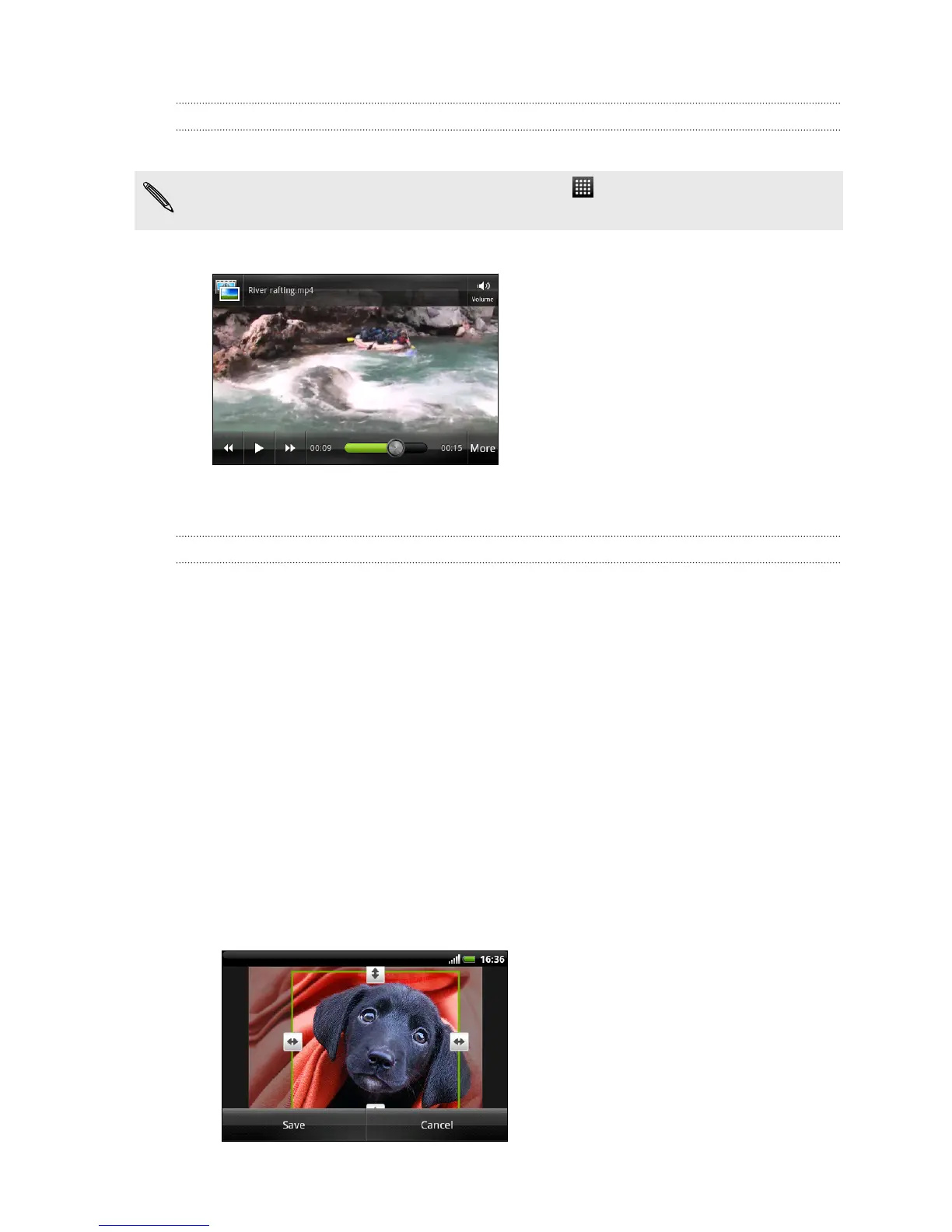
While browsing an album, tap a video to play it.
Another way to easily get to your videos is to tap from the Homescreen, and
then tap Videos.
§ Use the onscreen controls to play, pause, or stop the video.
§ Tap More > Full screen or More > Best fit to toggle between full and best-fit
screens.
Editing your photos
Do basic editing tasks on your photos such as rotate and crop. You can also enhance
your photos by applying effects such as high contrast, vintage, and more.
Rotating a photo
1. On the Gallery app’s Albums screen, tap an album.
2. Press and hold on the photo that you want to rotate.
3. In the menu that opens, tap Edit, and then tap either Rotate left or Rotate right.
Cropping a photo
1. On the Gallery app’s Albums screen, tap an album.
2. Press and hold on the photo that you want to crop.
3. In the menu that opens, tap Edit, and then tap Crop. You’ll see a crop box
around the photo.
4. To adjust the crop box size, press and hold the edge of the box.
84 Photos, videos, and music



 To Next Page