eSpace IAD
Troubleshooting
3 Common Troubleshooting Methods
Huawei Proprietary and Confidential
Copyright © Huawei Technologies Co., Ltd.
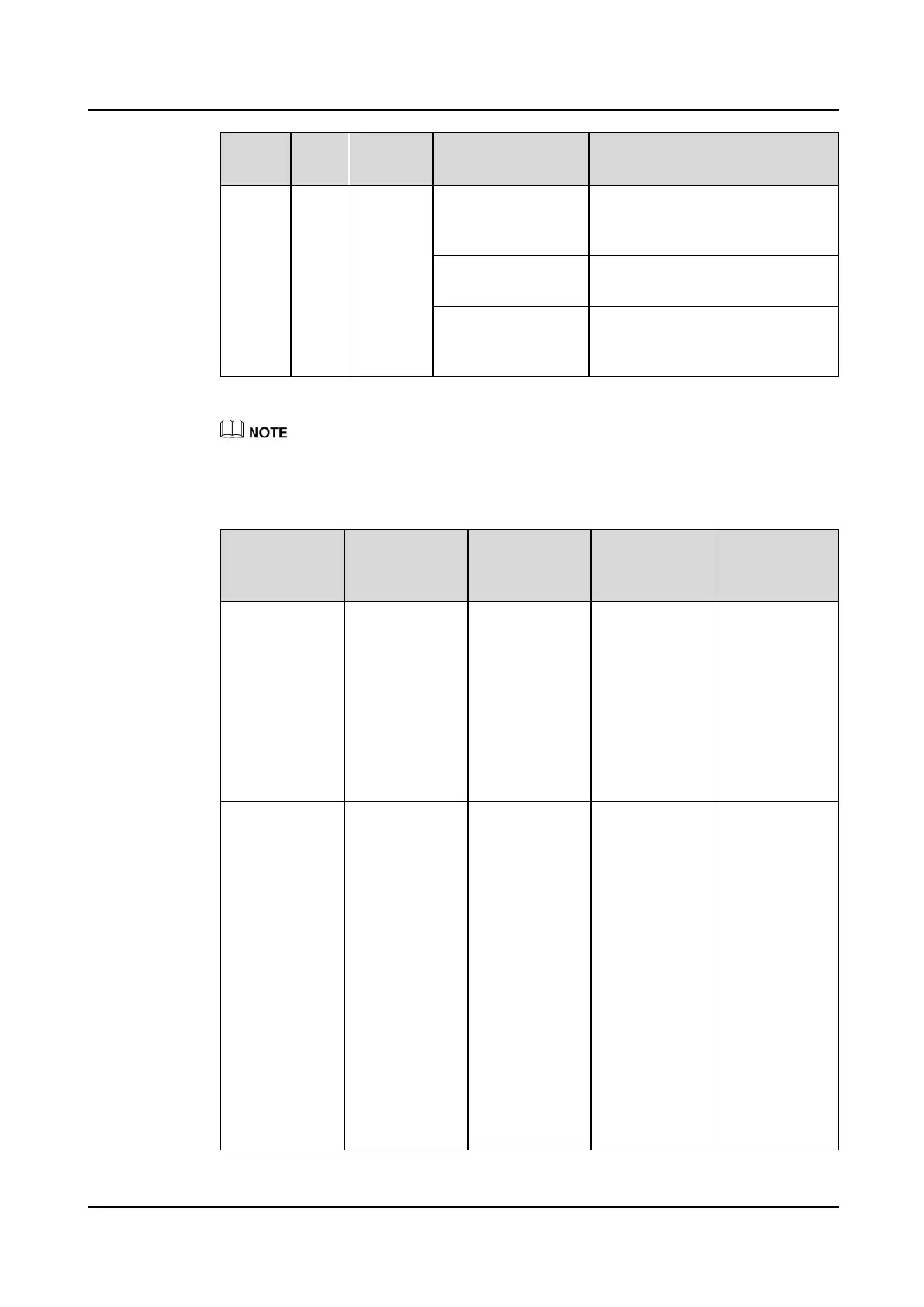
Blinking (1.5s on
and 0.5s off)
Indicates that the system is
switched over to the backup PSTN
and the phone is in use.
Indicates that the phone is picked
up or the phone is in lock state.
Indicates that the phone of the
corresponding port is in hang-up
state.
The numbers of the voice telephone interface indicators of the IAD101H, 102H, and 104H are 1, 2, and
4 respectively.
Indicators of the IAD208E(M)
Cause and
Rectification
Method
Off when the
IAD is powered
on
System fault:
The IAD failed
to start.
If the AC power
supply is
normal and
cables are
connected, the
internal power
module of the
IAD is faulty.
The IAD needs
to be repaired.
Off when the
IAD is powered
on
System fault:
The IAD does
not respond or
the serial port is
faulty.
1. Press the
Reset button
to restart the
device (Do
not turn off
the power;
otherwise,
the alarm
log will be
lost.)
2. Run the
display
alarm
history all
command to
view the
alarm
information.








 To Next Page