eSpace IAD
Troubleshooting
2 Analyzing and Rectifying Faults
Huawei Proprietary and Confidential
Copyright © Huawei Technologies Co., Ltd.
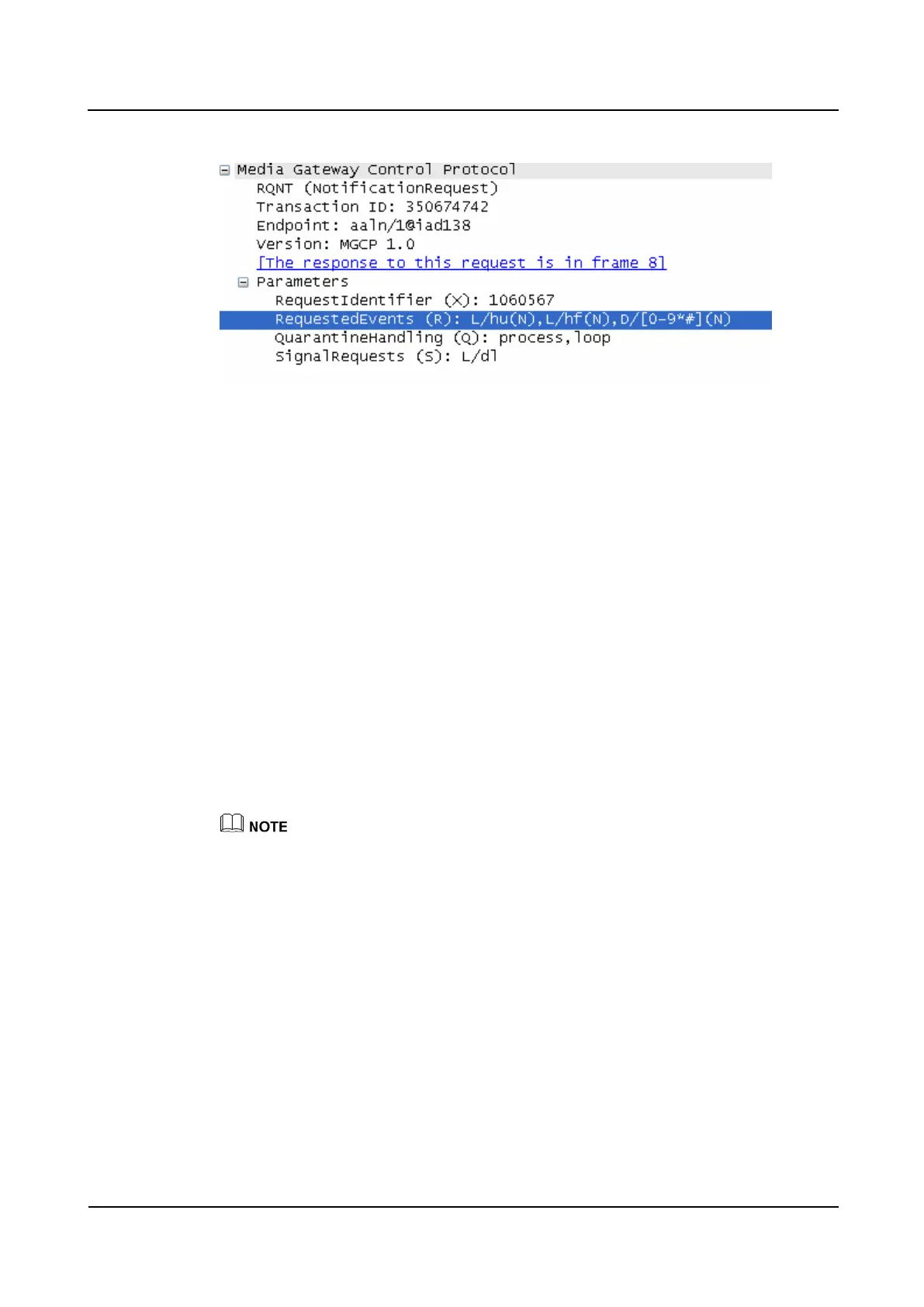
Figure 2-2 Digitmap delivered by the softswitch using MGCP
Step 6 Contact Huawei technical support.
----End
2.1.6 A User Cannot Hear Other's Voice on the Phone Connected
to IAD After 5 to 10 Minutes
Symptom
When a user uses a phone connected to IAD to talk with others, the user cannot hear others'
voice after 5 to 10 minutes. Other users can hear the user's voice.
Cause
Phone fault
Peer device fault
Solution
The IAD configuration is correct when only one user encounters the problem.
Step 1 Change a phone, and check whether the fault is rectified.
If yes, the procedure ends.
If no, go to Step 2.
Step 2 Check the peer device.
Step 3 Check whether the fault is rectified.
If yes, the procedure ends.
If no, go to Step 4.
Step 4 Contact Huawei technical support.
----End








 To Next Page