eSpace IAD
Troubleshooting
2 Analyzing and Rectifying Faults
Huawei Proprietary and Confidential
Copyright © Huawei Technologies Co., Ltd.
If yes, go to Step 5.
If no, go to Step 2.
Step 2 Check whether the network is disconnected.
If yes, rectify the network fault.
If no, go to Step 3.
Step 3 Run the display sip attribute command to view the IAD protocol mode.
Step 4 (For SIP mode only) Run the display sip attribute command to view the digit-map position
value.
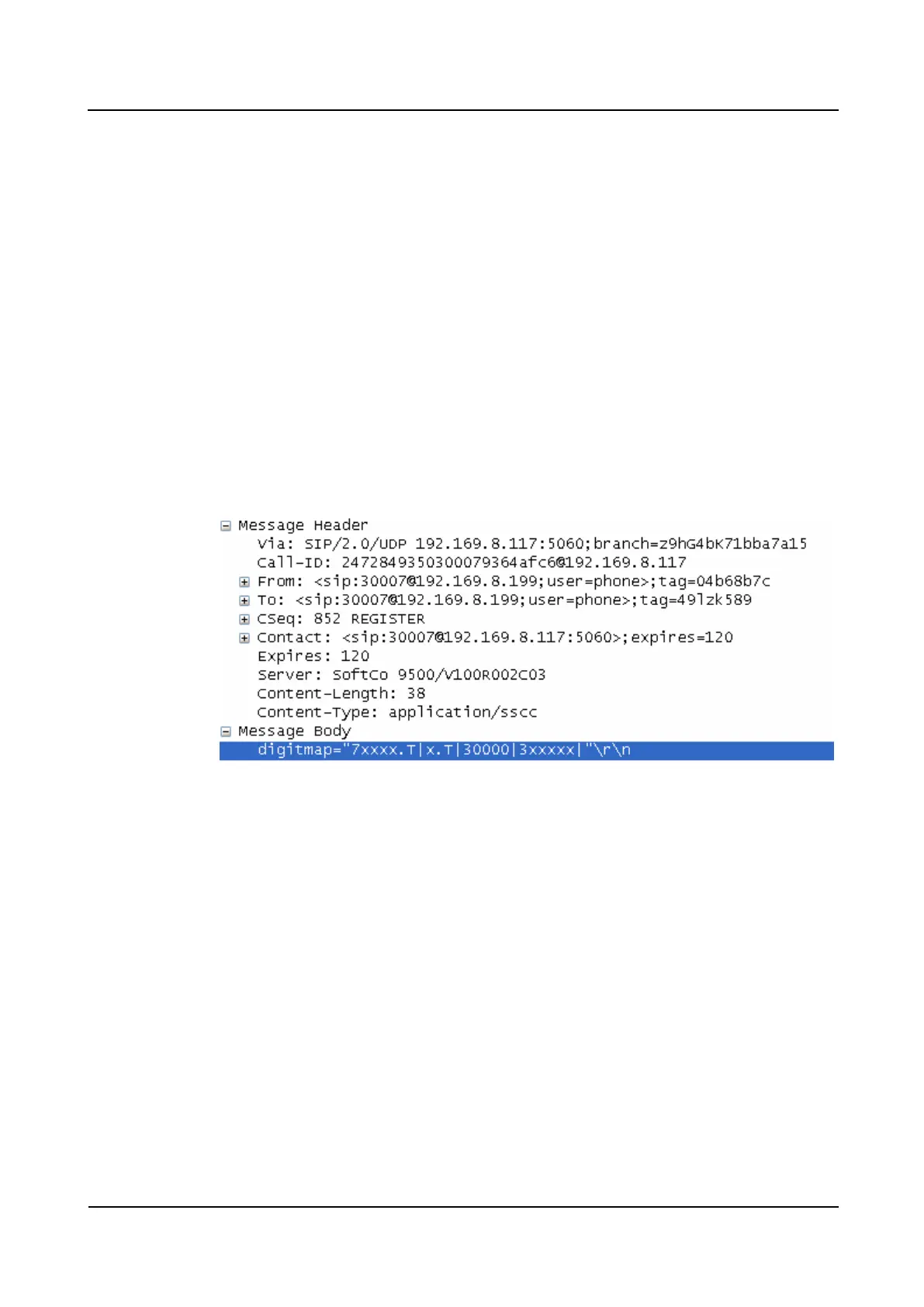
If the digitmap of the softswitch is used, the softswitch sends the digitmap to the IAD in
the 200 OK message. Check whether the digitmap delivered by the softswitch is correct,
as shown in Figure 2-1.
− If no, modify the digitmap configuration on the softswitch.
− If yes, go to Step 6.
Figure 2-1 Digitmap delivered by the softswitch using SIP
Step 5 (For MGCP mode only) Capture packets to view the digitmap of the softswitch in the MGCP
mode.
The softswitch sends the digitmap to the IAD in the RQNT message, as shown in Figure 2-2.
If the number length in the digitmap is configured to 11 digits, but the called number consists
of 12 digits, only 11 digits of the called number are reported. Therefore, an incorrect number
is reported. Check whether the digitmap is correct.
If no, modify the digitmap configuration on the softswitch.
If yes, go to Step 6.








 To Next Page