eSpace IAD
Troubleshooting
3 Common Troubleshooting Methods
Huawei Proprietary and Confidential
Copyright © Huawei Technologies Co., Ltd.
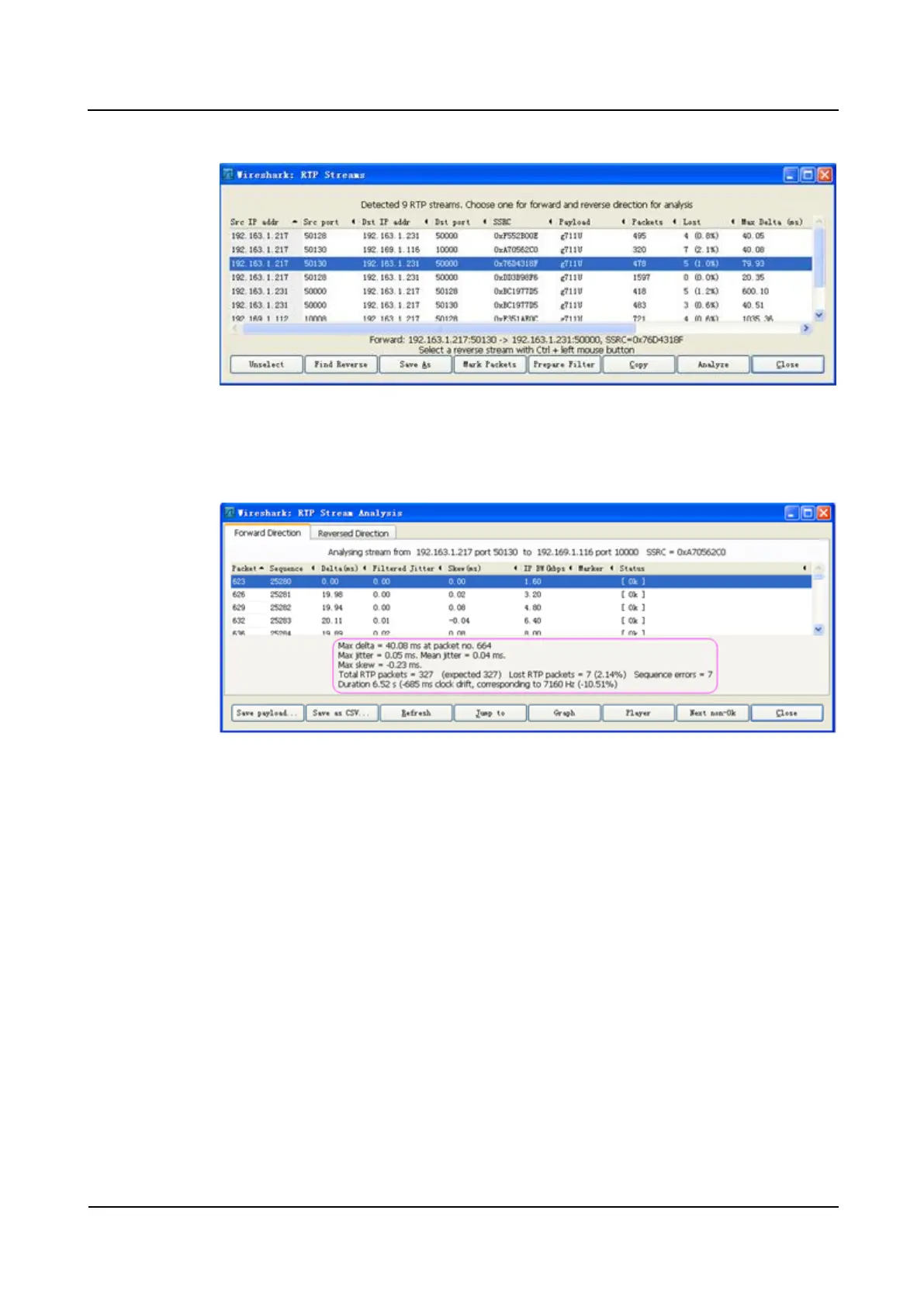
Figure 3-19 Selecting RTP packets to be analyzed
3. Click Analyze, as shown in Figure 3-20.
Figure 3-20 Checking the RTP packet analysis result
By performing the preceding steps, you can analyze the RTP stream and evaluate the
quality of the bearer network based on the packet loss, jitter, and disorder data.
----End
3.9 Capturing the Network Packets Remotely
If the IADs are distributed widely and local capturing is not convenient, you can use the
remote capture function of the IAD to capture data flow that interact with the IAD, according
to certain users and the direction of data.
Example
Network Diagram








 To Next Page