EasyManua.ls Logo

Huawei eSpace IAD - Page 70

Huawei eSpace IAD
109 pages
Print Icon
To Next Page IconTo Next Page
To Previous Page IconTo Previous Page
Loading...
eSpace IAD
Troubleshooting
3 Common Troubleshooting Methods
Issue 02 (2012-02-29)
Huawei Proprietary and Confidential
Copyright © Huawei Technologies Co., Ltd.
Indicator
Name
Abnormal
Status
Fault Type
Cause and
Rectification
Method
I
P
a
d
d
r
e
s
s
t
h
r
o
u
g
h
D
H
C
P
.
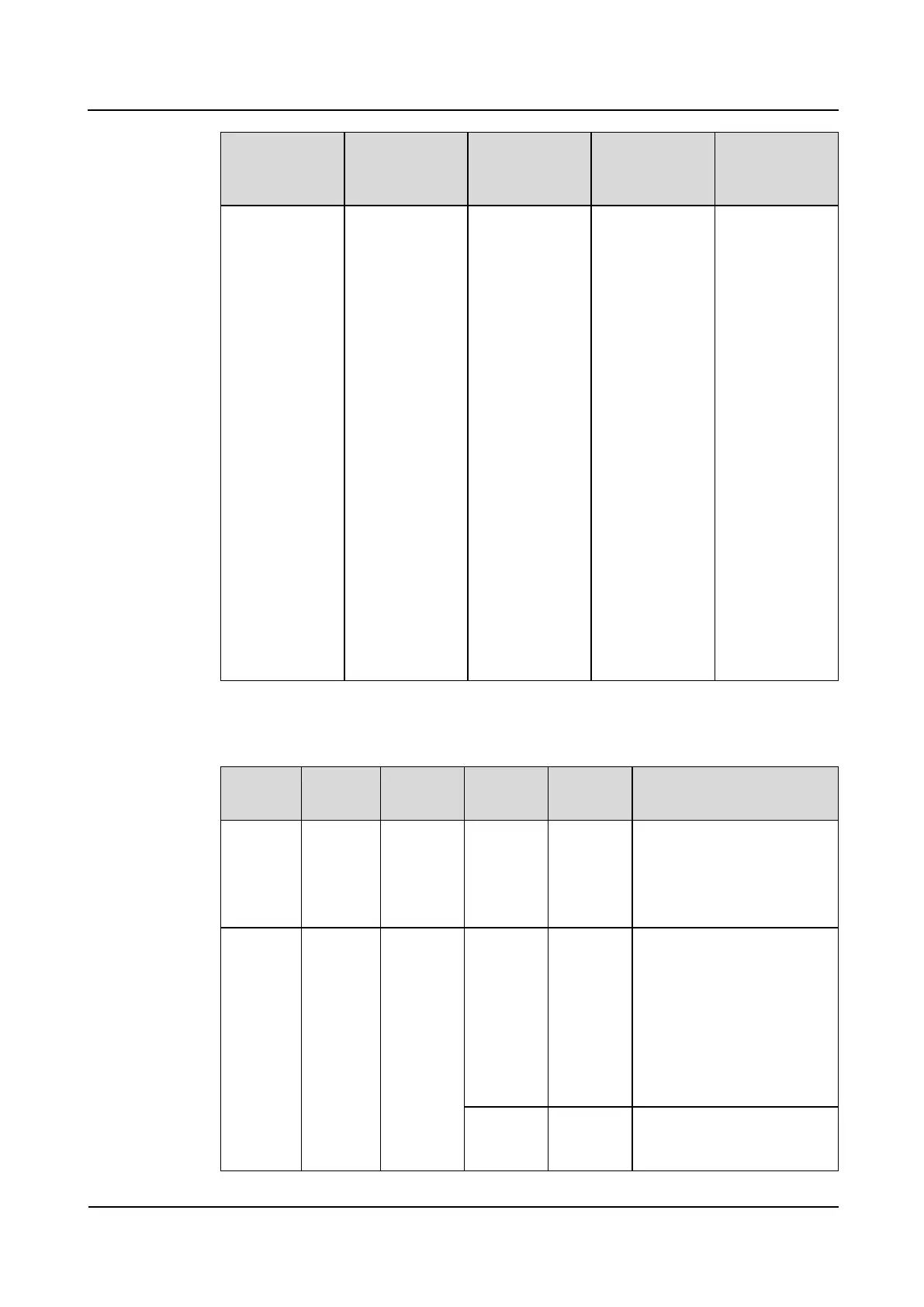
Indicators of the IAD132E(T)
Indicato
r
Name
Color
Abnorm
al Status
Fault
Type
Cause and Rectification
Method
POWER
indicator
PWR
Green
Off when
the IAD
is
powered
on
System
fault: The
IAD
failed to
start.
If the power supply is
normal and cables are
connected, a board on the
IAD is faulty. The IAD
needs to be repaired.
RUN
indicator
RUN
Green
Off when
the IAD
is
powered
on
System
fault: The
IAD does
not
respond
or the
serial port
is faulty.
1. Press the Reset button to
restart the device (Do not
turn off the power;
otherwise, the alarm log
will be lost.)
2. Run the display alarm
history all command to
view the alarm
information.
Steady on
or off
when the
System
fault: The
IAD
The IAD cannot start
properly and needs to be

Table of Contents

Related product manuals